-55-
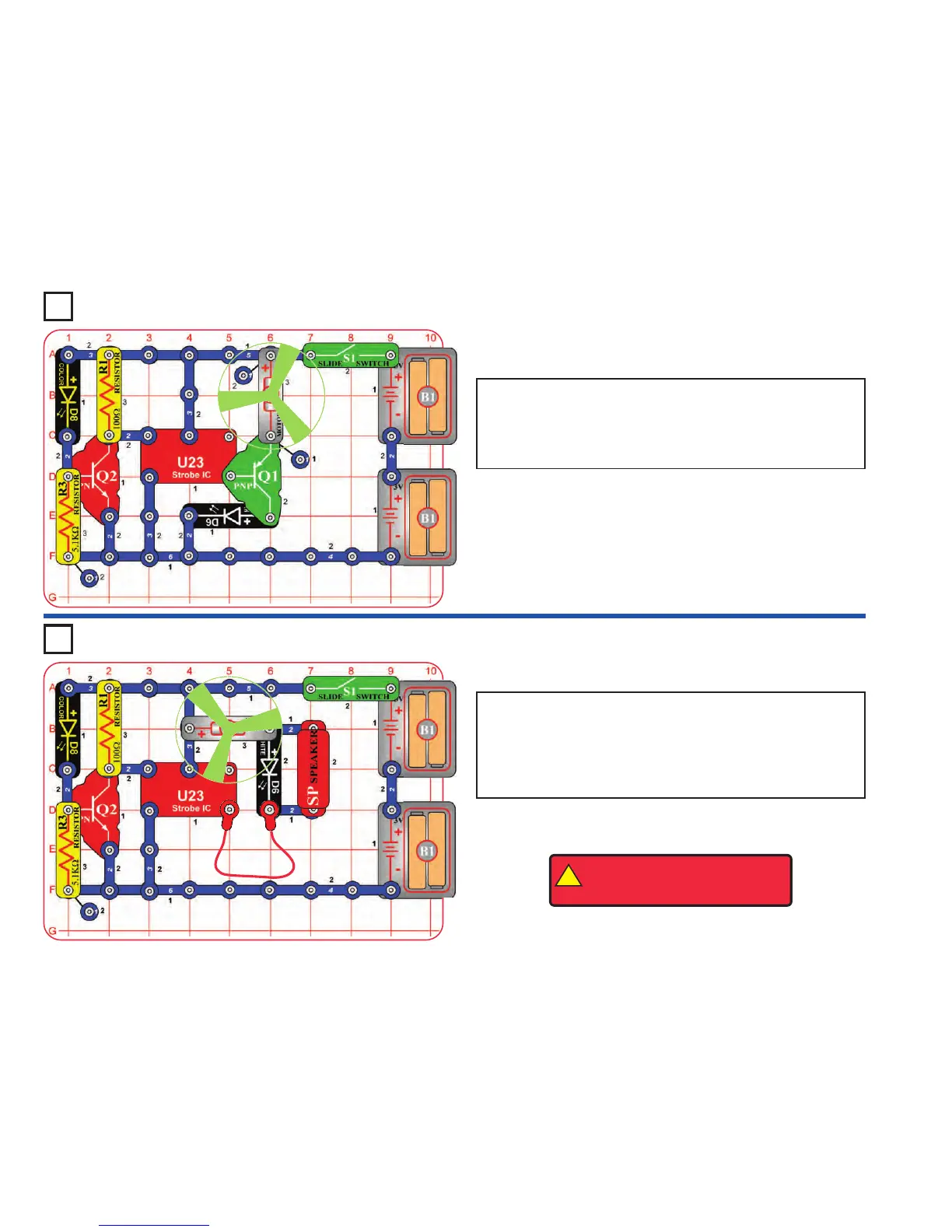
Project 110 Blinking Step Motor
Project 111 Blink Step Beep
Build the circuit as shown and turn on the switch (S1). The color LED
(D8) is used to control the strobe IC (U23), which turns on the motor
(M1) in short bursts.
To have 3 LEDs, place the red LED (D1) directly over the white LED
(D6).
Build the circuit as shown and turn on the switch (S1). The color LED
(D8) is used to control the strobe IC (U23), which turns on the motor
(M1), white LED (D6), and speaker (SP) in short bursts. The circuit also
works without the fan on the motor.
If you replace the motor with the black jumper wire, the white LED will
be a little brighter.
!
WARNING: Moving parts. Do not
touch the fan or motor during
operation.












 To Next Page