Congratulations on choosing our appliance, which you will find is dependable and easy to use.
We recommend that you read this manual for best performance and to extend the life of your
appliance. Thank you.
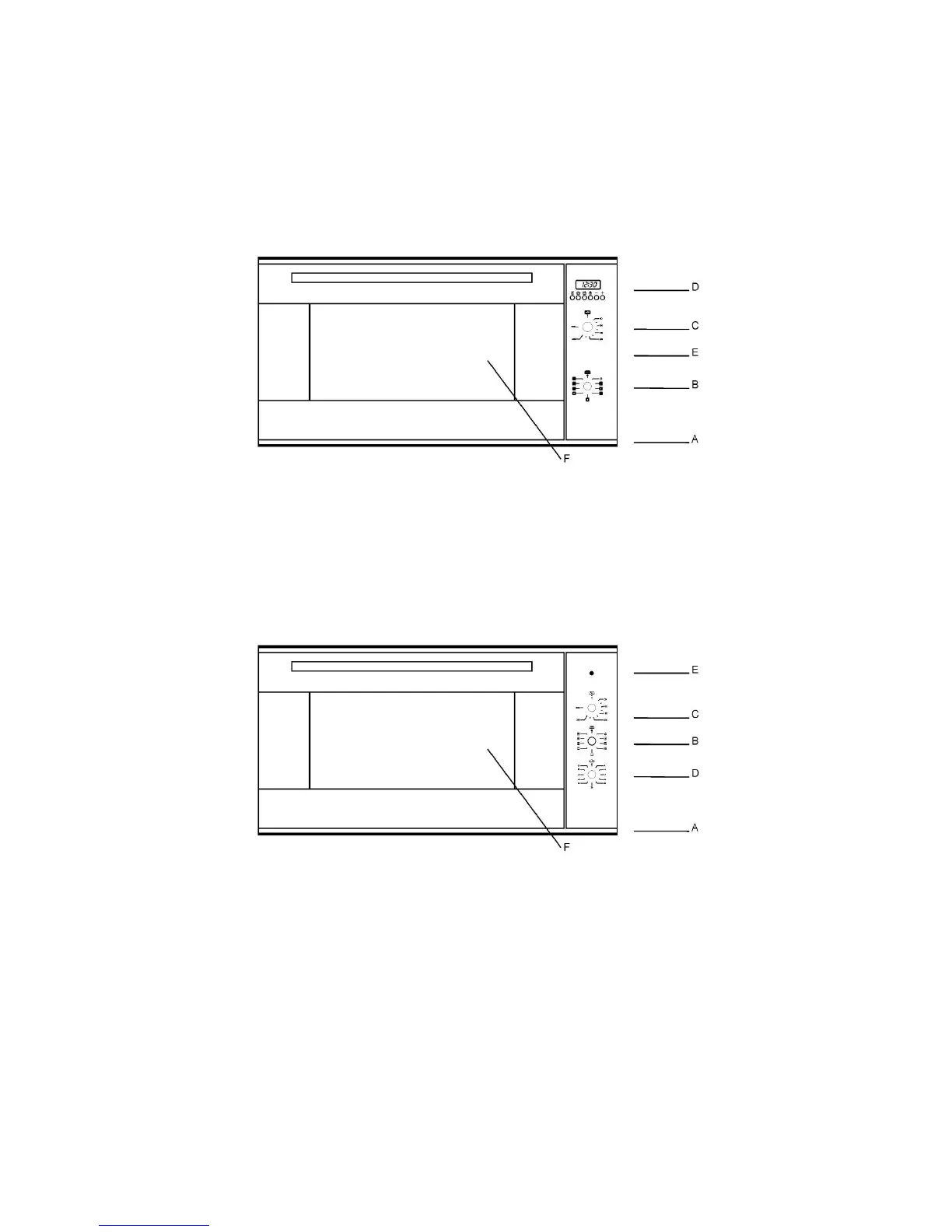
Close-up View
A. Control Panel B. Knob for selecting the cooking features.
C. Knob for adjusting the cooking temperature. D. Electronic cooking programmer(6-KEYS)
E. Oven Light – When the light is on, it indicates that the oven is heating. It will turn off when the
temperature setting has been reached.
F. Glass oven door
A. Control Panel B. Knob for selecting the cooking features.
C. Knob for adjusting the cooking temperature. D. Timers
E. Oven Light – When the light is on, it indicates that the oven is heating. It will turn off when the
temperature setting has been reached.
F. Glass oven door


 To Next Page