EasyManua.ls Logo

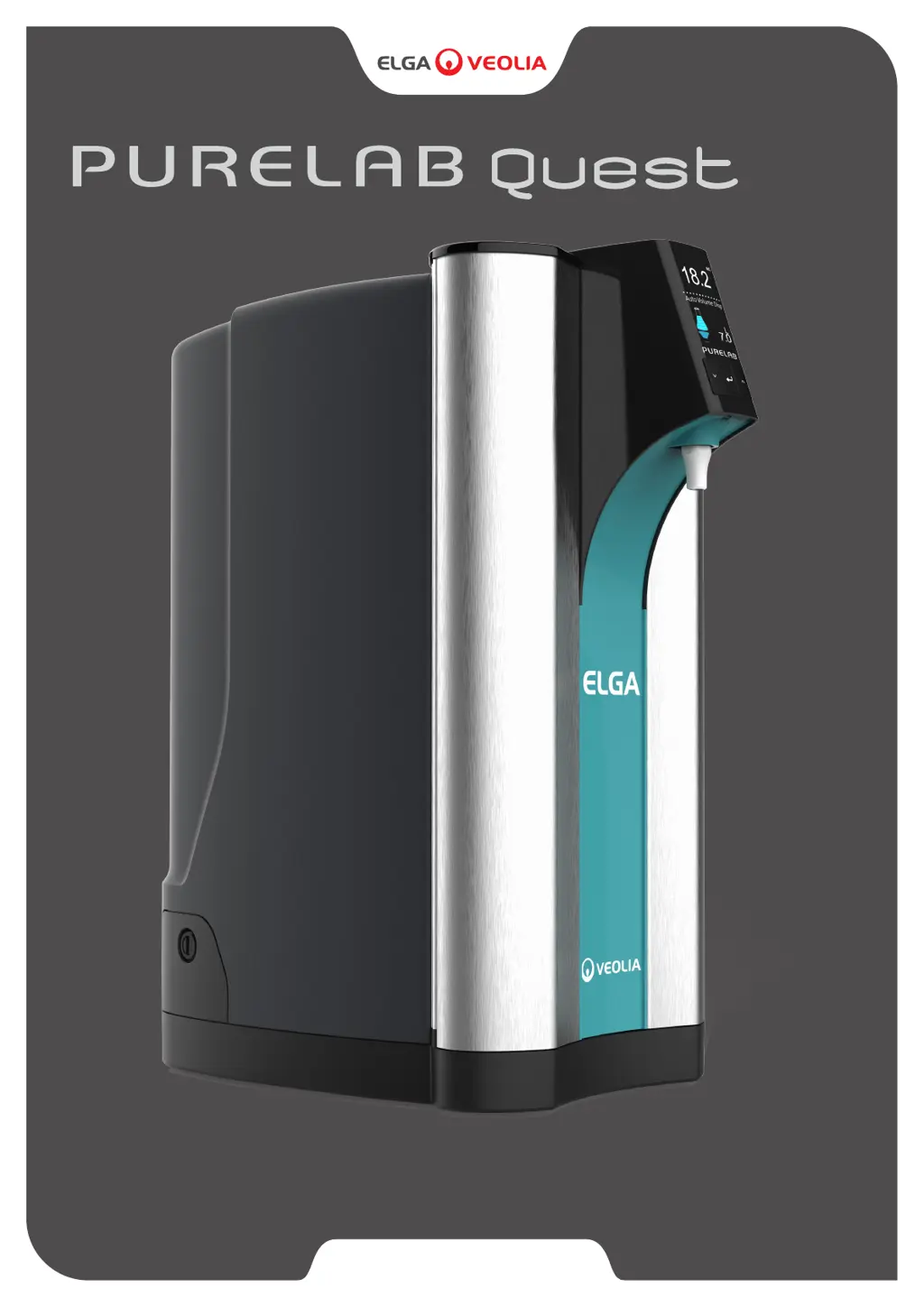
ELGA PQDIUVM1 - User Manual

Default Icon
38 pages
Print Icon
To Next Page IconTo Next Page
Loading...
WATER PURIFICATION
Operator Manual
MANU41196 VERSION 02 2/20
Product No. PQDIUVM1
Product No. PQDIXXM1
®

Questions and Answers

  • C
    Christina StoneAug 15, 2025
    What to do if the 'Dispense Water Purity Alarm' message is displayed on my ELGA Water Filtration Systems?
    • K
      khughesAug 15, 2025
      If you see a 'Dispense Water Purity Alarm' message on your ELGA Water Filtration System, first check the alarm point settings in the Main Menu. If the problem persists, replace the Purification Pack LC292 and allow the cycle to complete. If that doesn't resolve the issue, replace the Ultraviolet Lamp LC210.
  • S
    Steven GouldAug 18, 2025
    What to do if the 'High Temperature Water Alarm' message is displayed on my ELGA Water Filtration Systems?
    • R
      Richard FriedmanAug 18, 2025
      If you see a 'High Temperature Water Alarm' message on your ELGA Water Filtration System, you can try the following: 1. Adjust the alarm points settings via the Main Menu. 2. Check the feedwater temperature. 3. Press the Dispense button to draw some water through the system, then switch the system OFF and restart it.
  • C
    Cody FrenchAug 21, 2025
    How to fix reduced dispensing flow rate in ELGA Water Filtration Systems?
    • K
      Keith BryantAug 21, 2025
      To address a reduced dispensing flow rate in your ELGA Water Filtration System: * Check the mesh feedwater inlet filter for any blockages. * Replace the Point-Of-Use Filter. * Ensure the feedwater valves are fully opened.
  • M
    Mrs. Sheri Warren DVMAug 25, 2025
    What to do if the 'UV Lamp Change Reminder' message is displayed on ELGA Water Filtration Systems?
    • A
      Adam HawkinsAug 25, 2025
      If you see a 'UV Lamp Change Reminder' message displayed on your ELGA Water Filtration System, complete a UV Lamp change. After the replacement, remember to reset the UV Lamp reminder.
  • C
    Chris JohnsonAug 27, 2025
    How to troubleshoot a blank display screen on ELGA Water Filtration Systems?
    • S
      suttonsarahAug 27, 2025
      If the display screen on your ELGA Water Filtration System is blank: 1. Press any button to wake the system from sleep mode. 2. Check that the power supply is properly connected to the product, ensuring all connections are secure. Try turning the power OFF and then ON again. 3. Check the plug socket fuse and replace it if necessary.
  • S
    Shawna StewartAug 30, 2025
    What to do if the 'Sanitization Reminder' message is displayed on my ELGA Water Filtration Systems?
    • M
      Michael AndersonAug 30, 2025
      If you see a 'Sanitization Reminder' message on your ELGA Water Filtration System, you need to complete a sanitization procedure.
  • P
    perryamySep 2, 2025
    Why can't I enter the features in the Main Menu on my ELGA Water Filtration Systems?
    • L
      Lisa FullerSep 2, 2025
      If you're unable to enter the features in the Main Menu of your ELGA Water Filtration System, first check that the product is turned ON. Also, make sure that Auto-Volume is disabled.
  • Z
    zachary98Sep 5, 2025
    What to do if the 'Purification Pack Change Reminder' message is displayed on my ELGA Water Filtration Systems?
    • C
      cruzmadisonSep 5, 2025
      If you see a 'Purification Pack Change Reminder' message on your ELGA Water Filtration System, replace the Purification Pack.
  • K
    Katelyn BrownSep 8, 2025
    How to prolong the purification pack life of ELGA Water Filtration Systems?
    • C
      christopher86Sep 8, 2025
      To ensure optimal Purification Pack life for your ELGA Water Filtration System: 1. Do not exceed 10L of dispensed water a day. 2. Test the feedwater supply using a water testing kit. 3. If permeate water purity or flow rate is not adequate and does not meet predicted performance levels, please contact product support for more information.
  • R
    rebecca15Sep 12, 2025
    What to do if my ELGA Water Filtration Systems dispenses an incorrect volume of water?
    • J
      James McculloughSep 12, 2025
      If you are getting an incorrect volume of water from your ELGA Water Filtration System, select Auto-Volume Calibration in the main menu.

Summary

QUICK START GUIDE

HEALTH & SAFETY

Essential safety instructions for operating the PURELAB® QUEST unit.

SYSTEM CONFIGURATION

SET - UP; COMMISSIONING

RECOMMENDED MAINS FEEDWATER CONNECTION

Instructions for connecting the unit to the mains water supply.

RECOMMENDED DRAIN AND OVERFLOW CONNECTIONS

Details on connecting the drain and overflow tubes.

CONNECT THE WATER

Step-by-step guide for connecting the water inlet.

CONNECT THE OVERFLOW

Instructions for connecting the overflow outlet.

CONNECT THE DRAIN

Steps for connecting the drain outlet.

CONNECT THE POWER

Procedure for connecting the power supply and turning on the unit.

FOLLOW THE ON SCREEN INSTRUCTIONS

Guidance on following on-screen prompts for initial setup.

I. HEALTH AND SAFETY NOTICES

HEALTH AND SAFETY NOTES

General safety warnings and precautions for operating the unit.

1.2 Electricity

Safety guidelines related to electrical connections and power supply.

1.3 Ultraviolet Light

Safety warnings concerning the UV lamp operation and handling.

1.5 Personal Protective Equipment (PPE)

Required personal protective equipment for maintenance and handling.

3. GUIDE TO YOUR PURELAB QUEST

4. PRODUCT CONSUMABLES AND ACCESSORIES

6. ADDITIONAL PURIFIED WATER OUTLET CONNECTIONS

7. QUICK REFERENCE GUIDE

8. MAINTENANCE

Replacing Ultraviolet Lamp LC210 - PQDIUVM1

Procedure for replacing the UV lamp.

Removing LC210 UV Lamp

Steps to remove the used UV lamp.

Replace LC210 UV Lamp

Procedure for installing the new UV lamp.

Resetting the LC210 UV Lamp reminder

How to reset the UV lamp replacement reminder.

Replacing LC292 DI Purification Pack

Procedure for replacing the DI purification pack.

Cleaning the Inlet Feedwater Filter

Steps for cleaning the inlet feedwater filter assembly.

Replacing the Point-Of-Use Filter LC134; LC145; LC197

Detailed steps for replacing Point-Of-Use filters.

Sanitization Procedure - LC209 Sanitization Pack

Procedure for sanitizing the unit using the LC209 pack.

Installing LC209 Sanitization Pack

Steps to install the LC209 sanitization pack.

Sanitization Procedure - LC209-M2 Sanitization Pack (USA ONLY)

Procedure for sanitizing the unit using the LC209-M2 pack.

Remove the used Purification Pack LC292 and Install the LC209-M2 Pack

Procedure to replace purification pack with LC209-M2 sanitization pack.

9. TROUBLESHOOTING

Reduced Dispensing Flow Rate

Steps to address reduced dispensing flow rate.

Message Displayed - Dispense Water Purity Alarm

Troubleshooting steps for dispense water purity alarm.

10. CUSTOMIZE OPERATION

ELGA PQDIUVM1 Specifications

General IconGeneral
BrandELGA
ModelPQDIUVM1
CategoryWater Filtration Systems
LanguageEnglish

Related product manuals