EasyManua.ls Logo

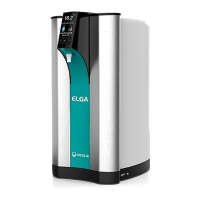
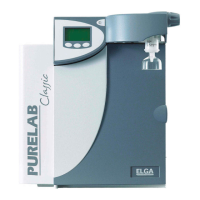
ELGA PURELAB Prima 7 - User Manual

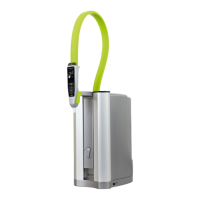
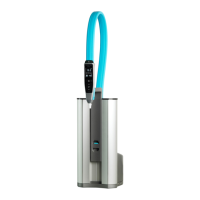
ELGA PURELAB Prima 7
34 pages
Print Icon
To Next Page IconTo Next Page
Loading...
PURELAB Prima 7/15/30
Operator Manual

Questions and Answers

  • N
    Nicholas LunaAug 2, 2025
    What to do if the ELGA PURELAB Prima 7 output flow is below specification?
    • C
      caintracyAug 3, 2025
      If the output flow of your ELGA Water Filtration System is below the specified level, you should: 1. Check the supply pressure. 2. Inspect the RO flow-rate for the unit against the graphs, which details treated water output versus temperature and feedwater pressure. 3. Ensure the inlet strainer is clean. 4. Contact a service technician to fit or replace the booster pump if one is installed.
  • E
    Edward BlairAug 8, 2025
    Why does the reservoir low level audible alarm sound on my ELGA Water Filtration Systems?
    • T
      Theresa BentonAug 8, 2025
      If the reservoir low level audible alarm sounds on your ELGA Water Filtration System: 1. Press the crossed bell button to mute the alarm. 2. The reservoir should automatically refill. 3. Check the process mimic to ensure the reservoir is filling. 4. Verify the feedwater supply and connections to the reservoir.
  • C
    Christopher PerezAug 14, 2025
    How to troubleshoot no display message on ELGA PURELAB Prima 7 Water Filtration Systems?
    • N
      Nicole DodsonAug 14, 2025
      If there is no display message on your ELGA Water Filtration System, check the following: 1. Verify the mains supply and lead. 2. Ensure the mains power is switched on. 3. Inspect the fuses in the power inlet module and replace them if they are blown.
  • T
    Tanya BurnsAug 21, 2025
    How to reduce noise from ELGA PURELAB Prima 7 Water Filtration Systems?
    • C
      Clinton LopezAug 21, 2025
      To reduce noise from your ELGA Water Filtration System, open the front door and secure the pipework to stop any vibration.
  • L
    Lindsey HendersonAug 27, 2025
    How to handle the pre-treatment cartridge replacement alarm in ELGA PURELAB Prima 7 Water Filtration Systems?
    • E
      elijahdanielsAug 27, 2025
      When the pre-treatment cartridge replacement alarm activates on your ELGA Water Filtration System, replace the pre-treatment cartridge.

Summary

1. INTRODUCTION

1.1 Product Range

Lists the different models of PURELAB Prima units available.

1.2 Use of this Manual

Explains the purpose and content of the operator manual for installation, commissioning, and operation.

1.3 Customer Support

Provides information on obtaining service support and consumable items from local suppliers or distributors.

2. HEALTH AND SAFETY NOTES

2.1 Electricity

Emphasizes isolating electrical supply before maintenance and the requirement for earthing.

2.2 Pressure

Details isolating water supply and releasing residual pressure before working on the unit.

2.3 Sanitization Chemicals

Mentions the use of CT1 sanitization tablets and the importance of safety data sheets.

2.4 Control of Substances Hazardous to Health (COSHH)

States that material safety data sheets for cartridges are available upon request.

3. PRODUCT AND PROCESS DESCRIPTION

3.1 Product Description

Describes the PURELAB Prima as a unit for purified 'primary' grade water for lab, medical, and industrial use.

3.2 Process Description

Explains the two purification technologies (RO, adsorption) and the water processing steps.

3.3 Technical Specifications

Details the technical specifications including feedwater, dimensions, connections, electrical, and user interface.

4. CONTROLS

5. INSTALLATION INSTRUCTIONS

5.1 Unpacking the PURELAB Prima

Lists the items that should be supplied with the PURELAB Prima unit.

5.2 Positioning the PURELAB Prima

Provides guidelines for positioning the unit, including environment and mounting considerations.

5.3 Connecting up the PURELAB Prima

Details the steps for connecting the mains water inlet, drain, and outlet to the reservoir.

5.4 Initial Controller Set-Up

Guides through the initial controller setup sequence, including menu options and alarm settings.

5.5 Initial Start Up

Outlines the step-by-step procedure for the initial startup and rinsing process of the unit.

6. OPERATION

6.1 Alarm Conditions

Describes the various alarm conditions that can occur, such as cartridge replacement and water purity alerts.

7. MAINTENANCE

7.1 Replacing the LC140 Pre-treatment Cartridge

Provides detailed instructions on how to replace the LC140 pre-treatment cartridge.

7.2 Cleaning the Inlet Strainer

Explains the procedure for cleaning the inlet strainer every six months.

7.3 Replacement of LC143 Reverse Osmosis Cartridge(s)

Advises when and how to replace RO cartridges and to contact customer service for details.

8. SANITIZATION PROCEDURES

8.1 CT1 Sanitization Tablet - Safety Information

Provides safety information regarding the CT1 sanitization tablet, including hazards and first aid.

9. TROUBLE SHOOTING

10. CONSUMABLES AND ACCESSORIES

11. KEY TO CONTROL PANEL

11.1 Icons

Lists and describes the various icons used on the PURELAB Prima control panel.

11.2 Alarm Conditions

Details the icons associated with specific alarm conditions like cartridge replacement and reservoir faults.

11.3 Replacement Timers

Shows the icon and preset value for the pre-treatment cartridge replacement timer.

11.4 Quality and Standby Alarms

Describes screen displays for process on, standby, and water purity alarms.

12. WARRANTY;CONDITIONS OF SALE

General Limited Warranty

Outlines the one-year limited warranty for products against defects in materials and workmanship.

Water System Limited Warranty

Details the warranty for water systems, excluding membranes and cartridges.

13. USEFUL CONTACT DETAILS

ELGA PURELAB Prima 7 Specifications

General IconGeneral
TypeWater Purification System
ModelPURELAB Prima 7
TOC< 5 ppb
Bacteria< 1 cfu/mL
Particle Retention> 99.9%
Organic Removal> 99%
Feed Water TypePotable water
Purification TechnologyReverse Osmosis, UV Lamp
Resistivity18.2 MΩ·cm
Particles< 0.2 µm
Bacteria Retention>99.9%
Power Supply50/60 Hz
ApplicationLaboratory use
Output Water QualityType I Water (18.2 MΩ·cm)
RNaseNot detected
DNaseNot detected

Related product manuals