EasyManua.ls Logo

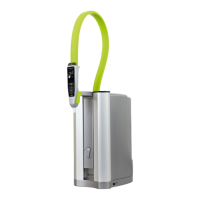
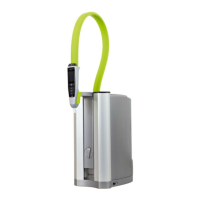
ELGA PURELAB flex 1 - User Manual

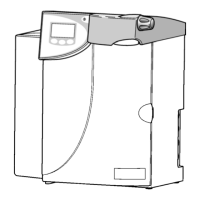
ELGA PURELAB flex 1
55 pages
Print Icon
To Next Page IconTo Next Page
Loading...
Service Manual
PURELAB flex
Introduction Issue 4 Page 1 of 45
Covers the following products:
PURELAB flex 1
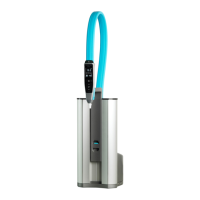
PURELAB flex 2
ELGA LabWater assumes that the technician using this manual has a working knowledge of
water purification systems and has attended an ELGA LabWater technical training course.
This manual is correct for use with the PURELAB range of systems mentioned above. For
information on other products from ELGA LabWater please refer to the relevant service
manual available from www.elgalabnet.net.
If you would like to contact us with regards to training or give us any feedback on this
manual please contact technical support at techsupport@elgalabwater.com

Questions and Answers

  • A
    Aaron HullAug 12, 2025
    What to do if no water comes from the ELGA Water Filtration Systems dispense nozzle?
    • M
      Matthew Johnson DDSAug 12, 2025
      If no water is coming from the dispense nozzle, check that the water supply is on. Also, ensure the pressure regulator is open and set to a maximum of 1.5 Bar. Confirm the voltage to the pump, verify the inlet solenoid is functional, and clean the inlet strainer.
  • R
    Robert ArmstrongAug 15, 2025
    What to do if the ELGA PURELAB flex 1 display is not working?
    • K
      Kevin WalshAug 15, 2025
      If there is no display, confirm that the power supply is connected to the mains power.
  • M
    Michael DavenportAug 20, 2025
    What to do if the ELGA PURELAB flex 1 dispense rate is low?
    • S
      Sara OrrAug 20, 2025
      If the dispense rate is low, confirm the pump operation and check the flow sensor operation. Ensure the feed supply is over 2 L/min and check the dispense valve calibration.
  • K
    Kevin RichardsonAug 23, 2025
    What to do if the ELGA PURELAB flex 1 dispense gun LCD screen is faulty?
    • K
      Keith HernandezAug 23, 2025
      If the dispense gun LCD screen is faulty, replace the whole dispense gun assembly. Do not disassemble the dispense gun assembly.
  • D
    durantonyaAug 27, 2025
    What to do if the ELGA PURELAB flex 1 UV lamp is faulty?
    • D
      dallenAug 27, 2025
      If there is a UV lamp fault, change the UV lamp. Ensure the UV ballast is operational and check the wires from the PC to the UV lamp are fitted.
  • M
    Miguel WhiteAug 30, 2025
    How to fix dripping from the ELGA Water Filtration Systems dispense?
    • D
      Danielle TaylorAug 31, 2025
      If the dispense is dripping, perform the service calibration on the dispense valve.
  • R
    Rachel HawkinsSep 3, 2025
    What to do if the ELGA PURELAB flex 1 UV housing is leaking?
    • S
      Steven OdomSep 3, 2025
      If the UV housing is leaking, isolate the unit and replace the o-rings in the UV housing.
  • B
    Brandy KnightSep 7, 2025
    How to improve low display quality on ELGA Water Filtration Systems?
    • J
      Joshua GutierrezSep 7, 2025
      If the display quality is low, change the DI pack and calibrate the unit.

Summary

Manual Revision Notes

Product Part Numbers

Copyright Note

Health and Safety

Environment

Specifies environmental conditions for safe system operation.

Display Handset Safety

Advises against submerging the display handset in water.

Electrical Safety

Warns about positioning power supply away from water contact.

Ultraviolet Light Safety

Warns about lamp exposure and proper disposal.

Residual Biostat Safety

Mentions residual biostat flushed during commissioning.

Control of Substances Hazardous to Health (COSHH)

Refers to material safety data sheets for purification packs.

Section 1 - Process Description

Process Flow for flex 1

Details the water flow path for the PURELAB flex 1 model.

Process Flow for flex 2

Details the water flow path for the PURELAB flex 2 model.

Process Flow Diagrams

Visual representation of software routines for process flow.

Section 2 - Parts Identification

Consumables

Lists parts that are consumed during operation and require replacement.

Accessories

Lists optional items and kits for the PURELAB flex system.

Common; Basic Parts

Lists standard, commonly used parts for the PURELAB flex.

Drawings

Provides references to detailed diagrams of system components.

Section 3 - Electronics

Display Icons

Explains the meaning of icons displayed on the PURELAB flex handset.

Software History

Lists past software versions and their release dates.

PCB Drawings and Details

Provides details and part numbers for Printed Circuit Boards used in the system.

Software Installation Instructions

Step-by-step guide to install software onto the PURELAB flex PCB.

Battery Replacement

Instructions for replacing the system's backup battery.

Electrical Parameters

Details electrical specifications for the PURELAB flex system.

Section 4 - Maintenance

Service Recommendations

Provides recommended checks and procedures for routine service visits.

Operational Parameters

Details nominal operating values for pressure, flow rate, and dispense volumes.

Calibration

Outlines the procedure and required sub-boxes for system calibration.

USB Stick Preparation for Calibration

Guide on preparing a USB stick for system calibration procedures.

Quality and Temperature Sensor Calibration

Tables detailing steps for calibrating quality and temperature sensors.

Auto Volume Calibration

Procedure for calibrating the automatic volume dispensing function.

Sanitisation

Steps and precautions for sanitizing the PURELAB flex system.

Section 5 - Specifications

System Specifications

Comprehensive specifications including treated water quality, dimensions, and electrical requirements.

Feedwater Requirements

Details the required quality and pressure of the feedwater supply.

Section 6 - Troubleshooting

Troubleshooting Guide

Lists common symptoms and their potential causes for the PURELAB flex.

Section 7 - Appendix

Appendix Index

Lists the contents and page numbers of the appendices.

Appendix A: Commissioning Report

Template for recording commissioning settings and tests for the PURELAB flex.

Appendix B: Routine Service Report

Template for documenting routine service checks and observations.

Appendix C: Calibration Certificate

Template for recording calibration results and substitution box details.

PURELAB flex Guidelines (Service Bulletin)

PURELAB flex Fuses

Identifies the two fuses on the PURELAB flex PCB and their functions.

Button Combinations for PURELAB flex

Details button combinations for accessing system menus and functions.

Calibration of Outlet Valve

Step-by-step guide for calibrating the PURELAB flex outlet valve.

Changing the Dispense Handset

Instructions for replacing the dispense handset on the PURELAB flex.

Software Reinstallation and System Test

Procedure for resetting the PCB and reinstalling system software and test programs.

System Type Selection and Test Procedure

Guide to selecting system type and navigating the test procedure.

Distribution List and Approval

Lists recipients of the service bulletin and approval signatures.

ELGA PURELAB flex 1 Specifications

General IconGeneral
BrandELGA
ModelPURELAB flex 1
CategoryWater Filtration Systems
LanguageEnglish

Related product manuals