
 Need help?
Do you have a question about the elgris SMART METER LAN and is the answer not in the manual?
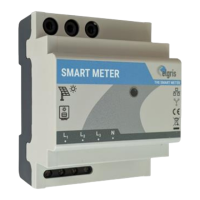
The SMART METER LAN is a device designed for measuring energy consumption and feed-in values in real-time, offering compatibility with a wide range of inverters and energy management systems. It supports single or three-phase measurements and is compatible with SMA Smart Meter EMETER-10, Fronius, Solar Edge, Huawei, Victron EM-24, SDM-630 TCP/RTU, and other compatible systems. The device integrates SUNSPEC MODBUS/TCP Server functionality for seamless data exchange and offers real-time measurement of feed-in and consumption. Its cloud solution integration capabilities make it suitable for analysis, and it is easy to use via integrated web configuration.
The SMART METER LAN is specifically designed for renewable energy, diesel generators, and hybrid power solutions. It features a wide range power supply input from 100 - 240 VAC (50 - 60 Hz), ensuring broad applicability. The device boasts a small footprint, making it suitable for various installation environments. Its intuitive software simplifies operation and configuration. The wide temperature range of -25° to +60°C ensures reliable performance in diverse climatic conditions, and its IP-20 protection type indicates a degree of protection against solid objects.
The device is available in two main versions: 100 A and 400 A, both with a 3.5 mm plug for current transformer connections, and a 1 / 5 A version with 6 screw terminals. The choice of current transformer (CT) depends on the specific application requirements. For the 100 A version, the current sensor dimensions are 32mm x 13mm, while for the 400 A version, the dimensions are 41.4mm x 34.2mm with an opening angle of 180 degrees.
The SMART METER LAN is designed for straightforward installation and commissioning. Before installing, it is crucial to ensure that the device is not damaged during transport and that all connecting cables are not bent or squeezed. The product must be professionally installed, and care should be taken to avoid drilling or bolting in place. The device generates high frequency, so it should not be operated in the vicinity of medical devices.
The device's IP address can be configured via dipswitch 1. With dipswitch 1 OFF, the device obtains an IP address via DHCP. With dipswitch 1 ON, the device uses a static IP address of 192.168.1.100. Users can query the current IP address via the web router.
Commissioning involves connecting the device to L1 and N in the case of a single-phase system, or L1, L2, L3, and N for three-phase systems. The LED indicator will blink green when the SMART METER unit is working properly. An embedded web server, accessible via a web browser at 192.168.1.100 or the DHCP address, allows for configuration and monitoring.
The graphical user interface (GUI) provides a comprehensive overview of the system parameters and displays the status of the system. It is accessible via a normal web browser (Microsoft Edge, Google Chrome, Mozilla Firefox). The current address can be reached via dipswitch 1. If dipswitch 1 is ON, the static address 192.168.1.100 is used; if OFF, the device receives an automatic address (DHCP).
The settings menu allows users to adjust the CT ratio, which can be set to 1 for a custom CT value of 40, or 100 A and 400 A for the respective SMART METER versions. The CT ratio can be changed to reflect the actual power, and if the value is negative, it indicates exporting to the grid. The settings can be changed depending on the application, and all settings can be stored permanently by performing a reset.
The SMART METER LAN includes a Modbus TCP server with parameter mapping similar to SunSpec parameter list 203. This allows for open protocol implementation, making it easy to adapt to user needs. The Modbus uses port 502 by default. The manual provides a detailed register mapping for common Modbus models and WYE connect meter models, including addresses, sizes, labels, values, types, and descriptions for various parameters such as voltage, current, power, frequency, and energy values.
The elgris SMART METER is compatible with SMA EMETER-10 and EMETER-20, enabling SMA inverters to recognize the elgris SMART METER as an SMA EMETER. The device can be operated as an energy meter in combination with an SMA Home Manager, and can be used for PV generation or grid measurement. The SMA energy meter is not displayed as an independent device in Sunny Portal. To connect to the SMA Home Manager, users need to access the device overview and select the properties of the SHM. Then, by clicking on "Edit" at the bottom and selecting "Advanced configuration," they can configure the meter in the "Meter configuration" menu item.
The device's LED status indicators provide immediate feedback on its operational state. A green LED indicates normal operation, while a red LED signifies an internal error or wiring error/export. In case of an error, the user should check the phase sequence and phase assignment. The embedded web server allows for remote monitoring and configuration, simplifying maintenance tasks. The "Reset to factory" option in the settings menu allows for a complete reset of the device, which can be useful for troubleshooting or reconfiguring the device. The firmware version is displayed in the settings, allowing users to keep track of updates. The manual also provides contact information for support via email and phone for any questions or issues.
 General
| Brand | elgris |
|---|---|
| Model | SMART METER LAN |
| Category | Measuring Instruments |
| Language | English |

 To Next Page