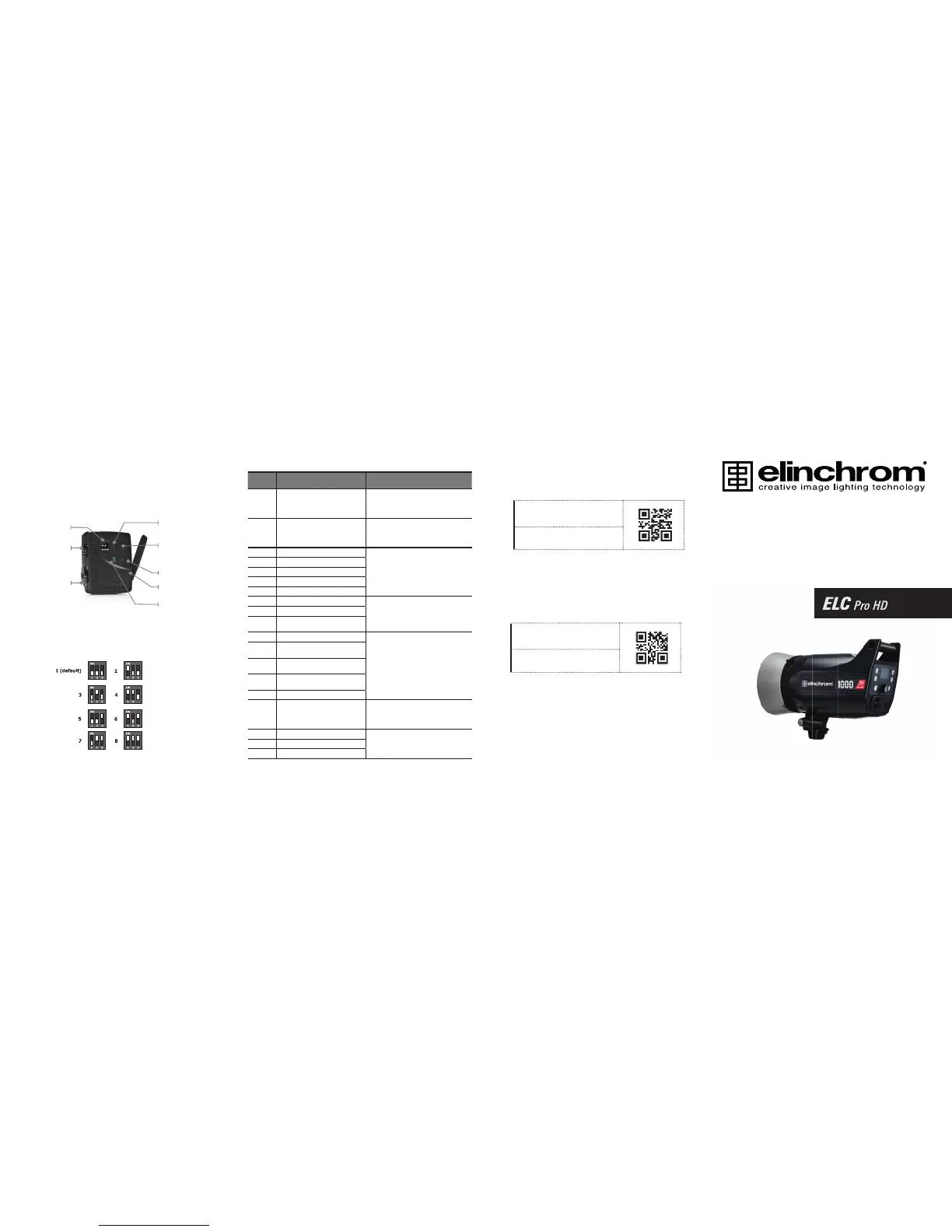
ERROR MANAGEMENT
ERROR
NUMBER
DESCRIPTION SOLUTION
1 Capacitor over voltage
Switch the unit off, wait 2 minutes and switch
the unit on again. If the error shows up again
the unit requires a check up at an authorized
Elinchrom service centre.
2 Over heat
Wait until the unit has cooled down.
The unit will switch back to the normal
operation as soon as the temperature
decreases to a normal working level.
3 Discharge error
Switch the unit off, wait 2 minutes and switch
the unit on again. If the error shows up again
the unit requires a check up at an authorized
Elinchrom service centre.
4 Charge timeout error
5 Zero detect fault
6 Charge hold error
8 Fan error
10 Supply input voltage too high
The unit has detected a mains supply fault.
Please check the mains/battery supply.
It could be not working correctly.
11 Supply input voltage too low
12
Supply under voltage detected until
charge
13 Over current detection
Switch the unit off, wait 2 minutes and switch
the unit on again. If the error shows up again
the unit requires a check up at an authorized
Elinchrom service centre.
15
Temperatur sensor “Heat Sink” not
connected
16
Temperatur sensor “Front”not
connected
17
Temperatur sensor “Charge” not
connected
20 Power Board not connected / found
24 Capacitor voltage symmetry error
Switch the unit off, wait 10 minutes and
switch the unit on again. If the error shows
up again the unit requires a check up at an
authorized Elinchrom service centre.
28 Flash tube after glow
Switch the unit off, wait 2 minutes and switch
the unit on again. If the error shows up again
the unit requires a check up at an authorized
Elinchrom service centre.
29 Auto Ignition on Charge
30 Auto Ignition on Ready
EL-SKYPORT TRANSMITTER SPEED
FREQUENCY CHANNEL
is a registered trademark of ELINCHROM LTD, RENENS, SWITZERLAND
Elinchrom SA - ELC Pro HD - Made in Switzerland - 16.12.2013 (73019)
Elinchrom LTD - ELC Pro HD - Made in Switzerland
Av. de Longemalle 11, P. O. Box -458, CH-1020 Renens, Switzerland,
Tel. : + 41 21 637 26 77 Fax: +41 21 637 26 81 E-mail: elinchrom@elinchrom.ch
www.elinchrom.com
Quick Start Guide
Frequency
channel selector
MODE switch
GROUP switch
RX feature button
Power decrease
DOWNLOAD THE ELC USER GUIDE
EL-ENTERPRISE APP FOR IPHONE
™
/ IPAD
™
Please get the complete user guide
at this link:
http://bc.gs/27
Please download our corporate
iPhone
™
App on App Store
™
:
http://bc.gs/14
RX feature button
power increase or
modelling lamp toggle
Flash test / flash mode /
configuration button
Flexible swivel
antenna 360
Status LED



 To Previous Page