EasyManua.ls Logo

Eling OBD2 HUD - User Manual

Eling OBD2 HUD
7 pages
Print Icon
To Next Page IconTo Next Page
Loading...
Car HUD Head Up Display
User manual
Model: S600
Introduction
HUD short for Head Up Display. It displays driving datas on the front windshield such
as speed, RPM, fuel consumption, water temperature, voltage etc on the car front
window glass; avoiding drivers unsafety because of watching the instrument while
driving. Drivers can read the driving information instantly , and can always keep the
best state on the way with HUD.
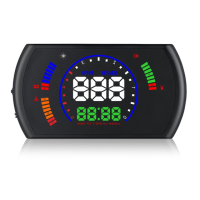
HUD Display functions
1. Buzzer
2. Fuel consumption
3. Fuel consumption icon
4. RPM
5. Multi functions unit: L/100KM=Unit of Average fuel consumption for each 100KM,
L/H=instantaneous fuel consumption, RPM=Engine speed, V=Voltage, °C/°F=Water
temperature in different unit, KM/M=Single Driving Distance in Kilometer or Mile
6. Driving Speed unit at KM/H
7. Speed
8. Driving Speed unit at Mile
9. Light sensor
10. Voltage
11. Voltage icon (it will flash when give the low voltage alarm)
Question and Answer IconNeed help?

Do you have a question about the Eling OBD2 HUD and is the answer not in the manual?

Overview

This document describes the S600 Car HUD (Head Up Display), a device designed to project driving data onto the front windshield, allowing drivers to view essential information without diverting their gaze from the road. This enhances driving safety by keeping critical data, such as speed, RPM, fuel consumption, water temperature, and voltage, within the driver's line of sight.

Function Description

The HUD displays various driving parameters, which are sourced from the vehicle's ECU. Key display functions include:

  • Speed: Shown in KM/H or MPH.
  • RPM (Engine Speed): Indicates the engine's revolutions per minute.
  • Fuel Consumption: Displays instantaneous fuel consumption per hour (L/H) in idle mode, instantaneous fuel consumption per 100KM in driving mode, and average fuel consumption per 100KM after driving.
  • Water Temperature: Displays the engine's water temperature in °C or °F.
  • Voltage: Shows the vehicle's battery voltage, with an icon that flashes during low voltage alarms.
  • Single Driving Distance: Tracks the distance traveled in kilometers or miles.
  • Alarms: Provides alerts for high RPM, over speed, and high water temperature. The voltage icon also flashes for low voltage.
  • Buzzer: An audible alert system that can be turned on or off.
  • Light Sensor: Automatically adjusts display brightness based on ambient light.

The multi-functions display area (14) can switch between instantaneous fuel consumption for 100 kilometers, instantaneous fuel consumption, RPM, voltage, water temperature, and single driving distance.

Important Technical Specifications

  • Environment Temperature: -40°C to +80°C
  • Atmospheric Pressure: 86-106 KPa
  • Relative Humidity: 10%-95%
  • Environmental Noise: <= 60 dB (A)
  • Alarm Sound Level: >= 30 dB (A)
  • Working Voltage: 9V ~ 16Vdc (12Vdc / 400mA)
  • Compatibility: Works with cars equipped with OBDII or EU OBD agreements. It does not support JOBD and OBDI systems.

Usage Features

The HUD is controlled via a "wave button" located on the right side of the device, offering several interaction modes:

Basic Controls:

  • Long pull up: Turns on all lights to eliminate fault codes.
  • Long pull down: Toggles the buzzer on/off.
  • Long press in: Enters the setting menu.
  • Short press in:
    • Switches between RPM, water temperature, and single driving distance in normal display mode.
    • Adds to the menu option when in the setting menu.
  • Short pull up: Adds to the default value for each menu option when in the setting menu.
  • Short pull down:
    • Switches between normal and simple display modes.
    • Decreases the default value for each menu option when in the setting menu.

Installation:

  1. Compatibility Check: Verify if the vehicle has an OBDII or EU OBD agreement by checking the sticker under the engine hood for "OBDII CERTIFIED."
  2. Connection: Locate the 16-pin diagnostic link in the vehicle and connect it with the provided OBDII connecting line.
  3. First Use: Upon power-on, the HUD will display voltage and scan the OBD2 program. Successful installation is indicated by the display of fuel consumption, speed, and RPM. If only voltage is shown after a few minutes, check the HUD device, OBD cable, and OBD2 interface connections.

Setting Menu (Accessed by long pressing the setting button for 5 seconds):

  • Menu 0 (Speed Adjustment): Adjusts speed value (range 50-150) to match the dashboard. Default: 107.
  • Menu 1 (RPM Adjustment): Adjusts RPM value (range 50-150) to match the dashboard. Default: 100.
  • Menu 2 (Fuel Consumption Adjustment): Adjusts fuel consumption value (range 50-150) to match the dashboard. Default: 100.
  • Menu 3 (RPM Alarm): Sets the RPM threshold for the alarm (range 1000-7500). Default: 5000.
  • Menu 4 (Over Speed Alarm): Sets the speed threshold for the alarm (range 30-250). Default: 150.
  • Menu 5 (Display Mode):
    • 0: HUD display (read from windshield reflection).
    • 1: Read from the HUD device directly. Default: 0.
  • Menu 6 (Brightness Adjustment):
    • 0: Automatic brightness adjustment.
    • 1: Darkest.
    • 2: Brightest. Default: 0.
  • Menu 7 (Speed Unit):
    • 0: KM/H.
    • 1: MPH. Default: 0.
  • Menu 8 (Water Temperature Unit):
    • 0: °C.
    • 1: °F. Default: 0.
  • Menu 9 (Single Driving Distance Unit):
    • 0: Kilometer.
    • 1: Mile. Default: 0.
  • Menu 10 (Start Reference Voltage): Adjusts the voltage (range 0-15.0V) for automatic turn-off, especially for cars with automatic start/stop systems. Recommended values: 13.2V or 13.8V. Default: 0.
  • Menu 11 (Delayed Shutdown): Sets the shutdown delay (range 00:10-09:00, meaning 10 seconds to 9 minutes). For automatic start/stop systems, can be delayed to 01:80 (180 seconds) or 03:00. Default: 00:10.
  • Menu 12 (Factory Reset): Set to 1, then long press the setting button for 5 seconds to reset. Default: 0.

Maintenance Features

Troubleshooting Guide:

  1. No Display/No Power:

    • Start the car engine.
    • Check if the OBD cable line is tight; re-plug if necessary.
    • Ensure the HUD power switch is on.
    • If the issue persists, test the HUD in another car to determine if the vehicle's OBD diagnostic interface is faulty. Repair if needed.
  2. HUD Shows Only Car Voltage and Powers Off After 30 Seconds:

    • This HUD is only compatible with OBD2 and EU-OBD agreement cars (European region: after 2003; other regions: after 2007).
    • It does not support JOBD and OBDI systems. Test with another compatible car if necessary.
  3. Poor Visibility Under Sunlight:

    • Check if the protective film on the HUD host surface is torn.
    • Apply the reflection film (included in the gift box) onto the windshield.
    • Alternatively, enter the setting menu (long press for 5 seconds), navigate to menu 6 (short press 6 times), and adjust the brightness parameter to 2 (brightest). Save by long pressing for 5 seconds.
  4. Crashes Due to Wrong Operation:

    • Perform a factory reset:
      • With HUD powered on, long press the setting button for 5 seconds to enter the menu.
      • Short press 12 times to reach menu 12.
      • Change the default value from 0 to 1 by short pulling up or down.
      • Long press the button for 5 seconds to save and exit.
  5. Inaccurate Speed:

    • Check Speed Unit: Ensure the speed unit (KM/H or MPH) is correctly set in menu 7.
    • Adjust Speed Value:
      • With HUD powered on, long press the setting button for 5 seconds to enter the menu.
      • Navigate to menu 0 (speed adjustment). The parameter will show 107.
      • Increase or decrease the value using the up/down setting button until it matches the dashboard speed.
      • Long press for 5 seconds to save.
  6. Inaccurate RPM:

    • With HUD powered on, long press the setting button for 5 seconds to enter the menu.
    • Short press once to reach menu 1 (RPM adjustment). The default value is 100.
    • Adjust the value by short pulling up or down until it matches the dashboard RPM.
    • Long press for 5 seconds to save.
  7. Inaccurate Fuel Consumption:

    • The HUD displays single driving fuel consumption (L/100KM), while car dashboards often show integrated average driving fuel consumption. Differences are normal.
    • The HUD displays three types:
      • Idle mode: Instantaneous fuel consumption per hour (L/H).
      • Driving mode: Instantaneous fuel consumption per 100KM.
      • Finish driving: Average fuel consumption per 100KM (auto-off in 10s).
  8. Setting Over Speed Alarm:

    • With HUD working, long press the setting button for 5 seconds to enter the menu.
    • Short press 4 times to reach menu 4. The screen will show 150 (default alarm speed).
    • Adjust the value using the up/down button to set the desired alarm speed.
    • Long press for 5 seconds to save.
  9. HUD Cannot Automatically Power Off or Re-starts:

    • Long press the setting button for 5 seconds to enter the menu.
    • Short press 10 times to reach menu 10 (start reference voltage). The default parameter is 0.
    • Change the value to 13.2V or 13.8V using the up/down button.
    • Long press for 5 seconds to save and exit. This is particularly relevant for vehicles with automatic start/stop systems.
  10. HUD Powers Off While Driving (Automatic Start/Stop Systems):

    • Set menu 11 (delayed shutdown) to 01:80 (180 seconds) or 03:00 (3 minutes) to delay shutdown.

Eling OBD2 HUD Specifications

General IconGeneral
BrandEling
ModelOBD2 HUD
CategoryAutomobile Accessories
LanguageEnglish