HUD installation
1.Know your vehicle brand,HUD work for cars with OBDII agreement or EU OBD
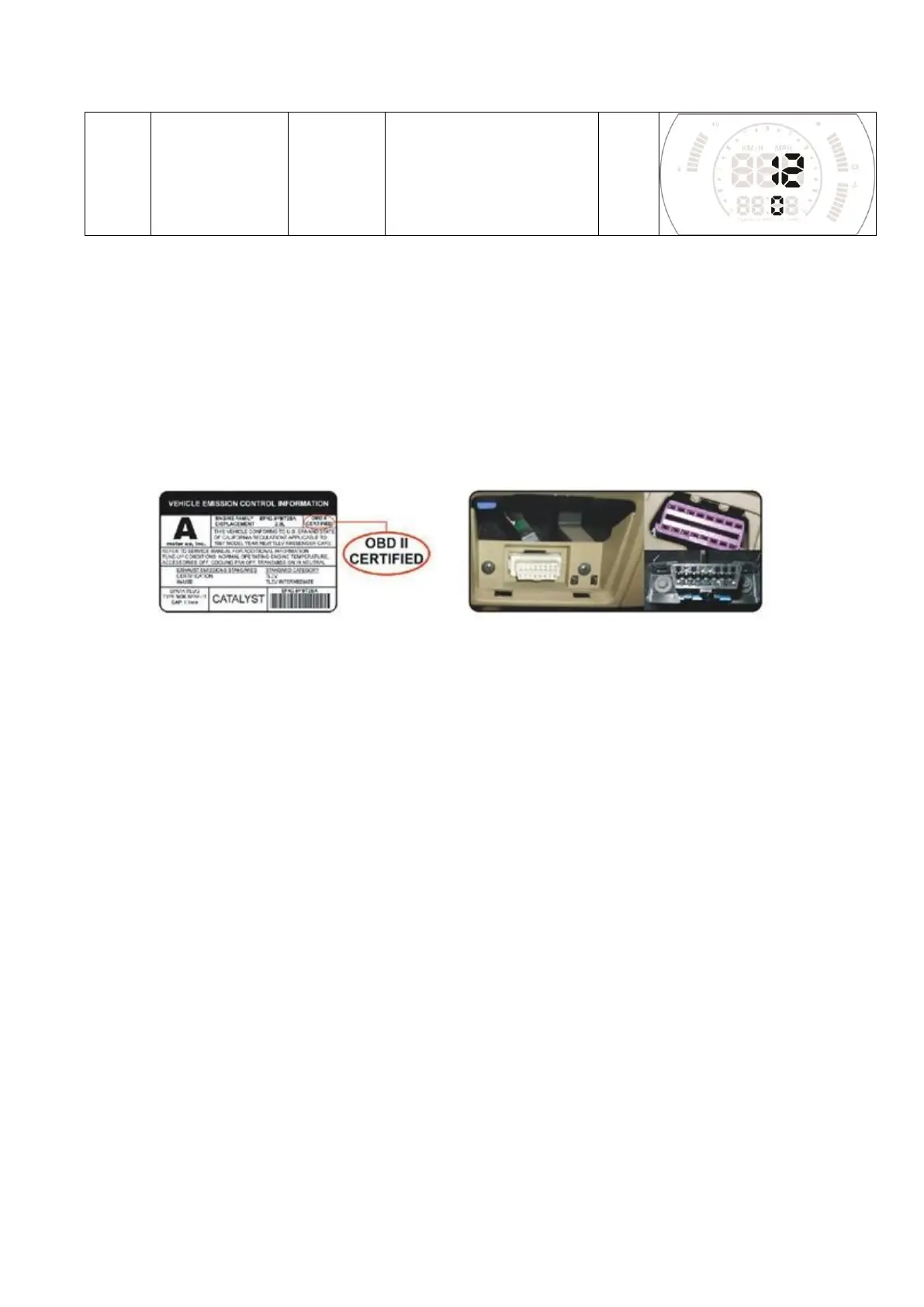
agreement. Open the engine hood and find the sticker below it (see the below
picture 1), if it has words like OBDII CERTIFIED, then it can be installed.
2. Find out the 16 pin diagnostic link (see the below picture 2) of the vehicle and
connect it well with OBDII connecting line.
Picture 1 Picture 2
First time to use HUD:
When HUD is power on,it will show the voltage and scan the OBD2 program,if it
displays the fuel consumption,speed,RPM,it means installation successfully.(If after a
few minutes,it still show the voltage only,please check the HUD device,OBD
cable,and OBD2 interface if has been plugged well or not,and turn on the HUD
again. )
Technical Parameters:
Environment temperature: -40c- + 80c atmospheric pressure 86-106KPa
Relative Humidity: 10% -95% environmental noise <= 60dB (A)
Alarm sound level: 》= 30dB (A)
Working voltage: 9V ~ 16Vdc (12Vdc / 400mA)


 To Next Page