Step 1:
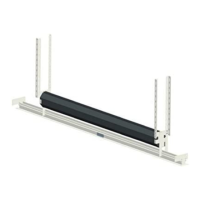
Set left and right brackets on the end caps of the screen
casing. The mounting (#8) screws assembly bolt/nut set
will pass through the assembly bar and attach to the
brackets.
Step 2:
Install the ceiling panel. Use (# 7) mounting screws to
attach the left and right installation planks. (*Note:
Left/Right is designated from the perspective of the viewer
looking at the projection surface)
www.elitescreens.com / info@elitescreens.com / 877-511-1211










 To Next Page