* NOTE: If "0.00" is entered in the total roughing option, this operation will be ignored.
3. Lapped (Lapeado): the final polishing of the cutting edge is indicated, where the number of turns to be
polished can be selected (Fig. 3, see G 4) and the speed of the grinding wheel (Fig. ). Again, select the pa-
rameters required for the program desired by the operator and press the menu selector to go to the next scre-
en (see fig.4).
All values can be changed by turning the menu selector. To do this, move to the desired option, press the
selector and when the required value is reached, press the selector again to set the value.
To go to the next step of the process, turn the selector to the next option and press the selector again to
switch the screen.
*NOTE: If you do not want to do any of the steps, you must indicate in the total value (the first box of each
option) "0".
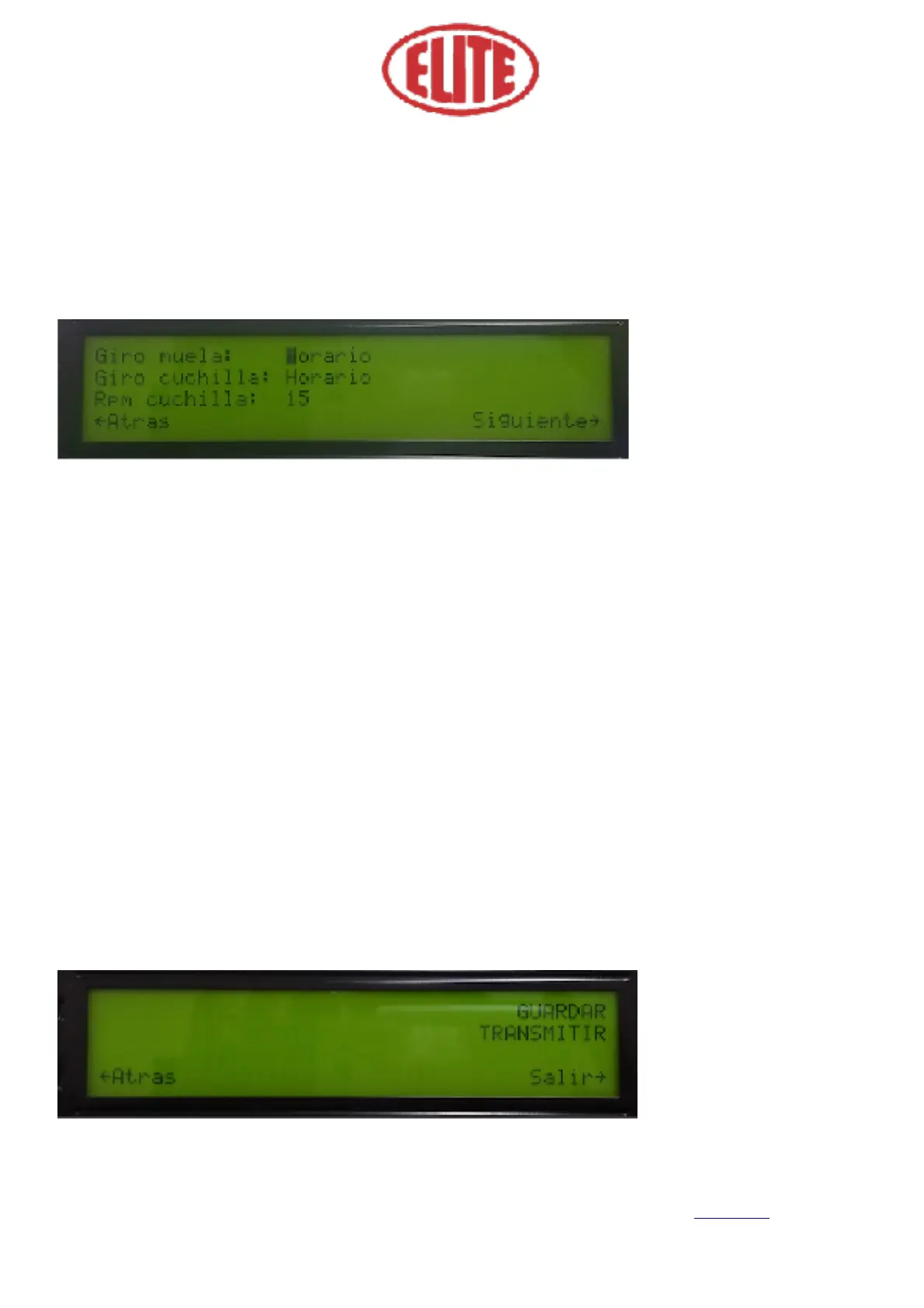
In the following screen (fig.4) the following parameters can be selected:
Direction of the grinding wheel rotation (Giro muela): to choose between horary (Horario) or counter-
clockwise (Antihorario) using the menu selector. Choose the option desired by the operator. (see fig.4)
Direction of the knife rotation (Giro cuchilla): to choose between horary (Horario) or counterclockwise
(Antihorario) using the menu selector. Choose the option desired by the operator. (see fig.4)
Rotary speed of the knife (RPM cuchilla): expressed on screen in RPM blade. (See fig. 4) Choose the option
desired by the operator.


 To Next Page