6.2.Production operation
The production operation is designed to sharpen several tools with the same diameter.
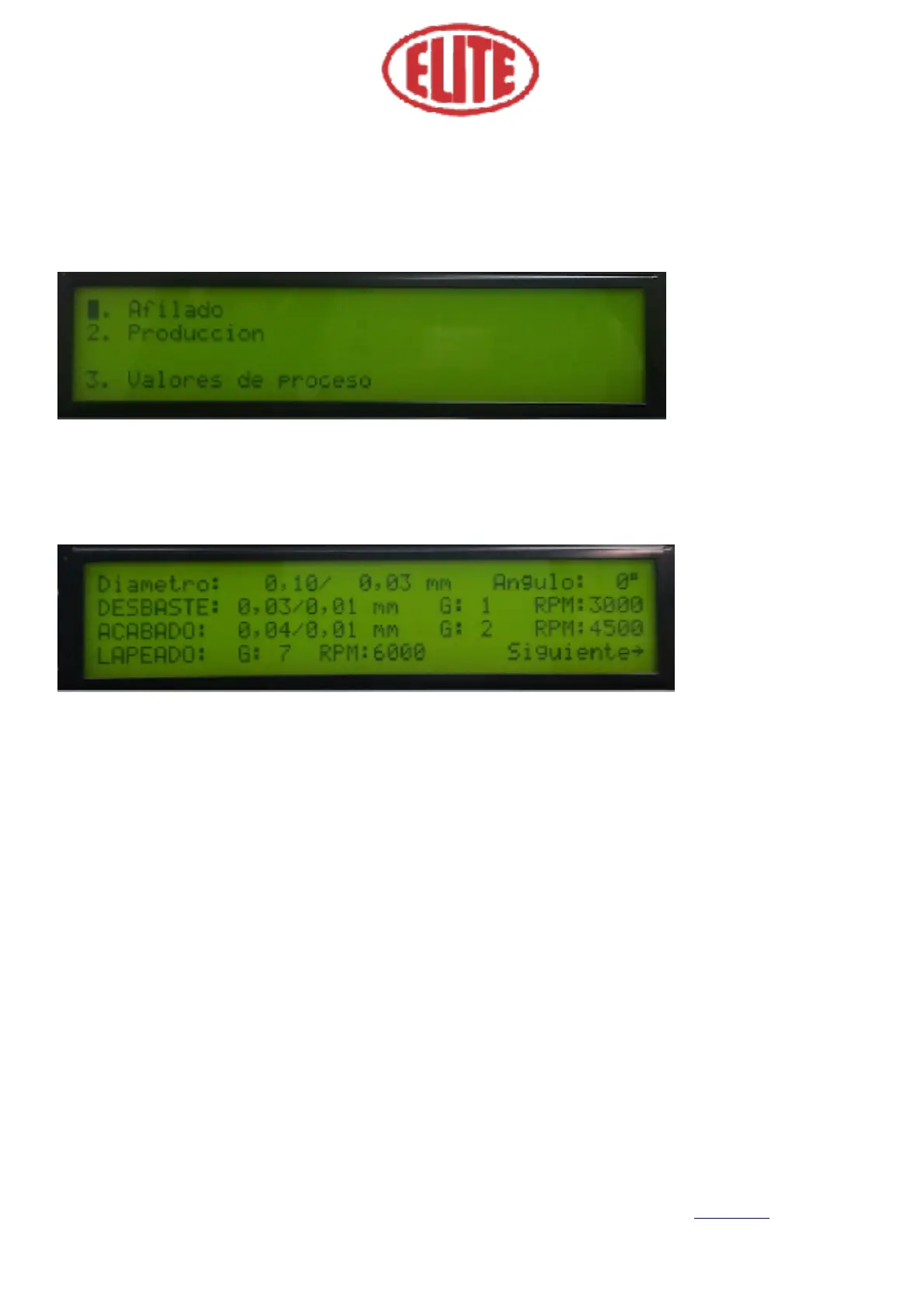
To program the production operation, go to the LCD menu screen. Select the program: 2. Production (Pro-
ducción) (see fig.7), to set parameters of the production operation, by pressing the menu selector. You will
then see the following screen (see Figure 8).
• 1. Diameter (Diámetro): The first parameter corresponds to the actual measured diameter of the circular
saw (Fig. 8 See eg 0.10) and the second; To the desired sawing diameter (Fig. 8 See i.e.: 0.03).
• 2. Angle (Ángulo): In this parameter you must enter the selected angle in the divider head (Fig. 8 See i.e.:
0º)
• 3. Roughing (Desbaste): is the boot process. The first numeric value indicates the total roughing, which is
calculated automatically by the program. The operator must only enter the values required for the partial
roughing (Fig. 8 See i.e.: 0.01) and for the grinding wheel speed expressed in RPM (revolutions per
minute).
• 4. Finishing (Acabado): Once the roughing process is finished, the finishing process is started. In the first
box the amount of total finishing is shown (Fig. 8 See i.e.: 0,04), in the second box the amount of partial
finishing (Fig. 8 See i.e.: 0,01). Then, the option of the partial finishing by number of turns appears (Fig. 8
See G 2) and wheel speed option for finish expressed in RPM (Fig. 8 See RPM 4500). Select the parameters
required for the program desired by the operator.



 To Next Page