* NOTE: If "0.00" is entered in the total roughing option, this operation will be ignored.
• 5. Polishing (Lapeado): the final polishing of the cutting edge is indicated, where the number of turns
that the polishing can be selected (Fig. 8 see Gr 7) and the speed of the grinding wheel (Fig. ). Again, se-
lect the parameters required for the program desired by the operator and press the menu selector to move
to the next screen (see fig.9).
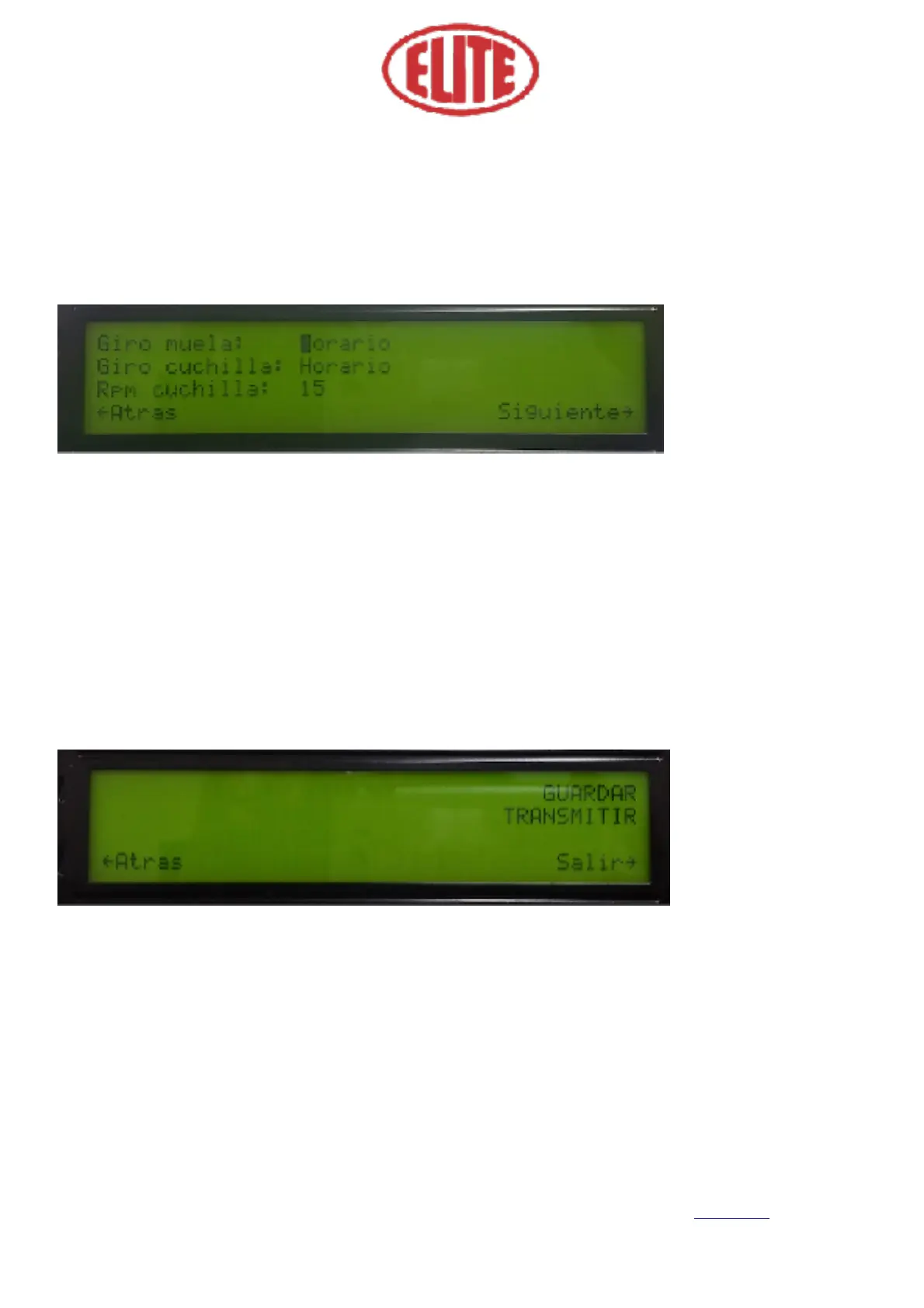
In the following screen (fig.9) the following parameters can be selected:
• Direction of the grinding wheel rotation (Giro muela): to choose between horary (Horario) or counter-
clockwise (Antihorario) using the menu selector. Choose the option desired by the operator. (see fig.9)
• Direction of the knife rotation (Giro cuchilla): to choose between horary (Horario) or counterclockwise
(Antihorario) using the menu selector. Choose the option desired by the operator. (see fig.9)
• Rotary speed of the knife (RPM cuchilla): expressed on screen in RPM blade. (See fig. 9) Choose the
option desired by the operator.
The following parameters appear on the screen shown below (see fig.10):
• To save (Guardar): allows you to store the previously selected data. To save them select this option using
the menu selector and press it to store them (see fig. 10)
• To pass on (Transmitir): selecting this option using the menu selector will start the program. (see fig. 10)
Finally, you should approach the blade until it rubs against the grinding wheel. Now you can start the shar-
pening process. This process will only be performed on the first blade, for the following blades, it will copy
exactly the same process followed on the first blade.


 To Next Page