Joan Oró, 27 Pol. Ind. Sesrovires- St. Esteve Sesrovires, BCN, España– +34 932 935 178 – ! info@elite.es
6.3.Process value operation
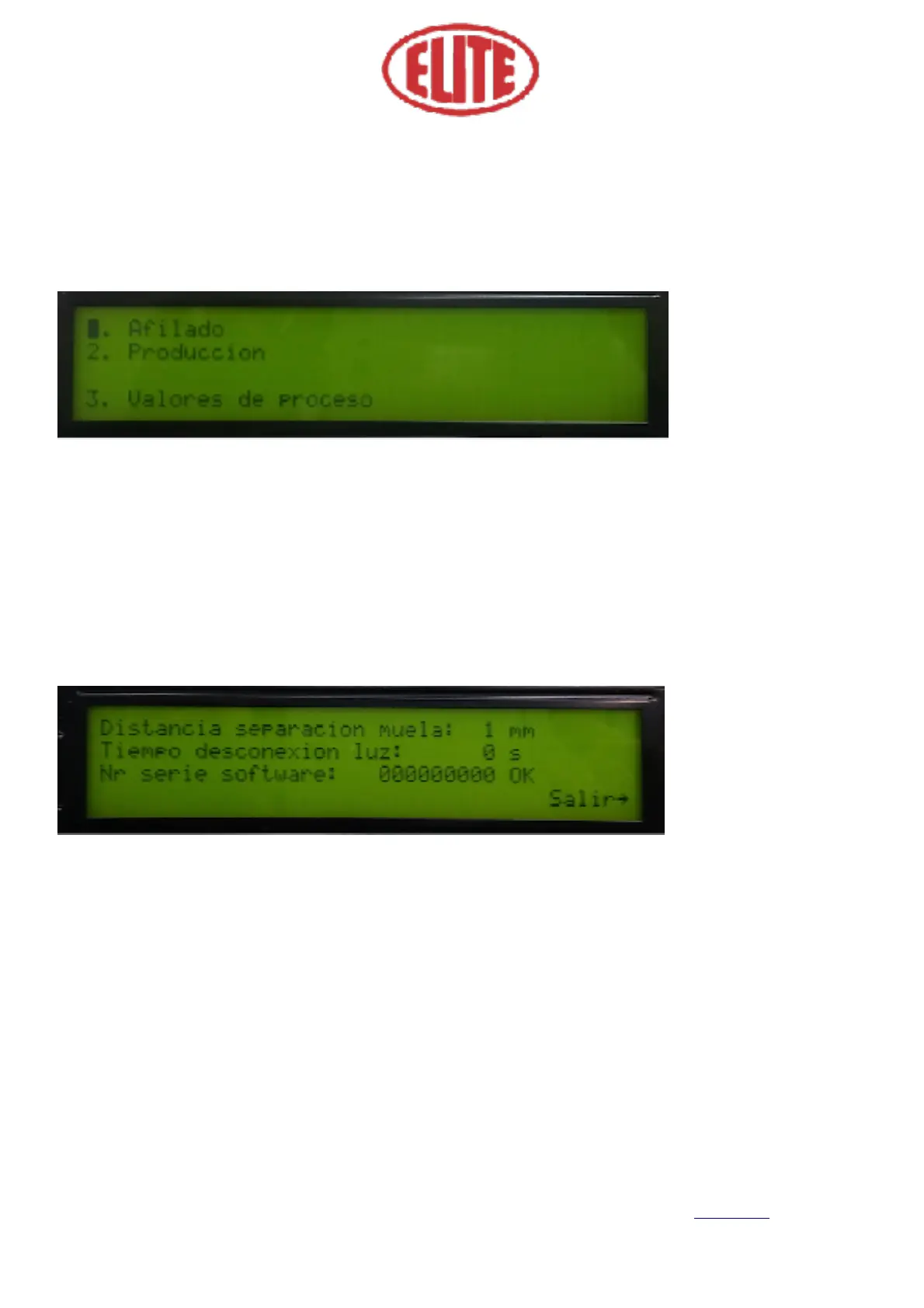
To program the process value operation, go to the LCD menu screen (see fig. 11) and select 3. Process set-
tings (3. Valores de proceso) using the menu selector.
Once the process value operation is selected, the following screen will appear (see figure 12), in which the
following parameters can be selected:
• Grinding wheel distance (distancia separación muela): indicates the safe separation distance from the
grindstone to the circular blade at the end of the working cycle.
• Time off light (tiempo desconexión luz): Reflects the time in seconds it takes the cabin light to turn off
once the auto-duty cycle has started. The value 0s (seconds) indicates that the cabin light is always on.
Once the parameters in figure 12 are selected, select at the menu selector the Exit (Salir) option to start the
automatic work cycle.



 To Next Page