Unpacking and placing the telephone
Unpacking
•
ISDN system telephone
•
Handset with handset connecting cord
•
2 feet
•
ISDN connecting cord (approx.6 m)
•
PC-Connection cable (USB, ca. 3M), (not withCS400xt)
•
PC-audio cable (3.5mm stereo plug, ca. 2.5m), (not withCS400xt)
•
Adapter cord for headsets with a 4 pin connecting cord (8 pin / 4 pin)
•
Cable holder (self-adhesive after removing the film), (not withCS400xt)
•
Operating instructions and labels for function keys
•
WIN-Tools CD-ROM with:
Professional Configurator, telephone, Download and Sound Manager,
TAPI-, USB-, CAPI- and NDISWAN-drivers, Adobe Acrobat Reader,
Operating instructions and Adobe Acrobat file for the printing of individual labels
Placing the telephone
Before placing the telephone, mount the rear feet at the positions (6) shown in figure 6.
Please note that the plastic feet of your ISDN system telephone may leave marks on sensitive surfaces, such
as furniture. The manufacturer of the ISDN system telephone is not liable for any such damage. Therefore,
use appropriate non-skidding pads under the phone.
Cleaning the telephone
The ISDN system telephone has been manufactured for normal, everyday use. When required, clean the
ISDN system telephone with a slightly moistened cloth, or with an anti-static cloth. Never use a solvent to
clean the phone! Never use a dry cloth. Electrostatic charges could damage the electronics in the system. It
is essential that no liquids penetrate into the inside of the ISDN system telephone, as this could destroy the
phone.
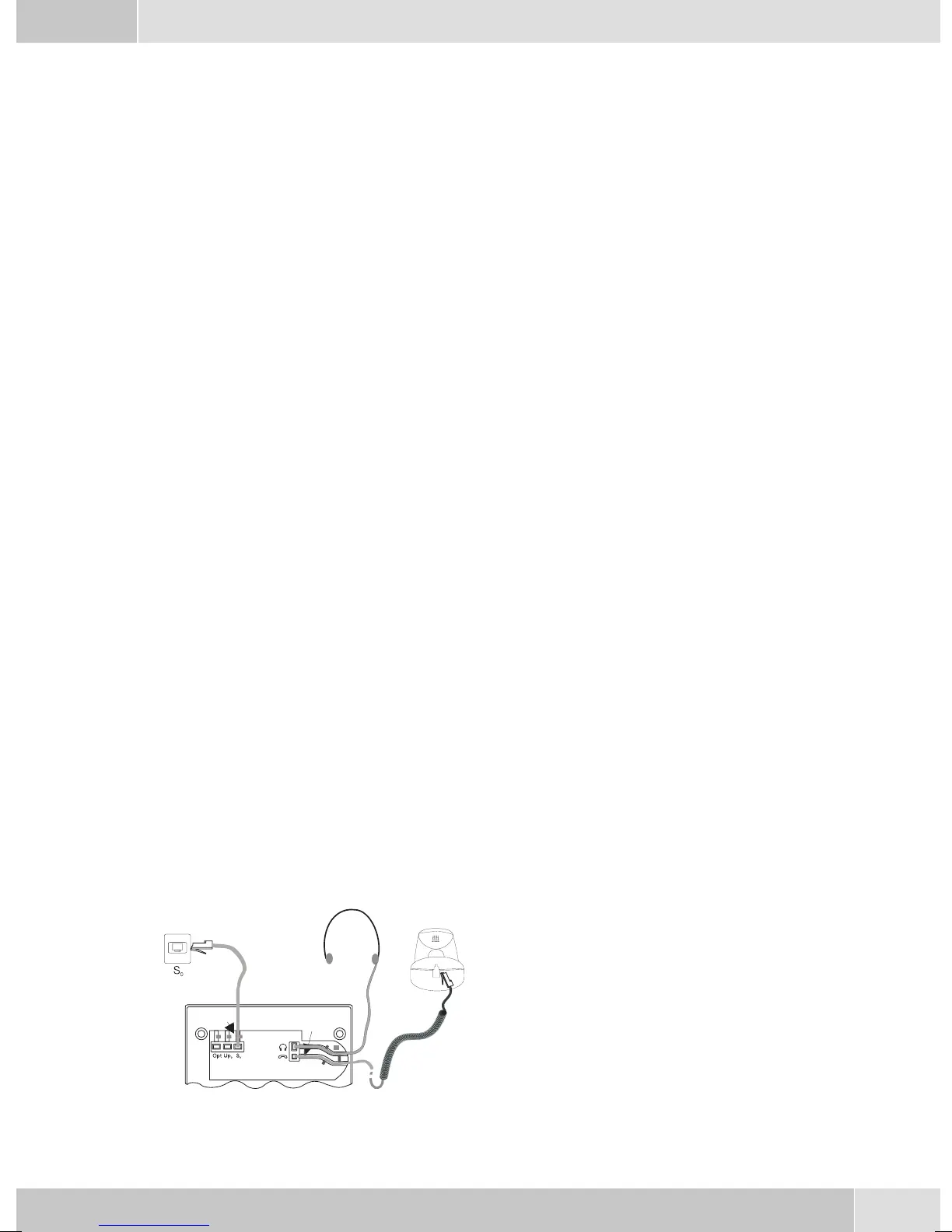
Connecting the telephone (ISDN and handset cords)
PleaseconnecttheISDN cableandthehandsetcable.Otherwiseyouwillnotbeabletooperatethephone.
Connecting the handset connecting cord
Connect the handset cord (1) as shown in figure 6.
Lay the handset cord in the cord groove (4) and lock
it below the two cord retainers (5).
English
5
1
2
3
4
4
4
5
5
6
6
7
Figure 6


 To Next Page
 Loading...