32
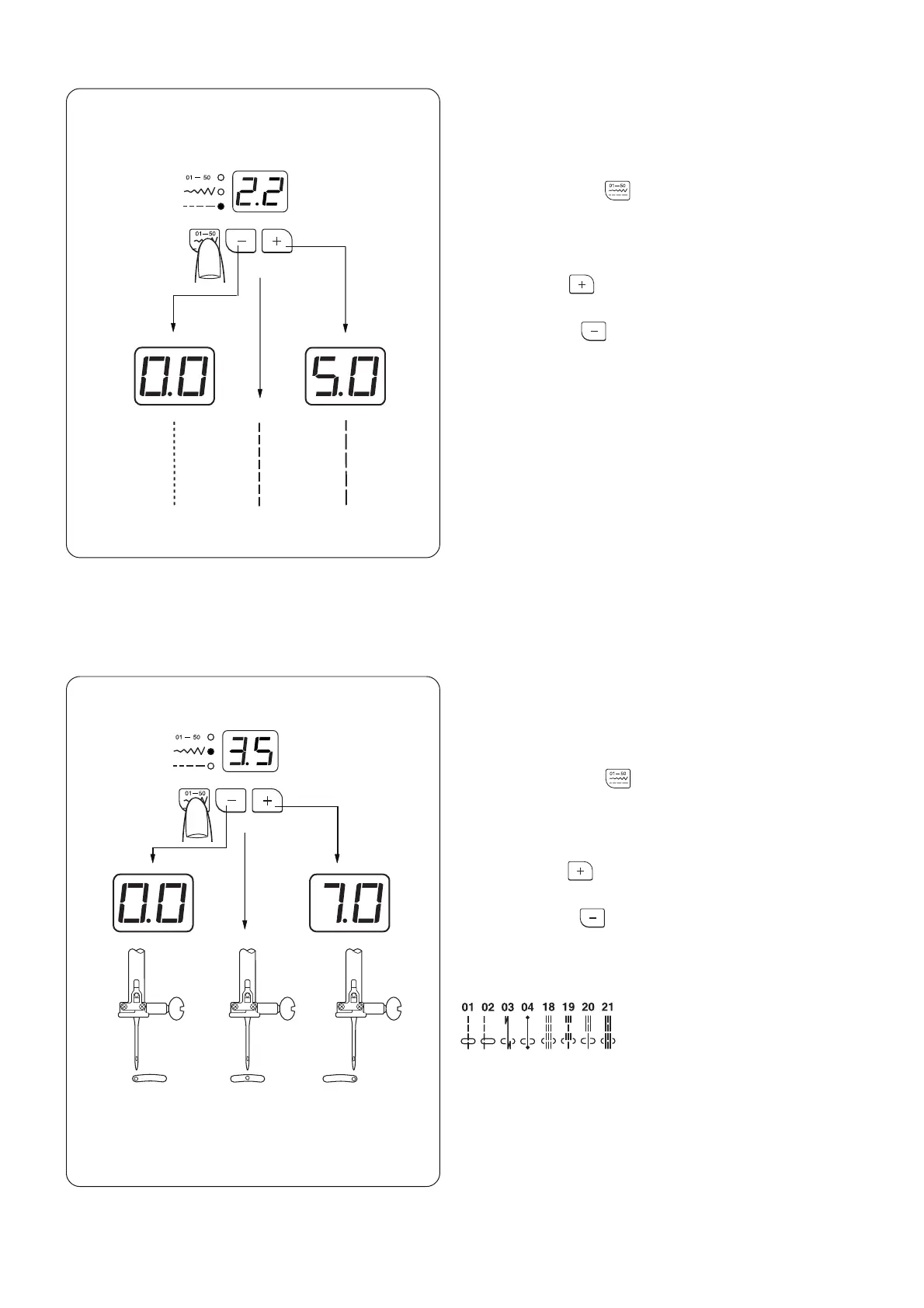
Adjusting Needle Position
When you activate the stitch width mode, the needle
position can be set between 0.0 and 5.0.
Press the mode key to activate stitch width
adjustment (the middle green light turns on).
The preset value 3.5 will be indicated.
Press the plus key to move needle right.
Press the minus key to move needle left.
The following stitches 01, 02, 03, 04, 18, 19, 20 and
21 have variable needle position:
Adjusting Stitch Length
When you activate the stitch length mode, the stitch
length can be set between 0.0 and 5.0.
Press the mode key to activate stitch length
adjustment (the bottom green light turns on).
The preset value 2.2 will be indicated.
Press the plus key to lengthen the stitch length.
Press the minus key to shorten the stitch length.
* The reverse stitch length cannot be set longer than
2.5.
7.03.50.0
5.02.2
0.0














 To Next Page