60
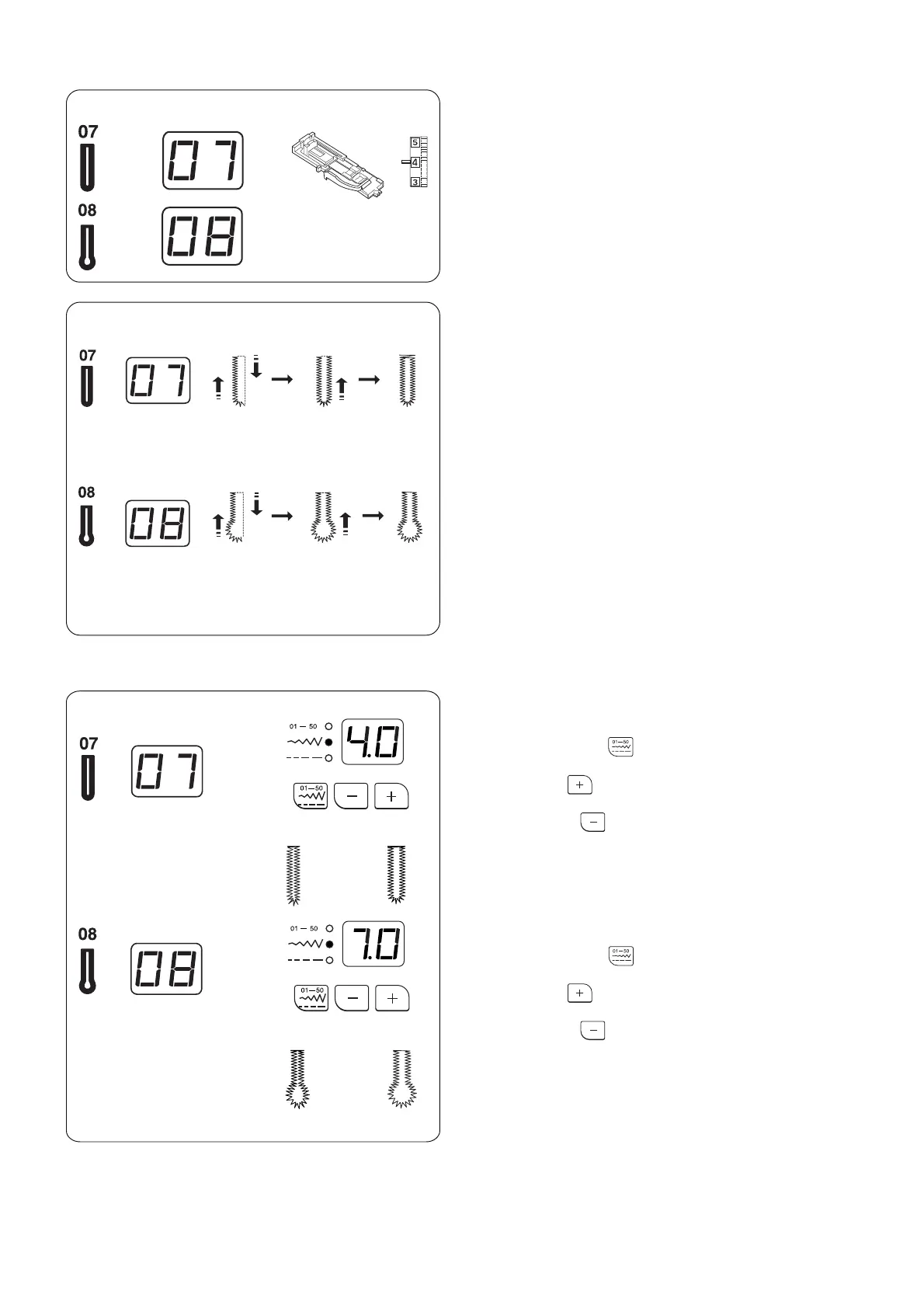
Rounded buttonhole
Press the mode key to activate the stitch width
adjustment.
Press the plus key to increase the buttonhole
width.
Press the minus key to decrease the buttonhole
width.
* The width can be altered between 2.5 and 5.5.
Keyhole buttonhole
Press the mode key to activate the stitch width
adjustment.
Press the plus key to increase the buttonhole
width.
Press the minus key to decrease the buttonhole
width.
* The width can be altered between 5.0 and 7.0.
* See page 58 for altering the stitch density.
The sewing procedure is the same as the square
buttonhole #06.
Rounded End and Keyhole Buttonholes
Machine Settings
q Stitch pattern: #07 or #08
w Foot: Automatic buttonhole foot R
e Needle thread tension: 1–5
Adjusting the Buttonhole Width
q w e
~
~














 To Next Page