Manual R1140-X0-ST-EN Release: 1.06 © Elotech GmbH Page 6/24
5. Display and Keyboard
P
1.
Parameter preselection
2. Sets the parameter back to the originally stored value.
Any alterations made to the parameters, that are not confirmed (E-key) within
30 seconds, will not be accepted and the parameter will return to ist originally
stored value.
Adjustment of chosen parameter (e.g. setpoint) to higher or lower values.
E.g. setpoint adjustment.
Short operation: single-step adjustment
Longer operation: quick-scanning
When the parameter adjustments have been altered but not entered,
the display will flash bright/dark. In this case, please press key „E“.
E
Confirmation and storage of the pre-selected values (enter).
The display will shortly show a light chain as a control of this function.
To return to the process- and setpoint-display: press „E“ appr. 2 sec..
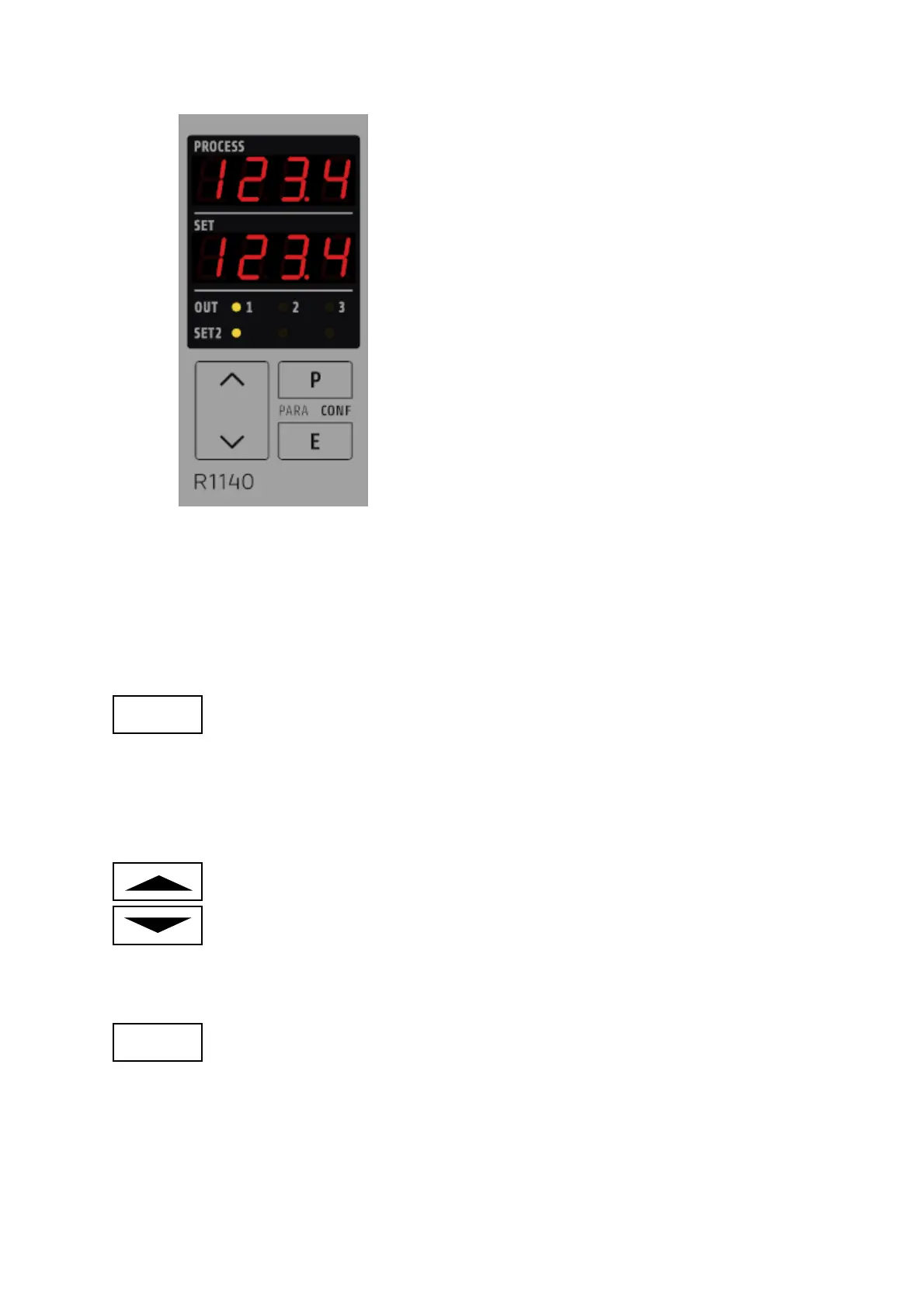
Display PROCESS:
Standard: actual process value
Display SET:
Standard: setpoint value
LED 1: OUT1, control output „on“
LED 2: OUT2, control output „on“ or alarm output A2
LED 3: OUT3, alarm output A3
LED SP2: Setpoint 2 active


 To Next Page