X101532E 11
4.5.3 Options to operation modes
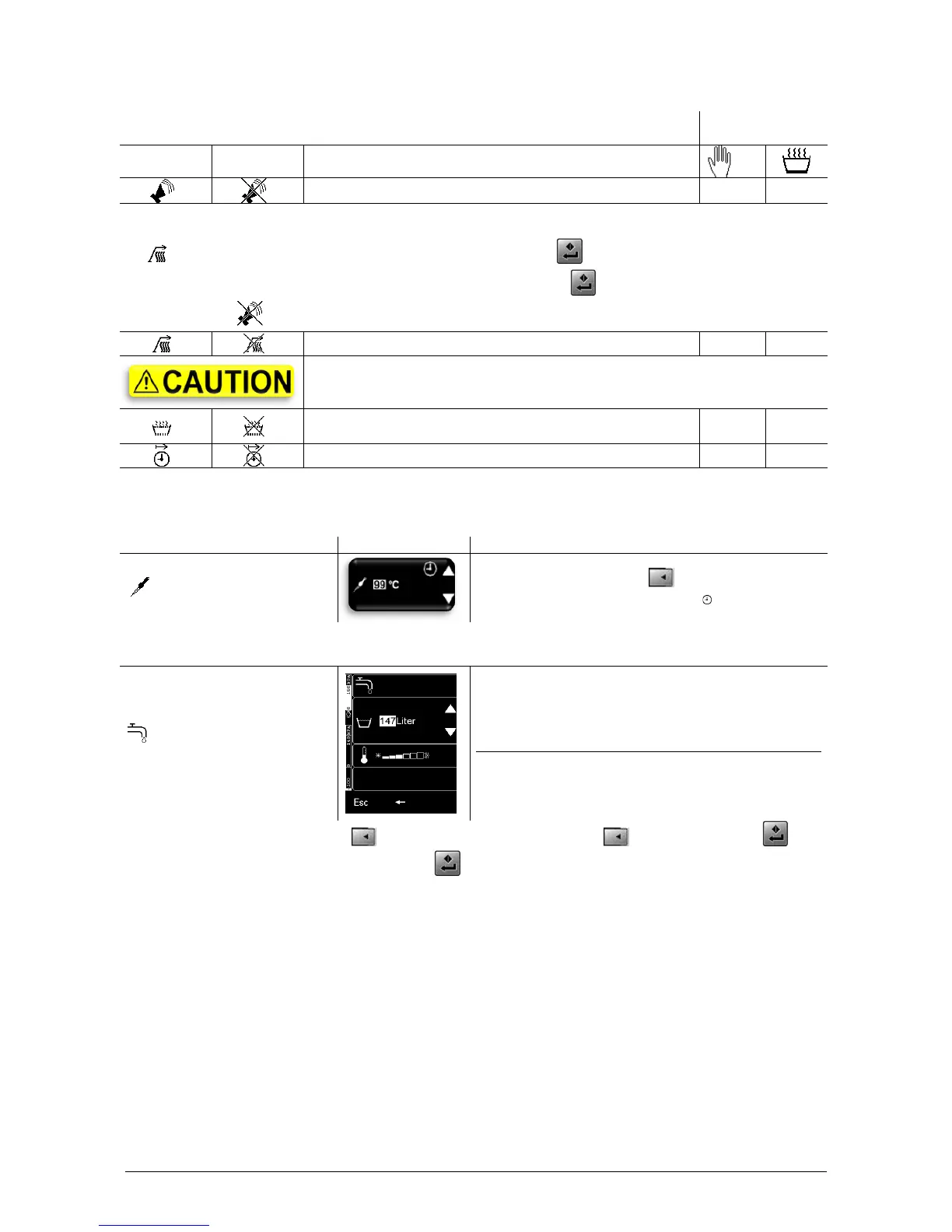
When the horn sounds, you must acknowledge it. Turn off the horn by pressing any key => tone off.
The horn sounds/the process status display blinks when:
Preheating phase completed you can start the process (D).
Process/batch completed you can start a new process/batch (D).
Horn inactive check the process status display.
Preheat only on clean, dry frying surfaces!
Optitherm, the active symbol blinks when Optitherm
intervenes in the cooking process
● Option possible ○ Option with restriction, appliance may not be operated without supervision!
Set core temperature with (4)(5)
Core temperature > 100°C time
The 6-point core temperature probe makes cooking to the precise degree easy.
Make sure the probe is placed in the middle of the food.
ELRO WDS
*)
Water Dosing System
(1) WDS Water Dosing System
*)
(2) Increase water volume
(3) Decrease water volume
(4) Temperature cold - hot
(5) –
(A) Esc Main menu
(B) Back
(C) –
(D) –
Set the desired water volume with (2)(3). Set water temperature with (4). Start filling with (D).
If you want to interrupt the filling process press (A) again.



 To Next Page