X101532E 21
7.6.1 Cookbook
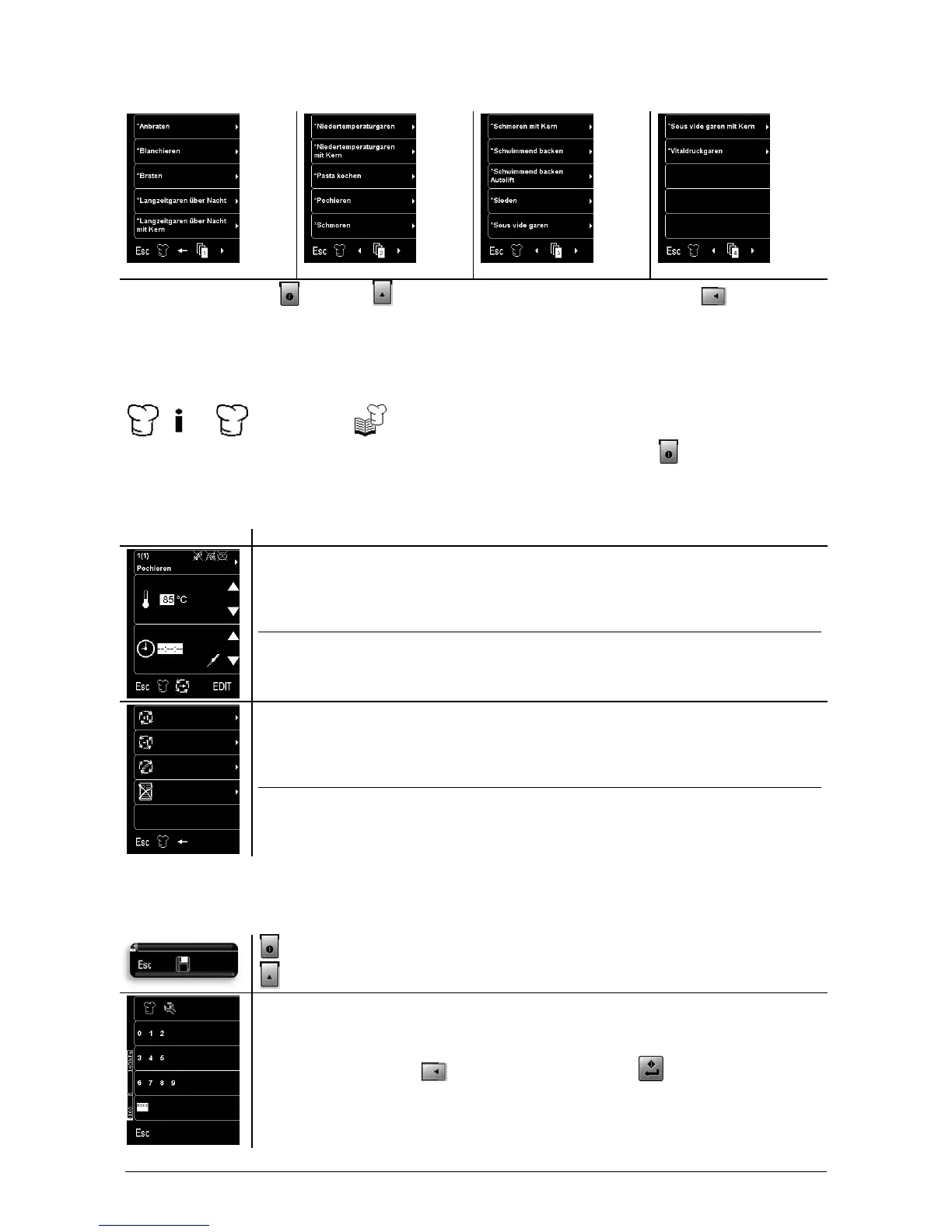
Quit the cookbook with (A). Press (B)(C) to browse in the cookbook. By pressing (1) to (5), you
can select the corresponding program.
7.6.2 Creating a cooking program
Starting in the main menu, use the following keys:
user code
Select an existing cooking program. Make the desired modifications. If you press (A) you will be asked,
if you want to save the modifications.
7.6.3 Editing a cooking program
Menu selection key / Function key
(1) Options Switch on/off
(2) Increase temperature
(3) Decrease temperature
(4) Increase time
(5) Decrease time
(A) Esc Main menu
(B) Next cooking phase
(C) Edit
(D) –
(1) Add cooking phase
(2) Delete cooking phase
(3) Edit cooking phase
(4) Delete cooking program
(5) –
(A) Esc Main menu
(B) Back to previous menu
(C) –
(D) –
7.6.4 Saving a cooking program
When you change a fixed cooking program, you can either save the program under a new name or discard
it.
(A) Discard cooking program
(B) Save cooking program
Enter the user code with (2) to (4). Confirm entry with (D).



 To Next Page