X101532E 9
4.3 Main menu
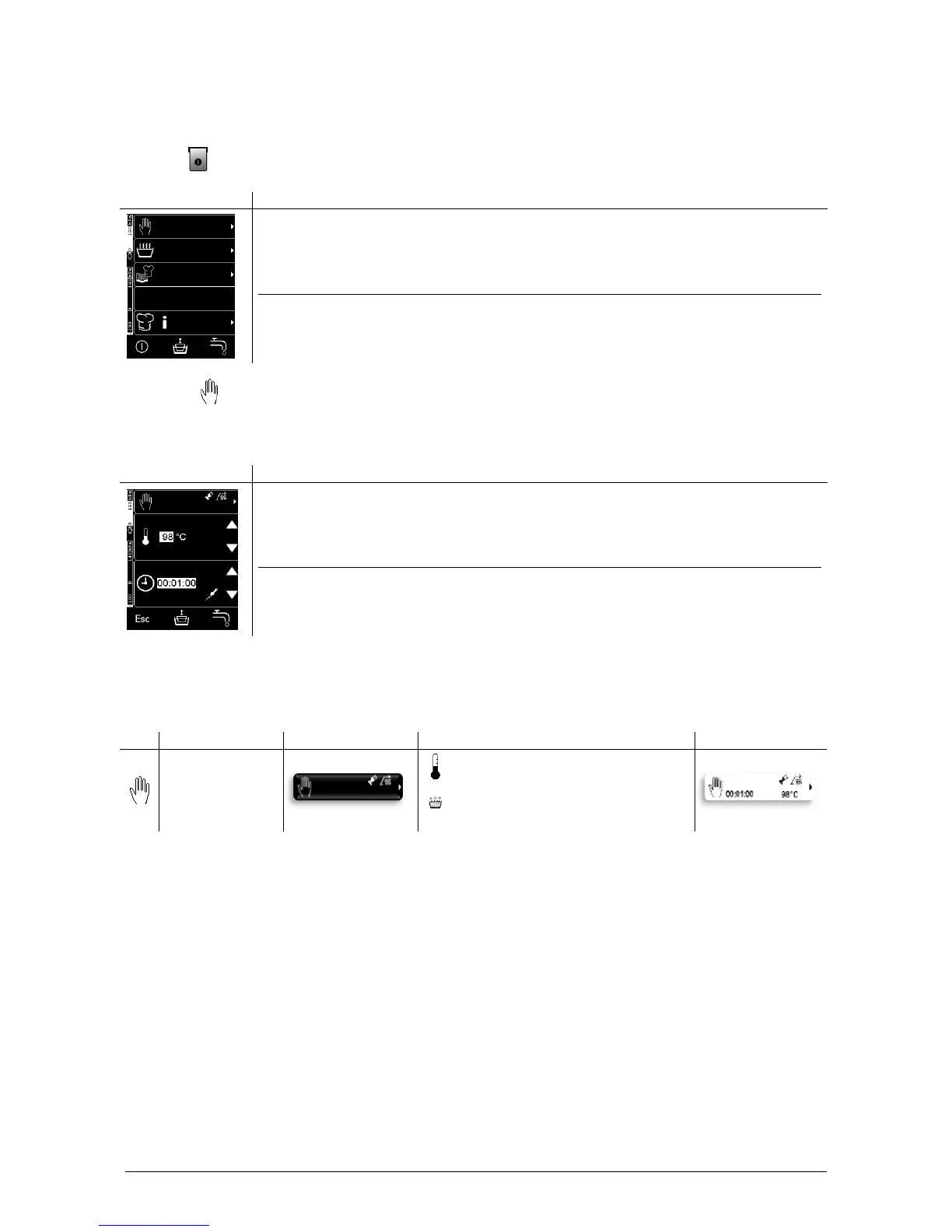
The main menu appears at first start-up. Thereafter, the last operation mode/cooking program carried out is
available when the appliance is switched on.
Pressing (A) brings up the main menu.
Menu selection key / Function key
(1) Manual operation
(2) Operation modes
(3) ELRO QCS cookbook
(4) –
(5) Help/Information
(A) On/Off
(B) –
(C) WDS Water Dosing System
*)
(D) Start process
4.4 Manual operation
In the manual operation, you can enter temperature/boiling level, time/core temperature
*)
irrespective of the
operation mode.
Menu selection key / Function key
(1) Options
(2) Increase temperature/boiling level
(3) Decrease temperature/boiling level
(4) Increase time/core temperature
*)
(5) Decrease time/core temperature
*)
(A) Esc Main menu
(B) –
(C) WDS Water Dosing System
*)
(D) Start process
Please read the chapter “Operation modes” to enter/modify a temperature/boiling level, time/core
temperature
*)
and activate/deactivate options.
4.4.1 Setting and operating range
Setting and operating range
Temperature 0°C-Boiling point



 To Next Page