GB-3
GB
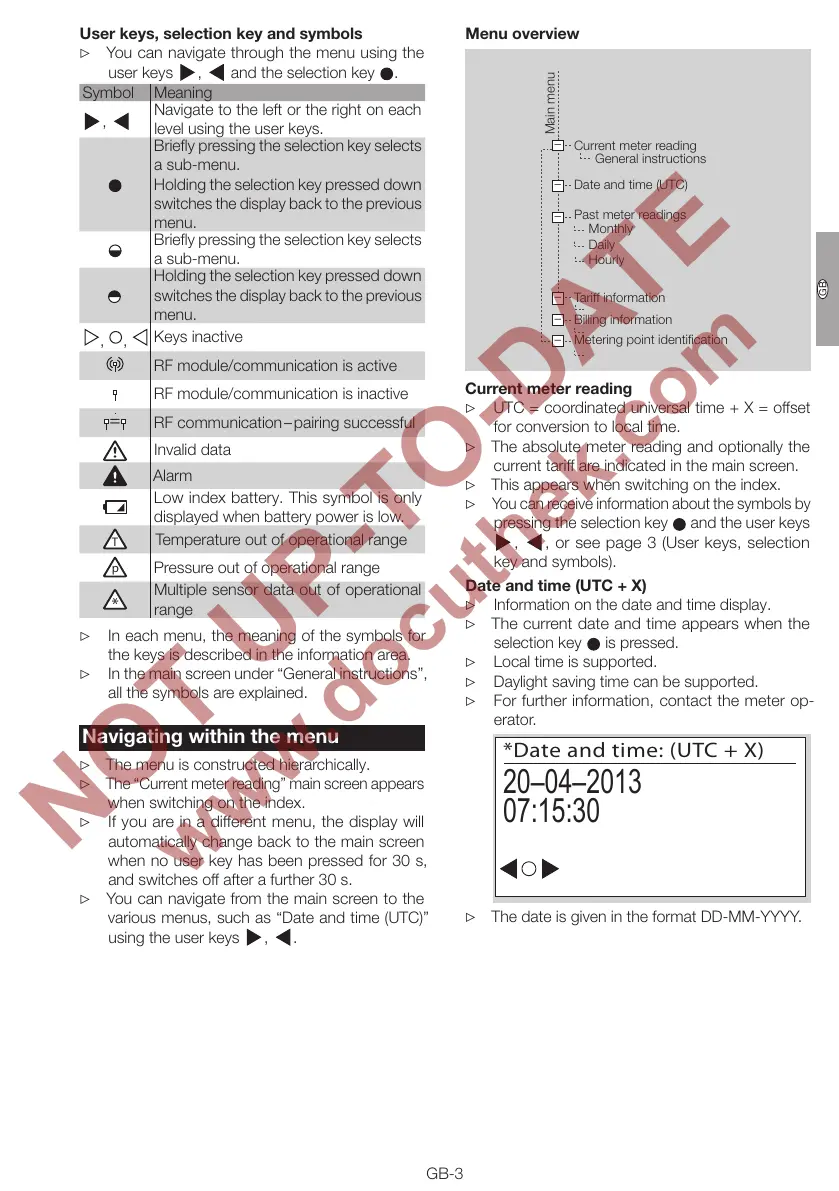
User keys, selection key and symbols
▷
You can navigate through the menu using the
user keys , and the selection key .
Symbol Meaning
,
Navigate to the left or the right on each
level using the user keys.
Briefly pressing the selection key selects
a sub-menu.
Holding the selection key pressed down
switches the display back to the previous
menu.
Briefly pressing the selection key selects
a sub-menu.
Holding the selection key pressed down
switches the display back to the previous
menu.
, ,
Keys inactive
RF module/communication is active
RF module/communication is inactive
RF communication – pairing successful
Invalid data
Alarm
Low index battery. This symbol is only
displayed when battery power is low.
T
Temperature out of operational range
p
Pressure out of operational range
Multiple sensor data out of operational
range
▷ In each menu, the meaning of the symbols for
the keys is described in the information area.
▷ In the main screen under “General instructions”,
all the symbols are explained.
Navigating within the menu
▷ The menu is constructed hierarchically.
▷
The “Current meter reading” main screen appears
when switching on the index.
▷
If you are in a different menu, the display will
automatically change back to the main screen
when no user key has been pressed for 30s,
and switches off after a further 30s.
▷
You can navigate from the main screen to the
various menus, such as “Date and time (UTC)”
using the user keys
, .
Menu overview
–
–
–
–
–
–
Current meter reading
General instructions
Date and time (UTC)
Past meter readings
Monthly
Tariff information
Billing information
Metering point identification
Daily
Hourly
Main menu
Current meter reading
▷ UTC = coordinated universal time + X = offset
for conversion to local time.
▷
The absolute meter reading and optionally the
current tariff are indicated in the main screen.
▷ This appears when switching on the index.
▷
You can receive information about the symbols by
pressing the selection key and the user keys
, , or see page 3 (User keys, selection
key and symbols).
Date and time (UTC + X)
▷ Information on the date and time display.
▷
The current date and time appears when the
selection key is pressed.
▷ Local time is supported.
▷ Daylight saving time can be supported.
▷
For further information, contact the meter op-
erator.
*Date and time: (UTC + X)
20–04–2013
07:15:30
▷ The date is given in the format DD-MM-YYYY.


 To Next Page