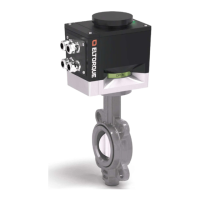
The following information is reported from the actuator to IAS:
• State (normal, failsafe or service)
• Communication with UPS lost
• Communication with UPS restored
• Communication with IAS restored
• PSU voltage low
• PSU voltage good
• Battery voltage low (SOC)
• Battery voltage good (SOC)
• Battery warning (SOH)
• Battery failure (SOH)
• Temperature high
• Temperature warning
• Temperature OK
• Temperature
• UPS error timeout counter
• Configuration checksum error
The IAS sends the following instructions and signals to the actuator:
• Set failsafe state (for test purposes)
• Clear failsafe state
• Set service state
• Clear service state
• Go-ahead signal for battery maintenance procedure (battery discharge)
• Heartbeat
Also see System Integrator’s Manual for CANopen interface for more information.
The Failsafe actuator is mounted and installed in the same way as a standard
actuator, see Chapter 4 Mounting and Installation on page 33. There are however
some changes:
• There are routines to follow for the storage and installation caused by battery
considerations, see information in section B.4.i Installation plan on page 68.
• There are considerations to make when you open the actuator, see B.6.i
below.
• Connection of the battery cable see B.8.ii on page 75, steps 12 – 16.
Note! The interface communication box is fastened to the failsafe module with nuts
instead of screws.


 To Next Page
 Loading...