EasyManua.ls Logo

Em-Trak B924 - User Manual

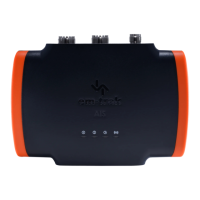
Em-Trak B924
56 pages
Print Icon
To Next Page IconTo Next Page
Loading...
B900 Series
Class B I AIS Transceiver User manual

Other manuals for Em-Trak B924

Questions and Answers

  • A
    Ann BellSep 2, 2025
    What to do if the red error indicator is flashing on my Em-Trak B924?
    • S
      Stephanie BartonSep 2, 2025
      If the red error indicator is flashing on your Em-Trak Transceiver, it may indicate a problem with the VHF antenna system. You can confirm this using proAIS2. If the 'High VSWR' alarm is active, check for a faulty VHF antenna, cable, or connectors, a poor connection at the VHF antenna/cable/connectors, the suitability of the VHF antenna (antennas tuned to 162MHz are recommended for AIS only, while antennas tuned to 159MHz are recommended for splitter variants), and the VHF antenna location (ensure it isn't mounted near other transmitting antennas, sources of interference, metal structures, or other obstructions).
  • J
    Joshua BlevinsAug 31, 2025
    Why is the red 'error' indicator illuminated on my Em-Trak B924?
    • C
      Cassandra WebbAug 31, 2025
      If the red 'error' indicator is illuminated on your Em-Trak Transceiver, first check that the unit is programmed with a valid MMSI number using the Configuration tab in proAIS2. Next, ensure that the GNSS antenna has a stable position fix, which can be confirmed in the GNSS Status tab of proAIS2. Finally, verify that the power supply is within 12 - 24V using the Diagnostics tab of proAIS2.
  • R
    Rhonda RyanAug 29, 2025
    What to do if I can't establish a connection using WiFi or Bluetooth on my Em-Trak B924?
    • M
      Matthew BernardAug 29, 2025
      If you can't establish a connection using WiFi or Bluetooth, verify that the transceiver is powered by 12 - 24V. Check the configuration parameters using proAIS2. Ensure that there are no obstructions between the transceiver and mobile device and that there are no sources of interference nearby.
  • R
    Rebecca YoungAug 27, 2025
    How to troubleshoot no LED indicators illuminated on Em-Trak B924 Transceiver?
    • B
      Bobby MarshallAug 27, 2025
      If no LED indicators are illuminated, check that the power supply is connected correctly and that the power supply is a 12V or 24V supply.
  • E
    Elizabeth VaughanAug 26, 2025
    How to fix amber LED indicator flashing continuously on Em-Trak Transceiver?
    • L
      Leon ReyesAug 26, 2025
      The amber LED indicator flashes while the transceiver searches for a position fix. If it takes longer than a minute, check the performance of the GPS antenna by using the GPS Status tab of proAIS2.
  • K
    Kathleen HernandezAug 25, 2025
    What to do if no data is being received by the chart plotter from my Em-Trak B924 Transceiver?
    • N
      nelsonjoshuaAug 25, 2025
      If no data is being received by the chart plotter, check that the signal wires are connected correctly and that the baud rate matches on both the transceiver and the chart plotter. Also, confirm that other vessels are within radio range and that they are displayed on the Other Vessels tab of proAIS2.
  • K
    Kelly JohnsonAug 22, 2025
    Why is the red 'error' LED indicator illuminated on my Em-Trak Transceiver?
    • K
      Kevin RandolphAug 22, 2025
      If the red 'error' LED is illuminated, ensure that the unit is configured with a valid MMSI number, which can be checked in the Configuration tab of proAIS2. Also, verify that the GPS antenna has a stable position fix using the GPS Status tab in proAIS2 and confirm that the power supply is within 12 - 24V using the Diagnostics tab of proAIS2.

Summary

1 Regulatory notices

1.1 Safety warnings

Crucial safety instructions for product installation and usage.

1.2 General notices and compliance

Covers position source, RF emissions, disposal, accuracy, FCC, and Industry Canada notices.

2 About your AIS transceiver

2.1 Overview

General introduction to the AIS transceiver, its purpose, and capabilities.

2.2 B900 Product range

Details the various models in the B900 Series and their feature differences.

2.3 Whats in the box?

Lists all components included in the product packaging.

2.4 Support and warranty

Information on customer support, return policy, and warranty coverage.

2.5 Configuration tools

Explains the software and methods for configuring the AIS transceiver.

3 Installation

3.1 Summary

Overview of pre-installation checks and required items.

3.2 Antennas

Guidance on selecting and installing VHF and GPS antennas.

3.3 Power

Instructions for connecting the power supply and data cable.

3.4 Location and fixing of the transceiver

Recommendations for optimal placement and mounting of the unit.

3.5 Configuration

Step-by-step guide for initial setup and vessel data entry.

3.6 Connectivity

How to connect the transceiver to NMEA 2000, chartplotters, and other devices.

4 Operation

4.1 LED indicators

Explanation of the status indicators and their meanings.

4.2 Silent mode

How to enable/disable silent mode and its operational impact.

4.3 Voyage data recorder

Details on the data logging feature and how to retrieve logs.

4.4 PGN table

Table listing supported NMEA 2000 Parameter Group Numbers (PGNs).

5 Troubleshooting

6 Specifications

7 About AIS

7.1 About AIS

General information about the Automatic Identification System (AIS).

7.2 Static and dynamic vessel data

Explains the types of data transmitted by AIS devices.

8 List of abbreviations

Em-Trak B924 Specifications

General IconGeneral
AIS ClassClass B
Output Power2W
ModulationGMSK
Power SupplyDC
InterfaceNMEA 0183
Frequency Range156.025 MHz - 162.025 MHz
Channels2
Voltage9 - 31.2V
Waterproof RatingIPX6
CertificationsCE, FCC

Related product manuals