EasyManua.ls Logo

Em-Trak B100 - User Manual

Em-Trak B100
40 pages
Print Icon
To Next Page IconTo Next Page
Loading...
www.em-trak.com
Product Manual
HIGH PERFORMANCE
MARITIME
PRODUCTS
High Performance Maritime Products
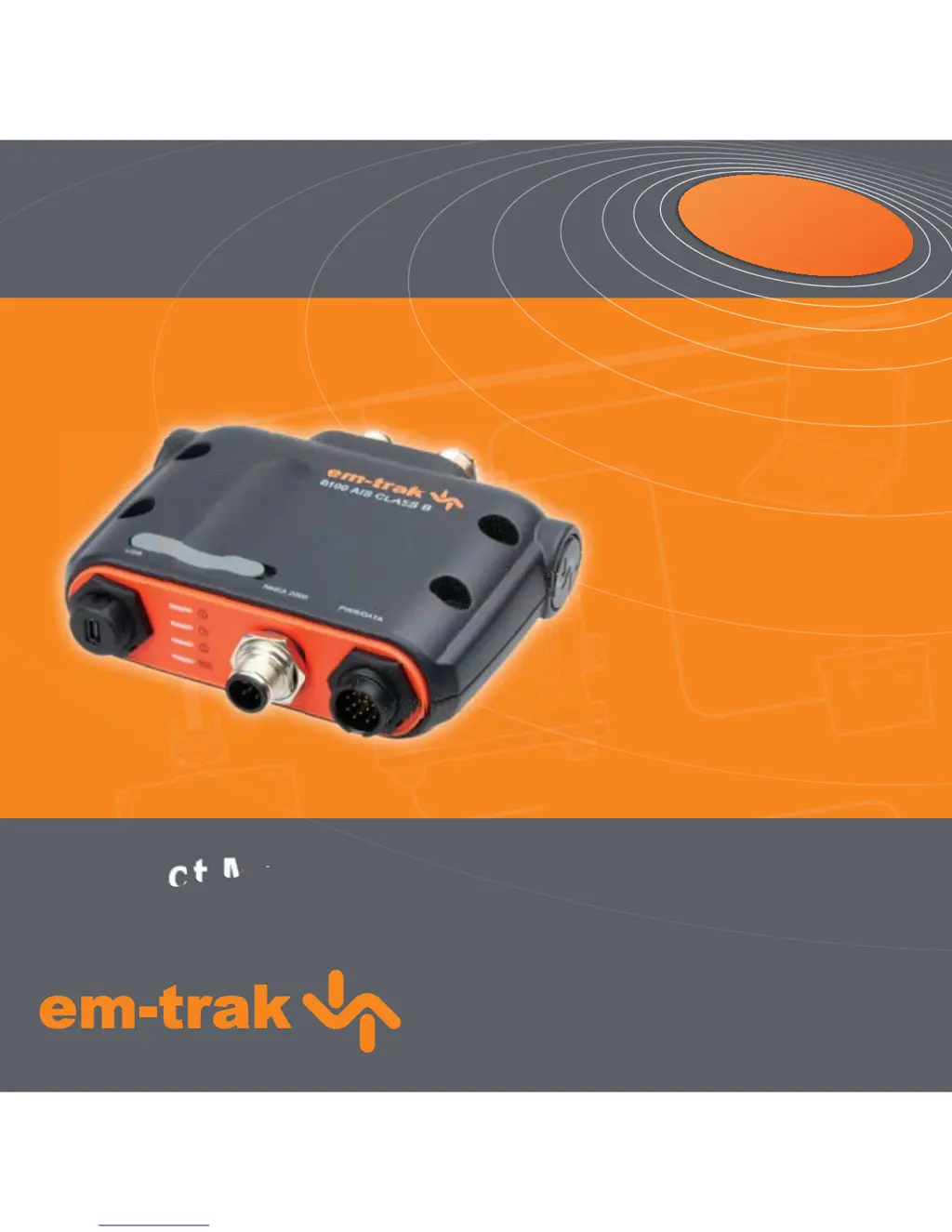
em-trak B100
AIS Class B Transceiver

Other manuals for Em-Trak B100

Questions and Answers

  • K
    Kenneth WilliamsJul 26, 2025
    Why is my Em-Trak Transceiver MMSI being received but not my vessel name?
    • T
      Tara SnyderJul 27, 2025
      If your MMSI is being received, but your vessel name isn't showing on other vessels' chart plotters or PCs, the issue might be with older AIS devices and chart plotters. These older devices may not process the Class B AIS message (message 24) that provides the vessel name. A solution is to check for software upgrades for the chart plotters, which will correct this issue.
  • L
    lsmithAug 6, 2025
    What to do if the red 'error' indicator is illuminated on my Em-Trak Transceiver?
    • A
      Aimee RollinsAug 6, 2025
      If the red 'error' indicator is illuminated on your Em-Trak Transceiver, it could be due to several reasons. First, ensure that your AIS transceiver is correctly configured with a valid MMSI. A faulty VHF or GPS antenna could also be the cause; check their connections and for any damage. Verify that the power supply is within the range of 9.6V to 31.2V. The red indicator may illuminate briefly if the power supply is interrupted or the VHF antenna characteristics are briefly affected. If none of these steps resolve the issue, seek advice from your dealer.
  • J
    Joseph WillisAug 14, 2025
    What to do if no indicators are illuminated on my Em-Trak Transceiver?
    • R
      Robert FernandezAug 14, 2025
      If no indicators are illuminated on your Em-Trak Transceiver, ensure that the power supply is correctly connected and that it is a 12V or 24V supply.

Summary

Notices and Safety Information

Safety and General Notices

Important safety messages, installation compliance, and general operating notices.

RF Emissions, Warranty, and Disposal

Information on RF energy, product warranty, disposal, and manual accuracy.

Regulatory Compliance

Details Declaration of Conformity, FCC, and Industry Canada compliance notices.

Understanding Your AIS Transceiver

About AIS and Transceiver Types

Explains the AIS system and differentiates between Class A, Class B, and other AIS devices.

Vessel Data and Configuration

Describes static/dynamic data, MMSI requirements, and US customer configuration needs.

Package Contents Overview

Lists and describes all items included in the product package.

Transceiver Overview and Connections

Diagram of the transceiver unit, highlighting connectors and indicator lights.

Installation and Setup

Preparing for Installation

Details preliminary steps, system elements, and connections prior to installation.

Mounting Transceiver and Antennas

Covers mounting the transceiver, GPS antenna, and connecting the VHF antenna.

Wiring and Connectivity

Explains connecting accessory cables, external switch, NMEA, and PC via USB.

Power Supply and USB Drivers

Instructions for connecting power supply and installing necessary USB drivers for PC communication.

Configuration and Operation

Initial Power-Up and Indicators

Describes indicator lights and their meaning when the transceiver is first powered on.

Configuration Methods

Outlines configuration methods (dealer, card, proAIS2) and proAIS2 installation/use.

Basic Operation and Memory Card Usage

Covers basic operation, memory card functions (config, update, logging), and reviewing data.

Silent Mode and Monitoring

Explains silent mode, using proAIS2 for monitoring, and detailed indicator functions.

Troubleshooting and Specifications

Troubleshooting Common Issues

Provides solutions for common problems like no data, no indicators, or error indicators.

Technical Specifications

Details physical dimensions, power, interfaces, connectors, environmental ratings, and controls.

Em-Trak B100 Specifications

General IconGeneral
BrandEm-Trak
ModelB100
CategoryTransceiver
LanguageEnglish

Related product manuals