EasyManua.ls Logo

Em-Trak B921 - User Manual

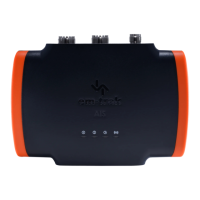
Em-Trak B921
56 pages
Print Icon
To Next Page IconTo Next Page
Loading...
B900 Series
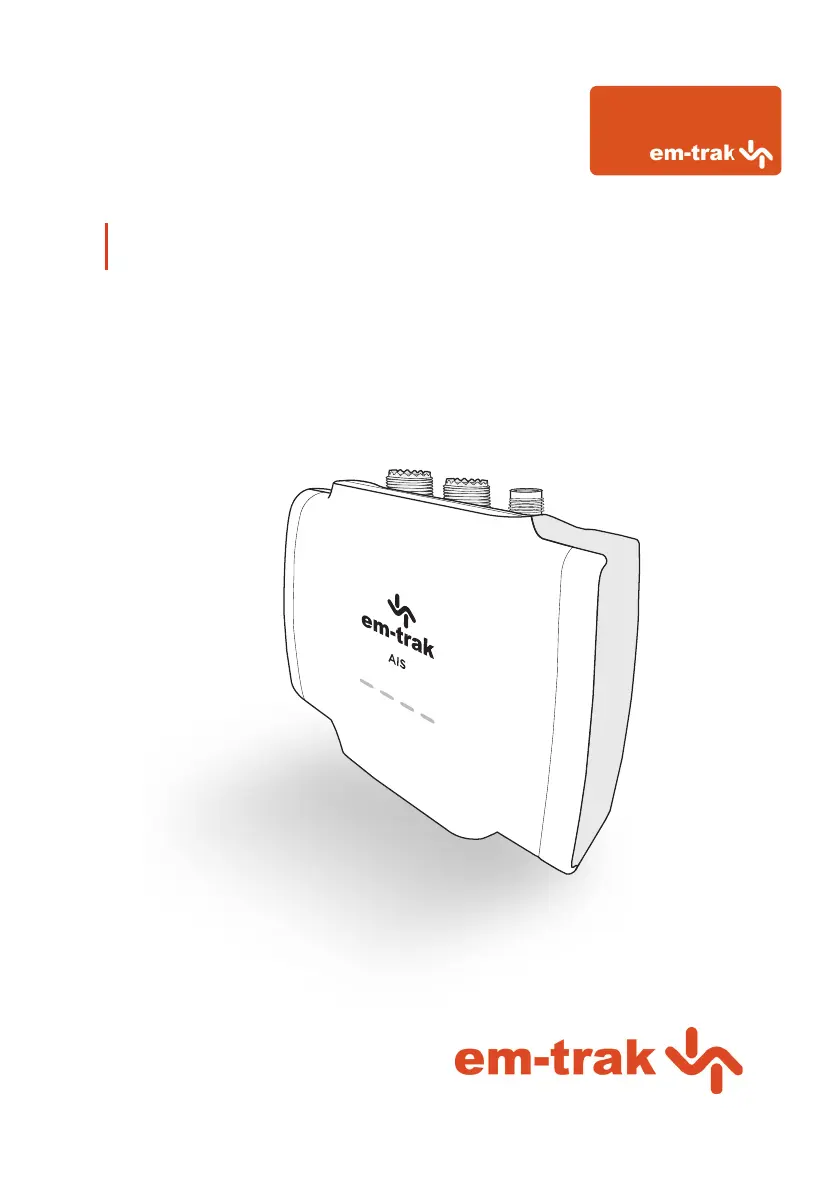
Class B I AIS Transceiver User manual

Other manuals for Em-Trak B921

Questions and Answers

  • J
    Jeff MckinneySep 3, 2025
    How to fix WiFi or Bluetooth connection issues on my Em-Trak B921 Transceiver?
    • C
      Christine MillerSep 4, 2025
      If you can't establish a connection using WiFi or Bluetooth with your Em-Trak Transceiver, check that the transceiver is powered by 12 - 24V. Also, check the configuration parameters using proAIS2. Ensure there are no obstructions between the transceiver and your mobile device and that there are no sources of interference nearby.
  • C
    Caroline MurraySep 18, 2025
    What to do if no LED indicators are illuminated on my Em-Trak Transceiver?
    • M
      Morgan OwensSep 18, 2025
      If no LED indicators are illuminated on your Em-Trak Transceiver, check that the power supply is connected correctly and that it is a 12V or 24V supply.
  • J
    Jason LoganSep 16, 2025
    Why is the amber LED indicator flashing continuously on my Em-Trak Transceiver?
    • J
      jeffreyroySep 16, 2025
      The amber LED indicator flashes on the Em-Trak transceiver while it searches for a position fix. If this takes longer than a minute, check the GPS antenna performance using the configuration tools.
  • J
    jonesaaronSep 14, 2025
    What to do if Em-Trak Transceiver data is not being received by the chart plotter?
    • A
      Adrienne HoSep 14, 2025
      If your Em-Trak Transceiver is not sending data to the chart plotter, verify that the signal wires are correctly connected, the baud rate matches on both the transceiver and the chart plotter, and other vessels are within radio range and displayed on the Other Vessels tab of proAIS2 or CONNECT-AIS.
  • D
    Donna DuranSep 12, 2025
    How to fix Em-Trak Transceiver connection issues with WiFi or Bluetooth?
    • J
      Jose WestSep 12, 2025
      If you can't establish a connection using WiFi or Bluetooth on your Em-Trak Transceiver, check that the transceiver is powered by 12 - 24V, review the configuration parameters using proAIS2, ensure there are no obstructions or sources of interference between the transceiver and your mobile device, confirm that the 5-minute Bluetooth pairing window hasn't expired (if it has, remove and reapply power, including USB), and verify you're not using Bluetooth with an Apple device.
  • M
    Megan DawsonSep 12, 2025
    Why is my Em-Trak Transceiver vessel name not being received by other vessels?
    • E
      emooreSep 12, 2025
      If your Em-Trak Transceiver isn't sending vessel name data to other vessels, remember that static data (including vessel name and call sign) transmits every 6 minutes. It might take a few transmissions before all data appears. Position reports with critical information like position, MMSI, and speed are sent more frequently.
  • M
    michelledouglasSep 9, 2025
    How to troubleshoot no illuminated indicators on my Em-Trak B921 Transceiver?
    • M
      Michael BurchSep 9, 2025
      If no indicators are illuminated on your Em-Trak Transceiver, check that the power supply is connected correctly and that the power supply is a 12V or 24V supply.
  • B
    Benjamin DavisSep 7, 2025
    Why is my vessel name not being received by other vessels using my Em-Trak B921 Transceiver?
    • C
      Christopher TranSep 7, 2025
      If your vessel name isn't being received by other vessels from your Em-Trak Transceiver, note that static data (containing vessel name, call sign, etc.) is transmitted every 6 minutes, so it may take a few transmissions before all the vessel data is displayed. Position reports contain critical data like position, MMSI number, vessel speed, etc., and this is transmitted more regularly.
  • M
    Michael GraySep 5, 2025
    Why is the amber indicator flashing continuously on my Em-Trak B921 Transceiver?
    • J
      Jennifer MartinSep 5, 2025
      The amber indicator flashes on your Em-Trak Transceiver while the transceiver searches for a position fix. If it takes longer than a minute, you can check the performance of the GNSS antenna by using the GNSS Status tab of proAIS2.
  • S
    stevelewisAug 20, 2025
    What to do if the red error LED indicator is flashing on my Em-Trak B921?
    • R
      Richard LarsonAug 20, 2025
      If the red error LED is flashing, there may be a problem with the VHF antenna system, which can be confirmed using proAIS2. Check for a faulty VHF antenna, cable, or connectors, and ensure they are properly connected. Confirm the suitability of the VHF antenna (for AIS only, use antennas covering 162MHz; for splitter variants, use antennas covering to 159MHz). Also, check the VHF antenna location, ensuring it isn't mounted near other transmitting antennas, sources of interference, metal structures, or other obstructions.

Summary

1 Regulatory notices

1.1 Safety warnings

Important safety information for installation and usage of the AIS transceiver.

1.2.3 RF emissions notice

Cautionary information regarding radio frequency emissions and safe operating practices.

1.2.7 FCC notice

Compliance information and operating conditions related to FCC regulations.

1.2.8 Important information for US customers

Specific regulations and requirements for US customers regarding data configuration.

1.2.9 Industry Canada notice

Compliance information and operating conditions related to Industry Canada regulations.

2 About your AIS transceiver

2.5 Configuration tools

Describes the software and methods for configuring the AIS transceiver.

3 Installation

3.2 Antennas

Guidance on installing and connecting VHF and GPS antennas.

3.2.1 VHF antenna:

Specifics on VHF antenna connection and requirements for different transceiver variants.

3.3 Power

Instructions for connecting the power supply to the AIS transceiver.

3.3.1 Connecting the power and data cable:

Step-by-step guide for wiring the power and data cable.

3.4 Location and fixing of the transceiver

Guidelines for selecting an optimal mounting location and securely fixing the transceiver.

3.5 Configuration

Procedures for configuring the AIS transceiver with vessel data.

4 Operation

Em-Trak B921 Specifications

General IconGeneral
AIS ClassClass B
Frequency Range156.025 MHz - 162.025 MHz
Output Power2W
WaterproofIPx7
ModulationGMSK
TypeAIS Transceiver
Frequency161.975 MHz, 162.025 MHz
Voltage9 - 32 V DC
InterfacesNMEA 0183, USB
Power Supply9 - 32 V DC
InterfaceNMEA 0183
Operating Temperature-15°C to +55°C
CertificationsCE, FCC
GPS ReceiverBuilt-in

Related product manuals