EasyManua.ls Logo

Em-Trak B953 - User Manual

Em-Trak B953
56 pages
Print Icon
To Next Page IconTo Next Page
Loading...
B900 Series
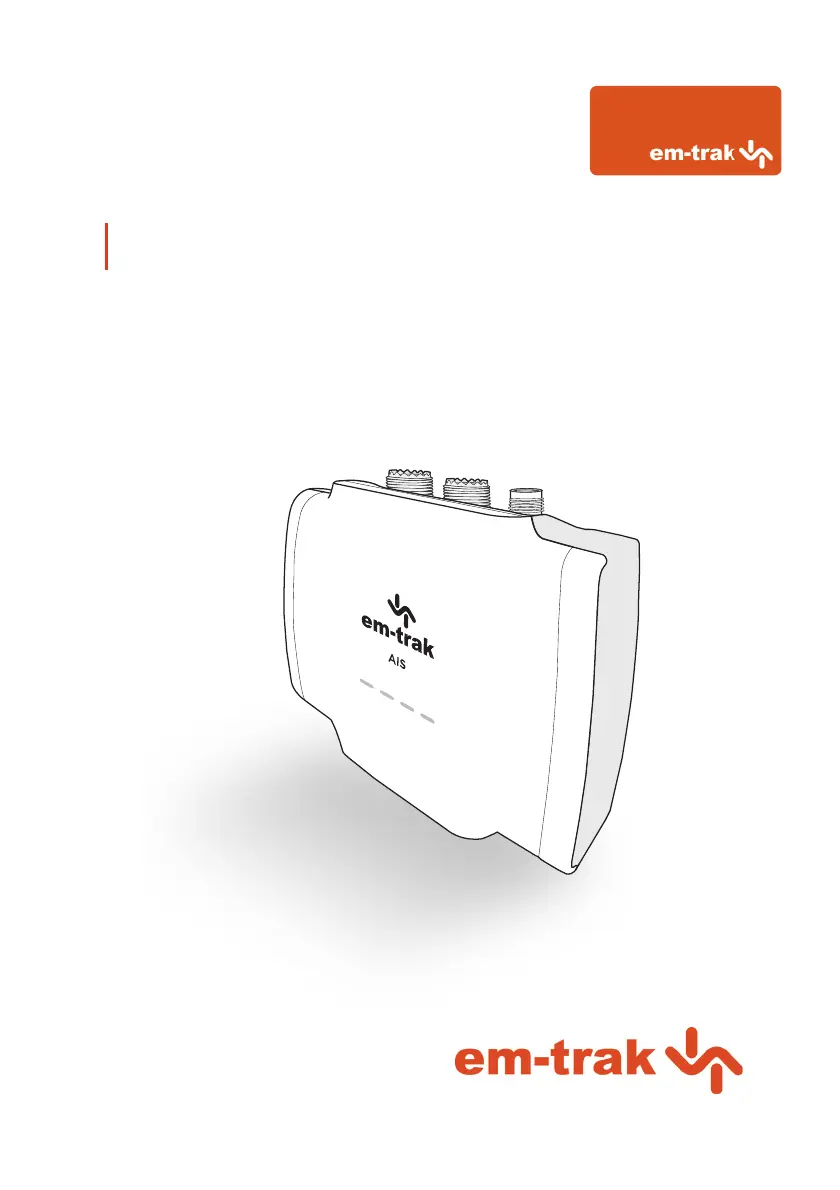
Class B I AIS Transceiver User manual

Other manuals for Em-Trak B953

Questions and Answers

  • J
    Joshua LoganSep 2, 2025
    What to do if the red error indicator is flashing on my Em-Trak Transceiver?
    • A
      Andrew Carter PhDSep 2, 2025
      If the red error indicator is flashing on your Em-Trak Transceiver, it may indicate a problem with the VHF antenna system. You can confirm this using proAIS2. If the 'High VSWR' alarm is active, check for a faulty VHF antenna, cable, or connectors, a poor connection at the VHF antenna/cable/connectors, the suitability of the VHF antenna (antennas tuned to 162MHz are recommended for AIS only, while antennas tuned to 159MHz are recommended for splitter variants), and the VHF antenna location (ensure it isn't mounted near other transmitting antennas, sources of interference, metal structures, or other obstructions).
  • W
    William FlynnAug 31, 2025
    Why is the red 'error' indicator illuminated on my Em-Trak Transceiver?
    • R
      Rebecca ShieldsAug 31, 2025
      If the red 'error' indicator is illuminated on your Em-Trak Transceiver, first check that the unit is programmed with a valid MMSI number using the Configuration tab in proAIS2. Next, ensure that the GNSS antenna has a stable position fix, which can be confirmed in the GNSS Status tab of proAIS2. Finally, verify that the power supply is within 12 - 24V using the Diagnostics tab of proAIS2.
  • K
    Karen ClarkAug 29, 2025
    What to do if I can't establish a connection using WiFi or Bluetooth on my Em-Trak B953 Transceiver?
    • A
      Anthony RiveraAug 29, 2025
      If you can't establish a connection using WiFi or Bluetooth, verify that the transceiver is powered by 12 - 24V. Check the configuration parameters using proAIS2. Ensure that there are no obstructions between the transceiver and mobile device and that there are no sources of interference nearby.
  • G
    Gary JonesAug 27, 2025
    How to troubleshoot no LED indicators illuminated on Em-Trak B953?
    • I
      Isaiah KleinAug 27, 2025
      If no LED indicators are illuminated, check that the power supply is connected correctly and that the power supply is a 12V or 24V supply.
  • C
    Cassandra RamirezAug 26, 2025
    How to fix amber LED indicator flashing continuously on Em-Trak Transceiver?
    • J
      James Watson DDSAug 26, 2025
      The amber LED indicator flashes while the transceiver searches for a position fix. If it takes longer than a minute, check the performance of the GPS antenna by using the GPS Status tab of proAIS2.
  • T
    tleonAug 25, 2025
    What to do if no data is being received by the chart plotter from my Em-Trak B953 Transceiver?
    • G
      Glenn WilliamsAug 25, 2025
      If no data is being received by the chart plotter, check that the signal wires are connected correctly and that the baud rate matches on both the transceiver and the chart plotter. Also, confirm that other vessels are within radio range and that they are displayed on the Other Vessels tab of proAIS2.
  • T
    Terri RussellAug 22, 2025
    Why is the red 'error' LED indicator illuminated on my Em-Trak Transceiver?
    • J
      John PatelAug 22, 2025
      If the red 'error' LED is illuminated, ensure that the unit is configured with a valid MMSI number, which can be checked in the Configuration tab of proAIS2. Also, verify that the GPS antenna has a stable position fix using the GPS Status tab in proAIS2 and confirm that the power supply is within 12 - 24V using the Diagnostics tab of proAIS2.

Summary

Regulatory notices

Safety warnings

Crucial safety instructions for installation and operation of the AIS transceiver.

General notices

Includes information on position source, compass safe distance, and RF emissions.

About your AIS transceiver

Overview

General introduction to the AIS transceiver, including its components and indicators.

B900 Product range

Details the different variants within the B900 Series and their features.

Whats in the box?

Lists the items included with the B900 Series AIS transceiver.

Support and warranty

Information on product support, returns, and the three-year global warranty.

Configuration tools

Explains how to configure the AIS transceiver using PC or smartphone.

Installation

Summary

Overview of installation requirements and recommended steps before beginning.

Antennas

Details the VHF and GPS antenna requirements and installation considerations.

Power

Instructions for connecting the power supply and data cable to the transceiver.

Location and fixing of the transceiver

Guidelines for choosing an optimal installation location and mounting the transceiver.

Configuration

Steps for initial setup and configuring vessel data via PC or smartphone.

Connectivity

How to connect the transceiver to NMEA 2000 and NMEA 0183 devices.

Operation

LED indicators

Explanation of the transceiver's LED indicators and their meaning.

LED indicator functions

Detailed functions of the Green, Red, Blue, and Amber LED indicators.

Silent mode

How to enable/disable silent mode using an external switch or configuration tools.

Voyage data recorder

Details the VDR feature for logging vessel position data.

PGN table

Lists supported NMEA 2000 Parameter Group Numbers (PGNs) for data interpretation.

Troubleshooting

Troubleshooting Guide

Provides solutions for common issues such as LED indicators and connectivity problems.

Specifications

Specifications

Details the technical specifications of the B900 Series AIS transceiver.

About AIS

About AIS

Explains what AIS is, its purpose, and different types of AIS devices.

Static and dynamic vessel data

Describes the types of data transmitted by an AIS transceiver and configuration requirements.

List of abbreviations

List of abbreviations

Defines common abbreviations used in the manual and within the AIS system.

Em-Trak B953 Specifications

General IconGeneral
BrandEm-Trak
ModelB953
CategoryTransceiver
LanguageEnglish

Related product manuals