EasyManua.ls Logo

Em-Trak B954 - User Manual

Em-Trak B954
56 pages
Print Icon
To Next Page IconTo Next Page
Loading...
B900 Series
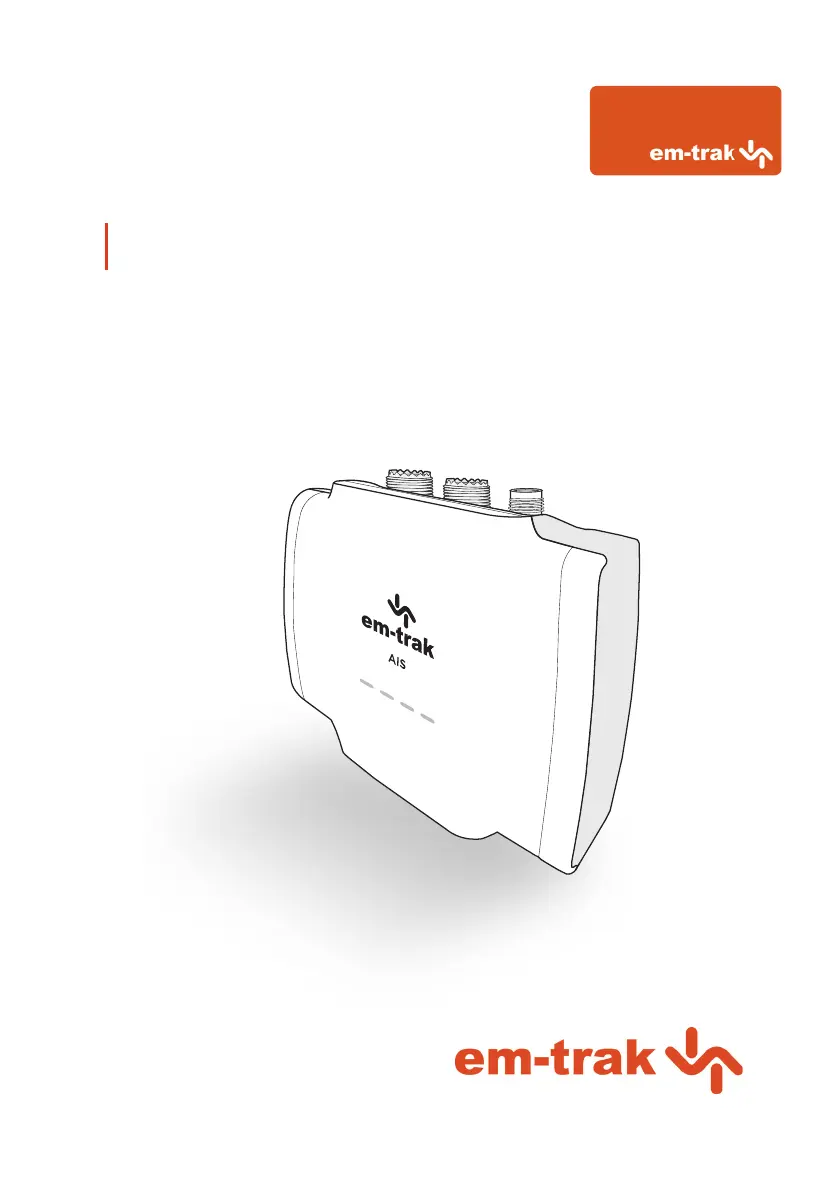
Class B I AIS Transceiver User manual

Other manuals for Em-Trak B954

Questions and Answers

  • J
    Jason SmithSep 1, 2025
    What to do if the red error indicator is flashing on my Em-Trak B954 Transceiver?
    • M
      morgan58Sep 1, 2025
      If the red error indicator is flashing on your Em-Trak Transceiver, it may indicate a problem with the VHF antenna system. You can confirm this using proAIS2. If the 'High VSWR' alarm is active, check for a faulty VHF antenna, cable, or connectors, a poor connection at the VHF antenna/cable/connectors, the suitability of the VHF antenna (antennas tuned to 162MHz are recommended for AIS only, while antennas tuned to 159MHz are recommended for splitter variants), and the VHF antenna location (ensure it isn't mounted near other transmitting antennas, sources of interference, metal structures, or other obstructions).
  • V
    vpetersAug 31, 2025
    Why is the red 'error' indicator illuminated on my Em-Trak Transceiver?
    • A
      Anita ThompsonAug 31, 2025
      If the red 'error' indicator is illuminated on your Em-Trak Transceiver, first check that the unit is programmed with a valid MMSI number using the Configuration tab in proAIS2. Next, ensure that the GNSS antenna has a stable position fix, which can be confirmed in the GNSS Status tab of proAIS2. Finally, verify that the power supply is within 12 - 24V using the Diagnostics tab of proAIS2.
  • S
    Shane BakerAug 29, 2025
    What to do if I can't establish a connection using WiFi or Bluetooth on my Em-Trak Transceiver?
    • M
      Matthew CruzAug 29, 2025
      If you can't establish a connection using WiFi or Bluetooth, verify that the transceiver is powered by 12 - 24V. Check the configuration parameters using proAIS2. Ensure that there are no obstructions between the transceiver and mobile device and that there are no sources of interference nearby.
  • C
    Connor BartonAug 27, 2025
    How to troubleshoot no LED indicators illuminated on Em-Trak Transceiver?
    • T
      Tammy LoweryAug 28, 2025
      If no LED indicators are illuminated, check that the power supply is connected correctly and that the power supply is a 12V or 24V supply.
  • H
    Heather RomanAug 26, 2025
    How to fix amber LED indicator flashing continuously on Em-Trak B954 Transceiver?
    • S
      smithmaryAug 26, 2025
      The amber LED indicator flashes while the transceiver searches for a position fix. If it takes longer than a minute, check the performance of the GPS antenna by using the GPS Status tab of proAIS2.
  • T
    Tammy FuentesAug 25, 2025
    What to do if no data is being received by the chart plotter from my Em-Trak Transceiver?
    • Y
      ygreenAug 25, 2025
      If no data is being received by the chart plotter, check that the signal wires are connected correctly and that the baud rate matches on both the transceiver and the chart plotter. Also, confirm that other vessels are within radio range and that they are displayed on the Other Vessels tab of proAIS2.
  • N
    Nicole VargasAug 22, 2025
    Why is the red 'error' LED indicator illuminated on my Em-Trak Transceiver?
    • T
      Thomas TerrellAug 22, 2025
      If the red 'error' LED is illuminated, ensure that the unit is configured with a valid MMSI number, which can be checked in the Configuration tab of proAIS2. Also, verify that the GPS antenna has a stable position fix using the GPS Status tab in proAIS2 and confirm that the power supply is within 12 - 24V using the Diagnostics tab of proAIS2.

Summary

Regulatory Notices

Safety Warnings

Essential instructions for safe installation and usage of the AIS transceiver, emphasizing adherence to manual guidelines.

General Notices and Compliance

Covers position source, compass safe distance, RF emissions, disposal, accuracy, and regulatory directives like FCC and Industry Canada.

About Your AIS Transceiver

Overview

Provides a visual and textual introduction to the AIS transceiver's components and features.

B900 Product Range

Details the different variants within the B900 Series and their respective features as listed in Table 1.

Whats in the Box?

Lists and illustrates the items included with the B900 Series purchase.

Support and Warranty

Outlines the procedures for returning products, customer support contact, and the three-year global warranty.

Configuration Tools

Explains the tools and methods available for configuring the AIS transceiver with vessel data.

Installation

Summary

Provides an overview and recommendations before beginning the installation process.

Antennas

Details the requirements and best practices for installing the VHF and GPS antennas.

Power

Explains how to connect the power supply and data cable to the AIS transceiver.

Location and Fixing of the Transceiver

Guides on selecting an optimal installation location and securely mounting the transceiver.

Configuration

Details the initial setup and various methods for configuring the AIS transceiver with vessel data.

Connectivity

Explains how to connect the transceiver to NMEA 2000 networks and chartplotters.

Operation

LED Indicators

Describes the function and meaning of the coloured LED indicators on the AIS transceiver.

Silent Mode

Explains how to enable/disable silent mode and its implications for transmissions.

Voyage Data Recorder

Details the voyage data recording feature available on specific WiFi/Bluetooth enabled models.

PGN Table

Lists supported NMEA 2000 Parameter Group Numbers (PGNs) for understanding data transmission.

Troubleshooting

LED Indicator Issues

Addresses problems related to no LEDs, flashing red, or illuminated red LEDs on the transceiver.

Connectivity and Data Issues

Covers problems with no data reception on chart plotter, vessel name visibility, and WiFi/Bluetooth connection failures.

Transmission and Position Issues

Addresses issues like the amber LED flashing continuously, indicating GPS position fix problems.

Specifications

General & Electrical Specs

Details dimensions, weight, voltage, power, interfaces, and connectors.

VHF Transceiver & Environmental Specs

Covers VHF transceiver performance, modulation, receiver sensitivity, and environmental ratings.

About AIS

Introduction to AIS

An overview of the Automatic Identification System, its purpose, and how it functions.

Static and Dynamic Vessel Data

Explains the two types of data transmitted by AIS: static vessel information and dynamic positional data.

List of Abbreviations

Common Abbreviations

A comprehensive list of abbreviations used in the manual for quick reference.

Em-Trak B954 Specifications

General IconGeneral
TypeClass B AIS Transceiver
Frequency156.025 MHz to 162.025 MHz
Power Output2W
Dimensions140 x 100 x 50 mm
Weight0.54 kg
InterfaceNMEA 0183, NMEA 2000, USB
Waterproof RatingIPx7
Output Power5W
WaterproofIPx7
InterfacesNMEA 0183, NMEA 2000, USB
Frequency Range156.025 MHz to 162.025 MHz
ModulationGMSK
Operating Temperature-25°C to +55°C
Power Supply9-32V DC

Related product manuals