40
www.eMachines.com
Chapter 5: Maintaining Your Computer
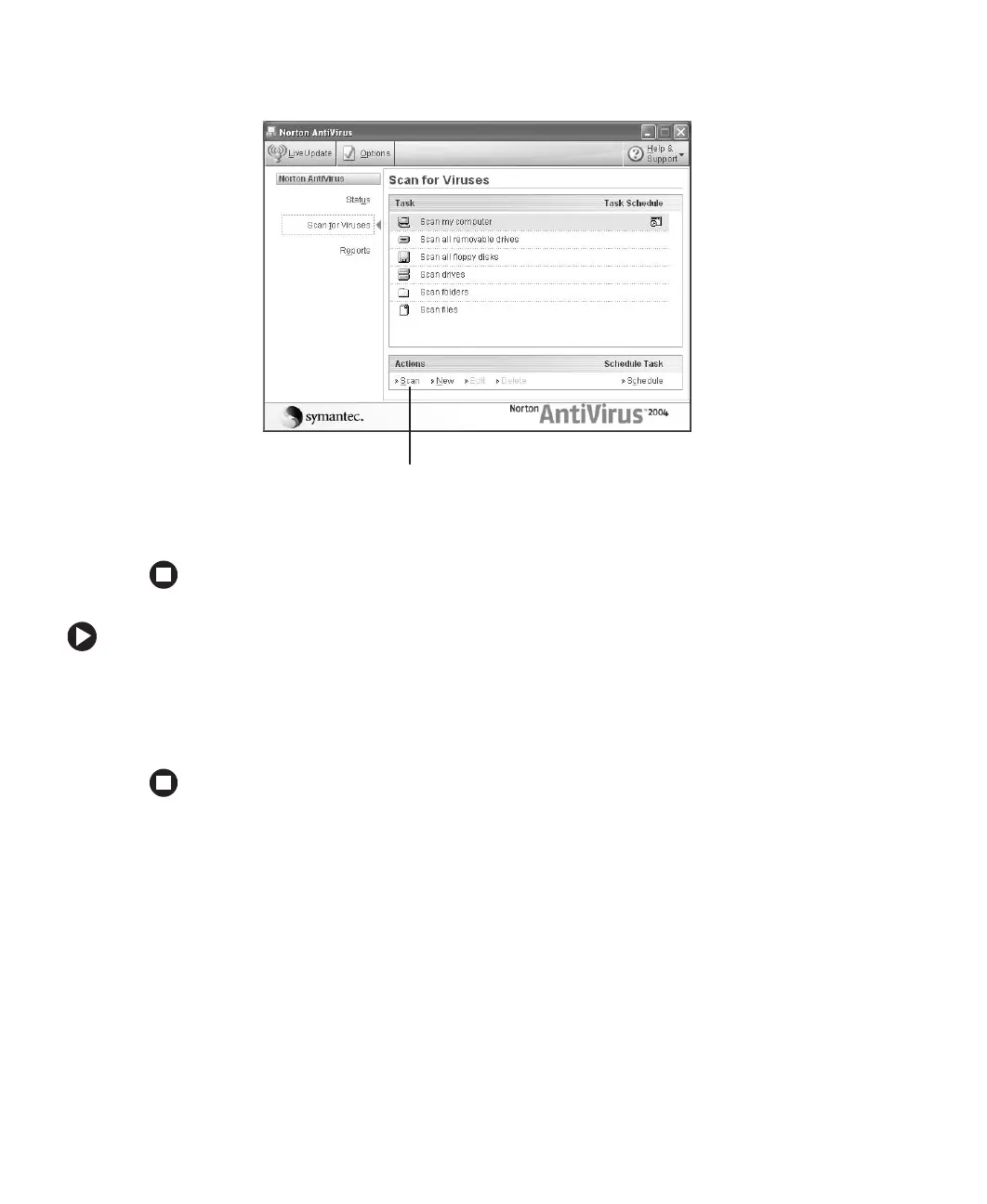
2 Click Scan for Viruses.
3 Click the type of scan you want to make in the Scan for Viruses area, then under
Actions, click
Scan.
To remove a virus:
1 If Norton AntiVirus finds a virus, follow all on-screen instructions to remove the virus.
2 Turn off your computer and leave it off for at least 30 seconds.
3 Turn on your computer and rescan for the virus.
Scan














 To Next Page