46
www.eMachines.com
Chapter 5: Maintaining Your Computer
Opening the case
Your computer case provides easy access to internal components.
Removing the side panel
To remove the side panel:
1 Follow the instructions in “First steps” on page 56.
2 Shut down your computer, then disconnect the power cord and modem, network,
and all peripheral device cables.
3 Press the power button to drain any residual power from your computer.
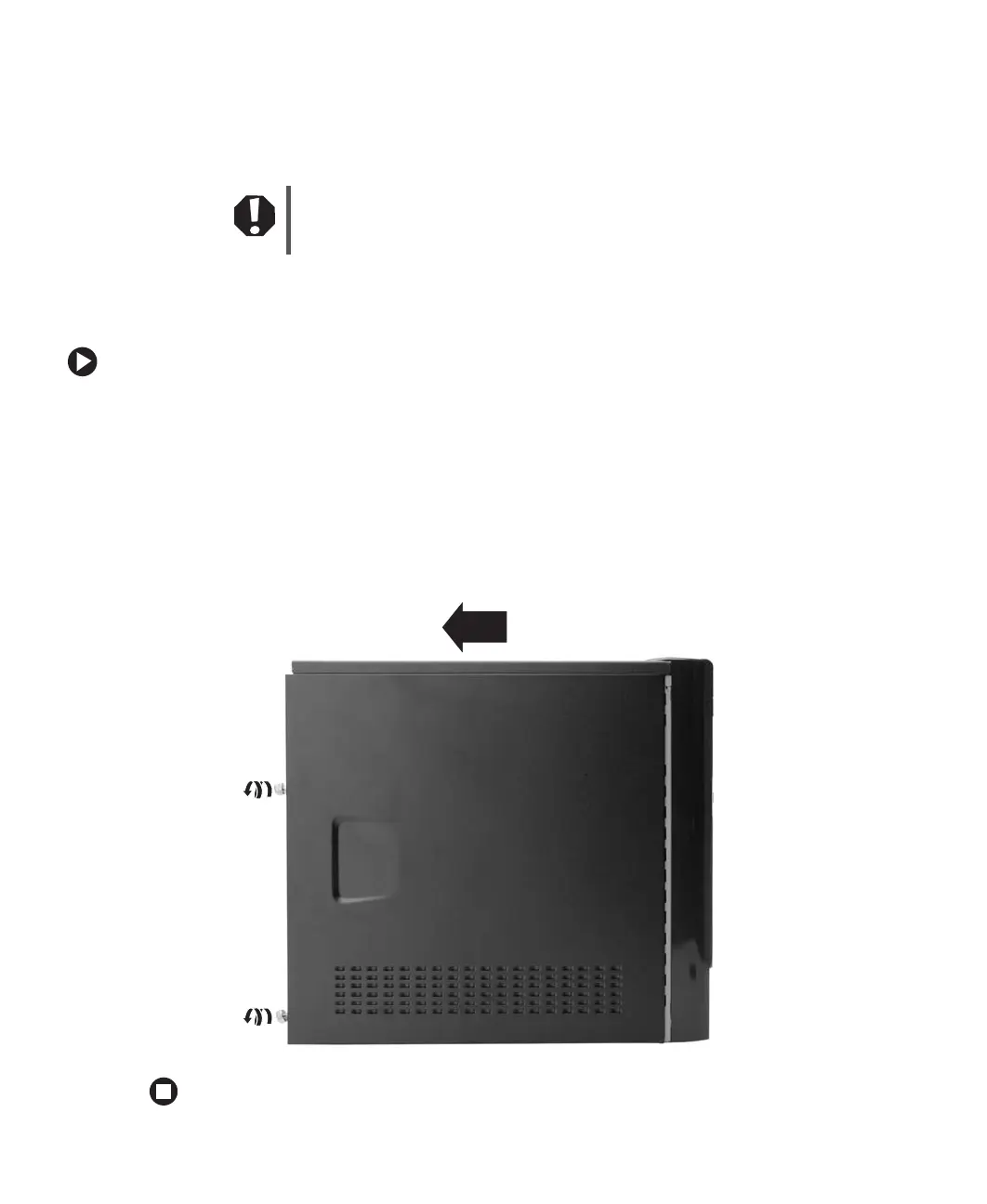
4 Remove the two thumbscrews from the side panel cover, slide the side panel cover
toward the back of the computer, then lift the panel away from the computer.
Warning
To avoid exposure to dangerous electrical voltages and moving parts,
turn off your computer, then unplug the power cord and modem cable
before opening the case.














 To Next Page