47
www.eMachines.com
Opening the case
Removing the front bezel
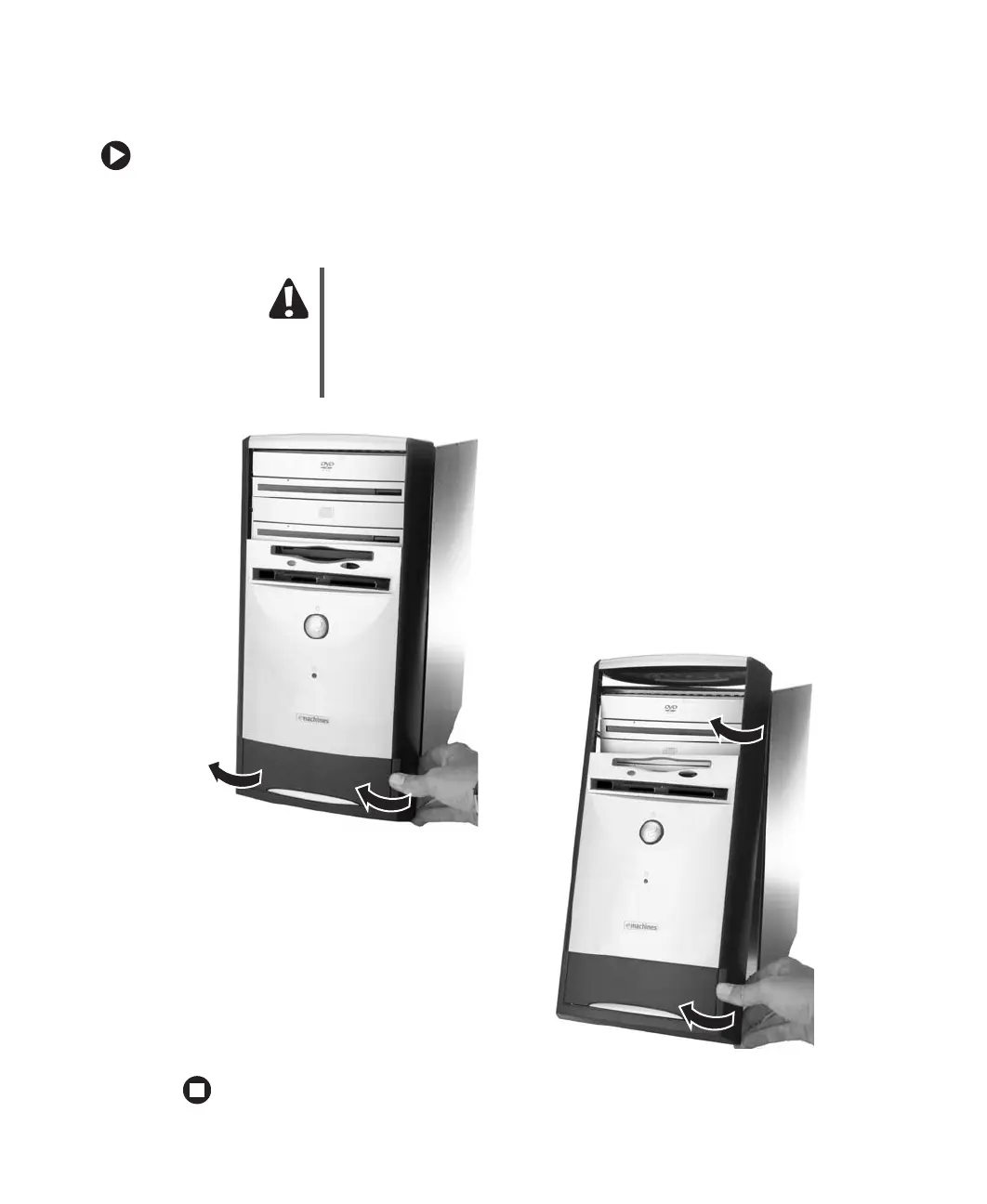
To remove the front bezel:
■ Position the computer where you can grasp the top front edge of the bezel, then pull
the bezel away from the case. Continue to loosen the bezel until you can remove it
from the front of the case.
Caution
There are cables connected to the back of the bezel. When the bezel
is loose from the case:
Carefully set the bezel to the side of the case with the cables attached.
- OR -
Disconnect the cables from the system board so you can remove the
front bezel and cables away from the computer.














 To Next Page