8.0 Watching Videos
8.1 Accessing Video Mode
WARNING:(This#player#will#only#play#videos#that#have#been#converted#to#a#
compatible#video#format.#See#“Technical#Specifications”#in#this#manual#for#a#
list#of#supported#formats.#See#“Video#Conversion”#in#this#manual#for#
information#on#converting#video#to#a#compatible#format.#
Tap the Video icon on the Desktop to access video playback.
8.2 Video Menu
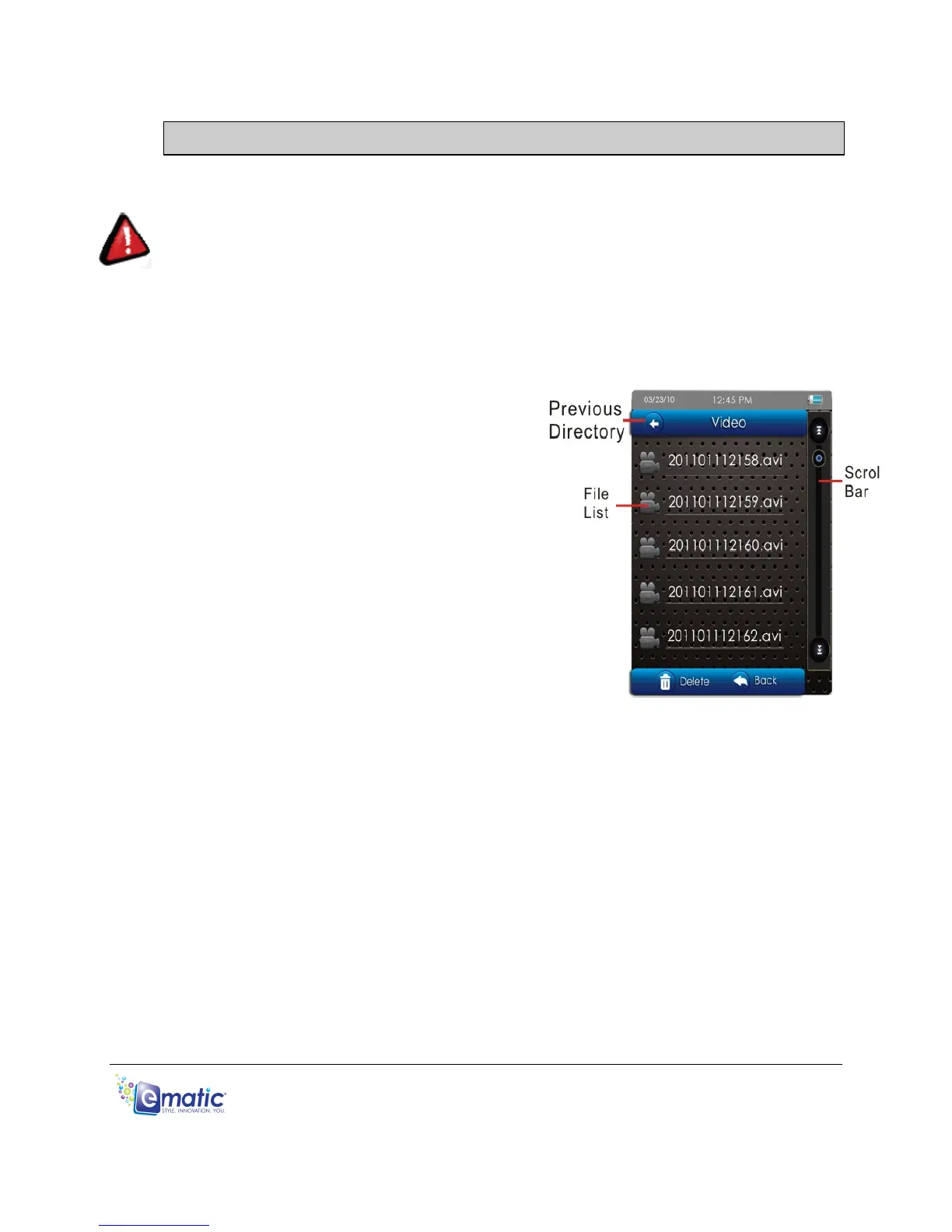
Scroll through the list of video files by
tapping the arrows at either the top or
bottom of the scroll bar.
To highlight a video, tap on it once.
To watch a video, tap twice on the file you
want to view.
You can also Delete a video file from the
Video Menu by highlighting it (tapping on it
once), then tapping the delete icon at the
bottom of the screen. A dialog box will
appear, asking you to confirm the file’s removal.
You can access microSD card content by tapping the Previous Directory icon
until you see the directory “Card Memory.”
To Exit to the Desktop from the Video Menu, tap the desktop icon or press the
EXIT button.



 To Next Page