E8 Series User Manual Page 23 of 32
14.0 E-Book Operations
14.1 Entering eBook Mode
Tap the eBook icon on the desktop to enter e-book mode.
14.2 Basic eBook Operations
• Use the scroll bar to browse the list of texts.
• Double tap a file to view it.
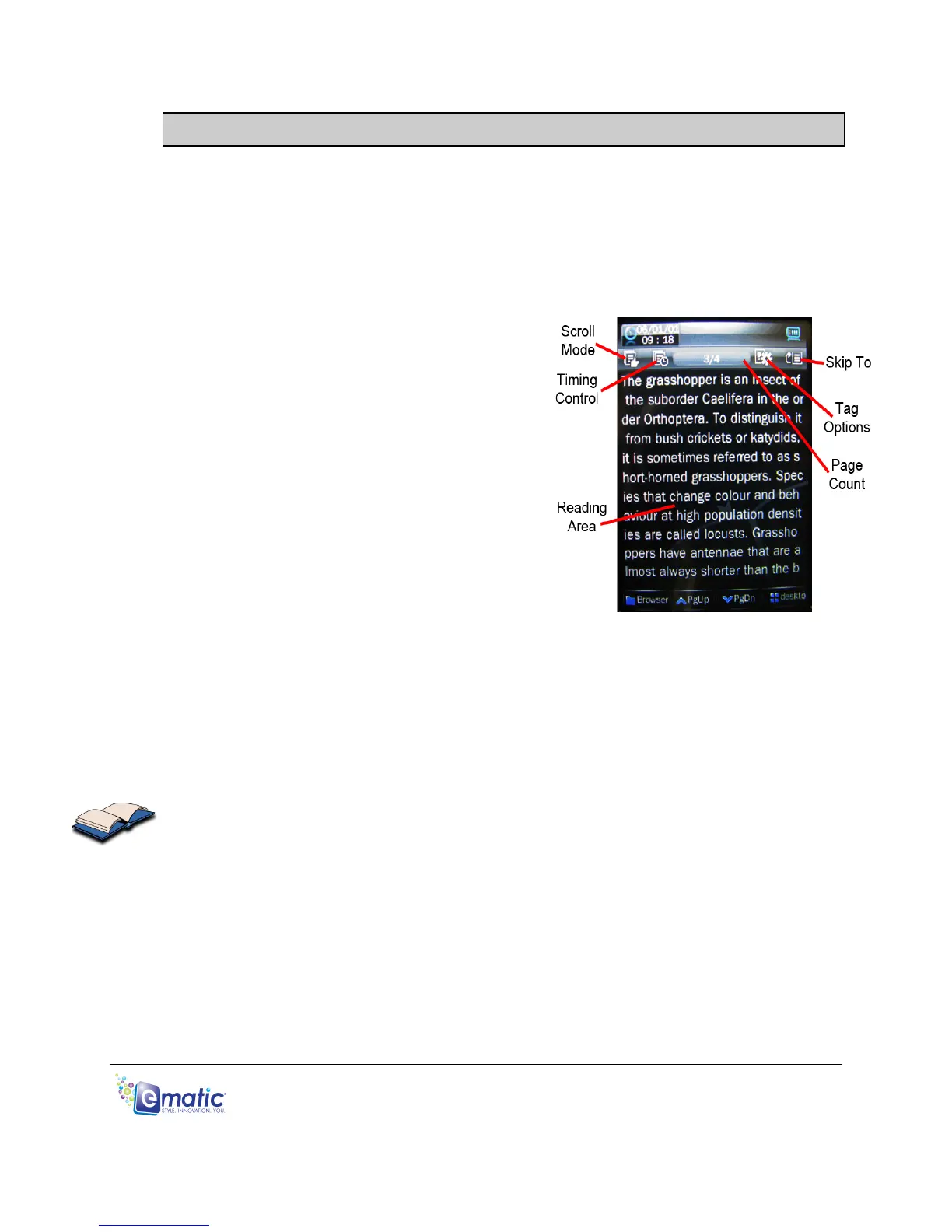
• While viewing a text, a Page Count at
the top of the display will indicate what
page you're currently viewing, as well
as the total number of pages in the text.
• Tap Scroll Mode to switch between
manual and automatic scrolling modes.
• When manually scrolling (indicated by
the finger icon), tap the PgUp/PgDn
icons to scroll through the pages.
• In automatic scrolling mode (indicated
by the play icon), the page will automatically turn based on the setting chosen
in the Timing Control.
• Use Tag Options to bookmark and recall specific pages.
• Skip To lets you skip to a different part of the e-book you’re currently reading.
• Tap Browser to go back to the e-book file menu.
• To return to the Desktop, tap the Desktop Icon or press the EXIT button.



 To Next Page