E8 Series User Manual Page 19 of 32
10.3 Picture Viewing
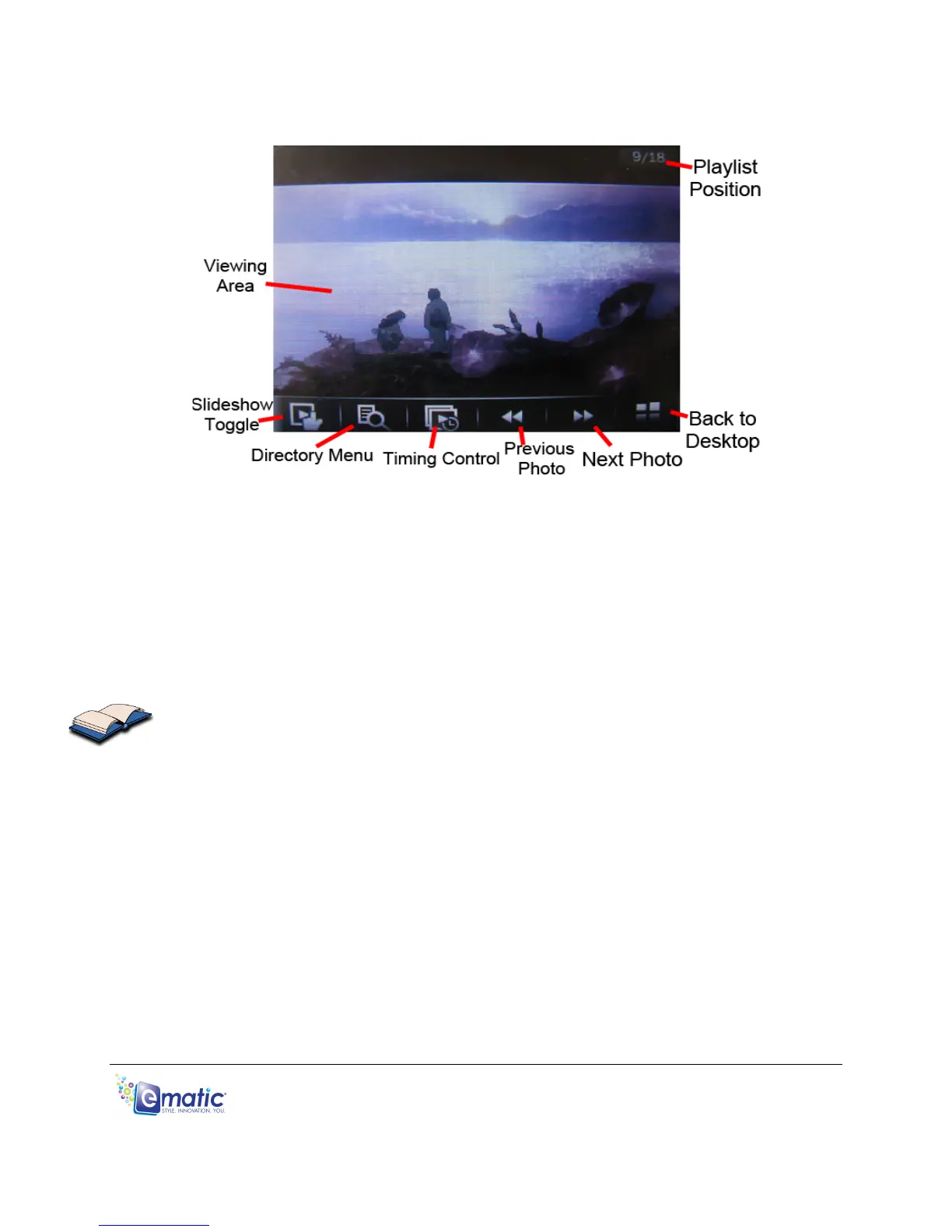
While viewing a picture, tap the middle of the screen once to display the following
menu:
• Tap the Slideshow icon to start a slideshow.
• Tap the Timing Control to designate how long each photo will be
displayed.
• Tap the Playlist Control to select whether the slideshow will stop at the
end of the file list or loop indefinitely.
• Get back to the photo menu by tapping the Directory Menu.
You can exit to the desktop directly from audio playback by tapping the Desktop
icon, or by pressing the EXIT button.



 To Next Page