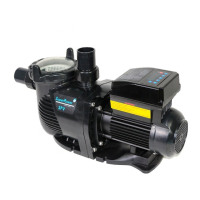
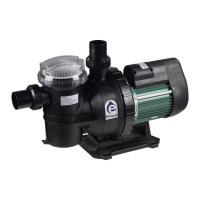
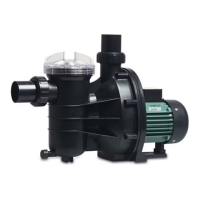
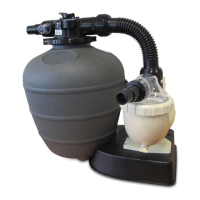
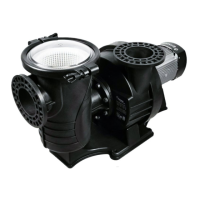
The Emaux SPV Series is a Super Power Variable Speed Pump designed for pool and spa circulation systems, offering advanced control and energy efficiency. This pump is equipped with Wi-Fi and MODBUS options, allowing for flexible remote control and integration into automation systems.
Function Description
The Emaux SPV Series pump is primarily used for circulating water in swimming pools and spas. Its variable speed capability allows users to adjust the pump's RPM (revolutions per minute) to optimize performance for different tasks such as filtration, cleaning, and heating, thereby saving energy and reducing noise levels. The pump features a self-priming function to ensure efficient startup and operation.
Key functions include:
- Variable Speed Operation: Allows precise control over pump speed (800-3400 RPM) to match specific pool requirements, leading to significant energy savings compared to single-speed pumps.
- Wi-Fi Connectivity (SPV150WR model): Enables remote monitoring and control via a mobile phone, tablet, or PC through a dedicated web interface. This allows users to adjust settings, view real-time status, and manage schedules from anywhere. The Wi-Fi connection can be direct (one-to-one) or integrated into a home network for extended range.
- MODBUS (RS485) Connectivity: Provides an interface for external automation controllers, making it suitable for integration into smart home or commercial pool management systems.
- Programmable Schedules: Users can set up to four daily schedules with specific speeds and operating times, automating the pump's operation for optimal filtration and energy use.
- Freeze Protection: An automatic function that turns on the pump when the ambient temperature drops below a set threshold to prevent water in the pipes from freezing and causing damage.
- Auto-Recovery: In case of overcurrent, overvoltage, undervoltage, or overheating, the pump automatically attempts to recover and resume operation, minimizing downtime.
- Error Display: The control panel displays specific error codes (e.g., OC for overcurrent, OV for overvoltage, UV for undervoltage, OH for overheating) to help diagnose and troubleshoot issues.
- Real-Time Clock: Maintains accurate time for scheduled operations.
- Power Consumption Display: Shows real-time power consumption in Watts, allowing users to monitor energy usage.
Important Technical Specifications
- Model: SPV150 (RS485), SPV150WR (Wi-Fi + RS485)
- Voltage/Frequency: 220-240V, 50Hz/60Hz
- Max Load Current: 5.9-5.4A
- Connection ID/OD: 1.5"/2" (50mm/63mm)
- Input Power: 1.30 kW
- Horsepower: 1.5 hp
- RPM Range: 800-3400 RPM
- Safety Certifications: ETL Listed, CE, RoHS Compliant (2002/95/EC), SAA, Energy Rating (4 stars).
- Dimensions:
- Overall Length: 568.20 mm (22.37 inches)
- Overall Height: 269 mm (10.60 inches)
- Width: 237 mm (9.33 inches)
- Suction/Discharge Height: 195 mm (7.68 inches)
- Base Width: 215 mm (8.46 inches)
- Motor Casing Diameter: 219 mm (8.62 inches)
Usage Features
- Control Panel: The pump is controlled via an intuitive key panel with a digital display showing speed, power consumption, and time. Buttons for "Start/Stop," "Speed 1-3" (preset speeds), "Mode," and arrow keys for navigation and value adjustment are present.
- Monitoring Interface: After self-checking, the pump enters a monitoring interface, displaying current speed (RPM), power consumption (Watts), and the real-time clock.
- Setting Interface: Users can access a setting interface to configure various parameters, including:
- Clock Setting: Adjust the current time.
- Preset Speed Setting: Customize the RPM for Speed 1, Speed 2, and Speed 3 buttons. Factory defaults are 1500 RPM, 2400 RPM, and 3400 RPM, respectively.
- Schedule Setting: Program up to four daily schedules with specific start times, end times, and pump speeds. Each schedule can be enabled or disabled.
- Priming Setting: Configure the priming time (1-20 minutes) and priming speed (2900-3400 RPM). The priming function runs at a higher speed to quickly establish suction.
- RS485 Setting: Adjust Slave Address (1-247) and Baud Rate (1200/2400/4800/9600bp) for MODBUS communication.
- Wi-Fi Setting (SPV150WR only): Enable/disable Wi-Fi, reset Wi-Fi settings (SSID and password), and view Wi-Fi status.
- Freeze Protection Setting: Enable/disable freeze protection, set the running time (1-8 hours), trigger temperature (1-10°C), and running speed (900-3400 RPM).
- Factory Reset: Restore all pump parameters to their default settings.
- Wi-Fi Application Interface (SPV150WR only): A web-based user interface accessible via a browser on a Wi-Fi-enabled device. This interface mirrors the control panel's functionality and adds features like:
- Language selection (English, French, German, Italian, Spanish, Russian, Chinese).
- Real-time flow rate display.
- Ability to rename preset speeds and schedules.
- Synchronization of the pump clock with the Wi-Fi device.
- Option to connect the pump to a home Wi-Fi network for extended control range.
- Ability to change the Wi-Fi SSID and password.
Maintenance Features
- Routine Maintenance: The primary routine maintenance involves inspecting and cleaning the trap basket.
- Stop the pump and close gate valves.
- Release air pressure from the filter system.
- Unscrew the trap lid (counter-clockwise).
- Remove and clean the strainer basket, ensuring all holes are clear. Replace the basket correctly.
- Clean and inspect the lid O-ring, then reinstall it.
- Clean the ring groove on the trap body and replace the lid, tightening by hand only.
- Prime the pump after reassembly.
- Troubleshooting Guide: The manual provides a comprehensive troubleshooting section for common issues such as:
- Motor not starting (e.g., power issues, locked shaft, defective wiring).
- Pump not reaching full speed (e.g., low voltage, wrong voltage connection).
- Motor overheating (e.g., low voltage, motor windings issues, cooling fan malfunction).
- Pump delivering no water (e.g., not primed, closed valves, air leakage, clogged impeller).
- Replacement Parts: A detailed list of replacement parts with key numbers, part numbers, descriptions, and quantities is provided for easy ordering and repair.
- After-Sales Service: Users are advised to contact their local agent or dealer for service needs and repair parts, providing the unit name, serial number, and a description of the part.
- Warranty Policy: Emaux offers an extended warranty for specific products, including 2 years for filters & filter systems, 1 year for pumps, underwater lights (90 days for bulbs), ladders, control devices, heat pumps & heat exchangers, salt chlorinators & UV systems (2 years for cell material), pool fittings, and cleaning equipment. The policy outlines conditions that may deny a warranty claim, such as improper handling, misuse, unauthorized modifications, or failure to maintain water chemistry. It also details the claim process and warranty obligations.



 To Next Page
 General