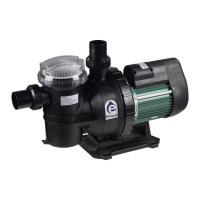
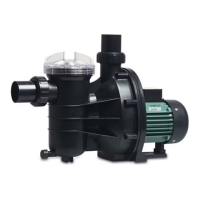
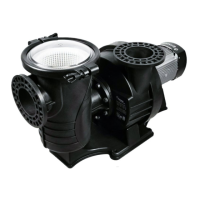
The Emaux SUPER-POWER is a swimming pool variable speed pump designed for energy efficiency and reduced maintenance costs. Unlike traditional single-speed pumps that run at maximum load continuously, this variable speed pump allows for reduced speeds (RPM), leading to slower water circulation rates. This not only saves energy but also puts less strain on the entire pool installation, including filtration, sanitization, and plumbing, thereby reducing wear and tear.
Function Description:
The pump provides efficient water circulation for swimming pools. Its variable speed capability allows users to adjust the pump's RPM to suit specific needs, such as filtration, cleaning, or heating, optimizing energy consumption. It features Wi-Fi connectivity for remote control and monitoring via a web browser on any Wi-Fi enabled device, as well as RS485 MODBUS protocol for automation connectivity. Enhanced features include Freeze Protection to prevent piping damage from freezing water and Safety Vacuum Release Systems (SVRS) to automatically stop the pump in case of suction entrapment, enhancing safety.
Important Technical Specifications:
The SPV150 series pumps operate on a voltage range of 220-240V at 50/60 Hz. They have a maximum load current of 5.9-5.4A and an input power of 1.30 kW (1.5 hp). The connection size is 1.5"/2" (50mm/63mm). The pump's RPM range is between 800 and 3400 RPM, allowing for significant flexibility in operation. The pump's dimensions are approximately 215mm (8.46") in width, 300mm (11.81") in height, and 568.20mm (22.37") in length. The performance curve illustrates the relationship between flow rate (U.S.g.p.m / m³/h / LPM) and head (H(m) / H(ft)) at different RPMs (800rpm, 1700rpm, 3400rpm).
Usage Features:
The pump is controlled via a panel with a real-time clock display, running status (speed and power rating), and three pre-set running speeds. It offers function settings for the real-time clock, schedules, no-flow detection, self-priming, SVRS, and Freeze Protection. The display also shows error codes for overcurrent, overvoltage, undervoltage, and overheating. An auto-recovery feature restores settings after power failures or certain errors.
- Power Up: Upon plugging in, the pump performs a self-diagnostic check. Any errors are displayed, prompting the user to contact an installer. The normal display shows the current speed (RPM), which can be adjusted using the up/down buttons. Pressing "Mode" cycles through power consumption (Watt) and the current time (Clock).
- Clock Setting: The clock must be set to local time for scheduled operations. This is accessed by holding "Mode," then using "Speed 1" and "Speed 2" to navigate between hour and minute, and up/down buttons to adjust values. "Mode" saves, "Speed 3" cancels.
- Preset Speeds: Three preset speeds (Speed 1, Speed 2, Speed 3) are available, with default values of 1500 RPM, 2400 RPM, and 3400 RPM respectively. These can be changed by selecting the speed, holding "Mode," adjusting with up/down buttons, and saving with "Mode" or canceling with "Speed 3."
- Scheduling: The pump supports two schedules. Schedules are set by holding "Mode" from the current speed display. Users can define START TIME, END TIME, and enable/disable the schedule. The pump operates at the highest priority schedule if multiple are enabled within the same time period.
- Priming Setting: The priming time (default 2 minutes) and prime speed (default 2900 RPM) can be adjusted. The priming function can also be enabled or disabled.
- SVRS Setting: This safety feature prevents suction entrapment. Settings include SVRS alarm time (default 1 second), SVRS sensitivity (1-100%), SVRS restart time (default 30 seconds), SVRS reset speed (default 800 RPM), and SVRS enable/disable.
- RS485 Setting (for RS-485 version): Allows configuration of the MODBUS slave address (default 2) and baud rate (default 9600 bps) for external automation control.
- Wi-Fi Setting (for Wi-Fi version): Enables or disables Wi-Fi. A Wi-Fi reset function restores factory default settings.
- Freeze Protection: An anti-freeze function that automatically starts water circulation when ambient temperature drops to a set threshold (default -4°C/32°F) to prevent freezing. Settings include enable/disable, duration (1-8 hours, default 4 hours), threshold temperature (1-10°C, default 4°C), and speed (900-3400 RPM, default 1800 RPM).
- Wi-Fi Connection: The pump supports Wi-Fi Direct (one-to-one connection) and Home Network (STA mode). For Wi-Fi Direct, users connect to "EPVSPV-WiFi" with password "VS__PUMP" or scan a QR code/type an IP address (192.168.8.1). The application interface allows comprehensive pump setting and programming, including Run/Stop, speed adjustment, schedule management, language selection, clock synchronization, and freeze protection settings. Users can also change the SSID and password for the Wi-Fi network and connect the pump to their home network for extended control distance.
Maintenance Features:
Routine maintenance primarily involves inspecting and cleaning the pre-filter basket.
- Pre-filter Basket Cleaning: Turn off the pump, close gate valves, and release pressure. Loosen the suction inlet hose/piping. Turn the transparent lid nut anti-clockwise to remove the lid. Remove and clean the pre-filter basket, ensuring all holes are clear. Reinstall the basket with the guideline aligned, clean and inspect the O-ring, and tighten the lid by hand only. Reconnect piping and restart the pump.
- Winterizing: If temperatures drop below 0°C (35°F), drain the pump by removing the two drain plugs, store the plugs in the pump basket, and cover the motor to protect it from weather. If possible, store the pump in a dry location. Do not wrap the motor in plastic, as this can cause condensation and rust.
- Troubleshooting: A comprehensive troubleshooting guide is provided for common issues such as the motor not starting, pump not reaching full speed, motor overheating, pump delivering no water, water leakage at the shaft, low pump capacity, high pump pressure, noisy pump/motor, air bubbles at inlet fittings, and pump not running as scheduled. This guide helps identify possible causes and suggests solutions. For persistent problems, users are advised to contact their local service agent.


 To Next Page
 General