Nanohawk
9
emax-usa.com
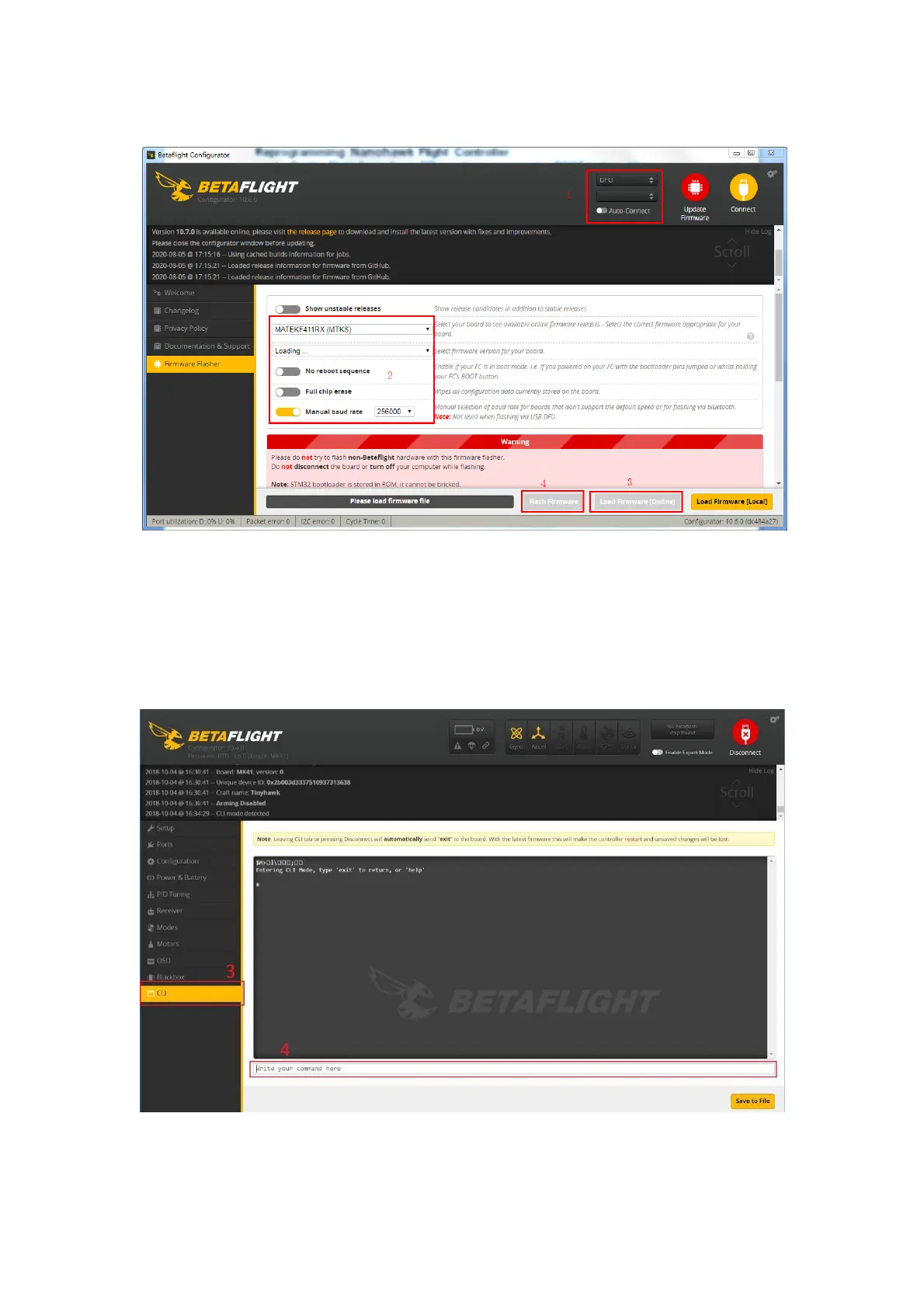
4. Select Flash Firmware to program the flight controller
Restoring the Tinyhawk default settings
1. Download the latest CLI Dump File from https://emax-usa.com/
2. Connect Nanohawk to Betaflight configurator and select the CLI tab
3. Open the CLI Dump File in a text editor and copy all the text.
4. Paste the settings into the command bar and press enter
5. Nanohawk will reconnect to Betaflight when completed














 To Next Page