Tinyhawk III Plus Freestyle
1.4.1 Firmware Update To perform a firmware update
follow these steps:
Press and hold the "R4+" button, then press and hold the power button. A
sound prompt will play, the mode indicator light will flash green, and the central
indicator light will remain solid green. This puts the transmitter in serial flashing
mode.
Connect the transmitter to your computer using a Type-C data cable.
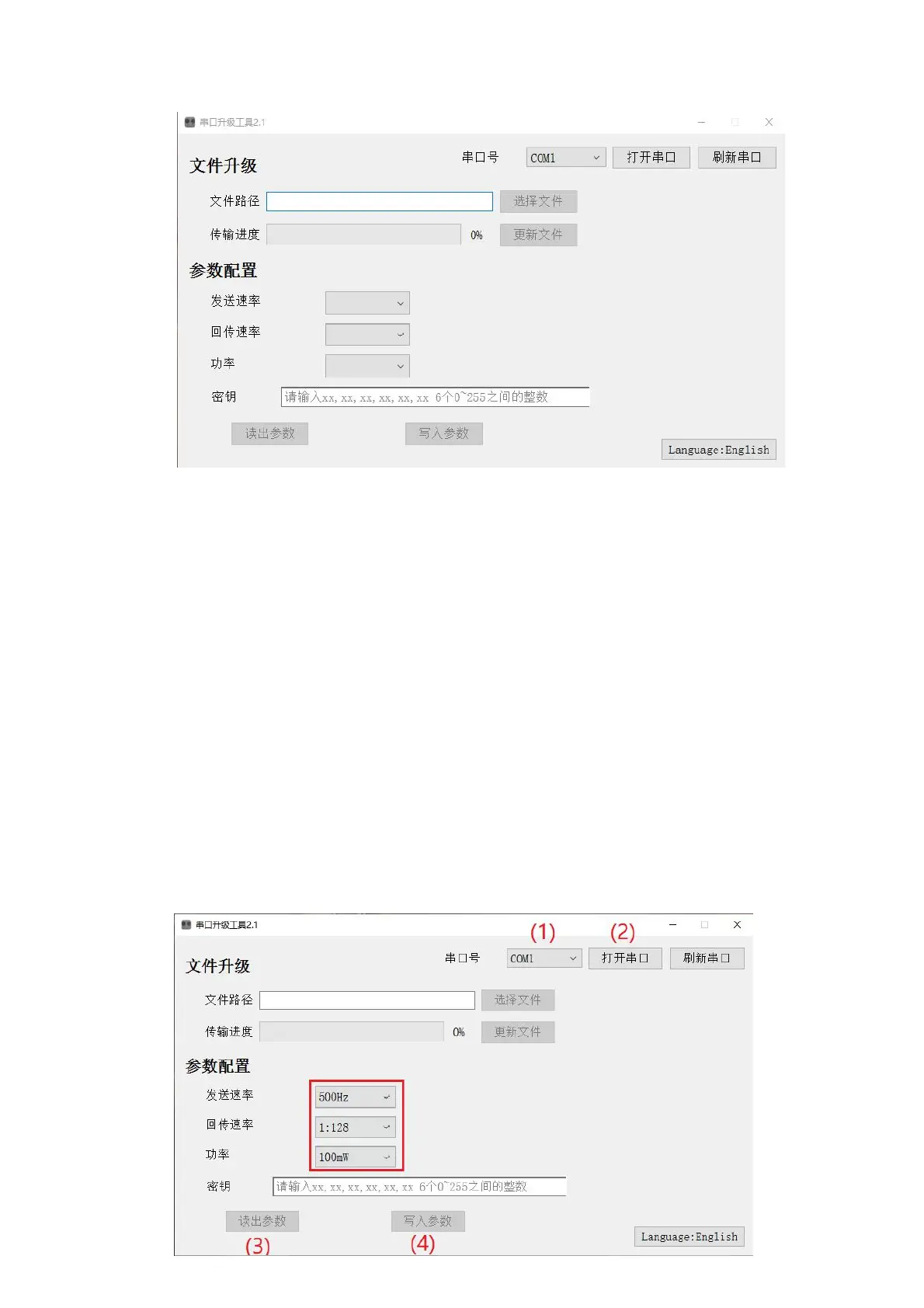
Open the EMAX Serial Update Tool on your computer.
(1) Identify the COM port number and select it. (2) Click "Open Port." (3)
Click "Choose File" and select the firmware file you want to update. (4) Wait a
few seconds; when the transfer progress reaches 100%, the transmitter will shut
down automatically, indicating a successful firmware update.
Note: If the COM port is not recognized, try changing the data cable,
repeating steps (1) and (2), clicking "Refresh Port," or unplugging and re-
plugging the Type-C data cable.
1.4.2 Power Switching, Changing Telemetry/Transmission Rates



 To Next Page