Blood Glucose Monitoring System
45
What What the What it What you
you see Monitor says means should do
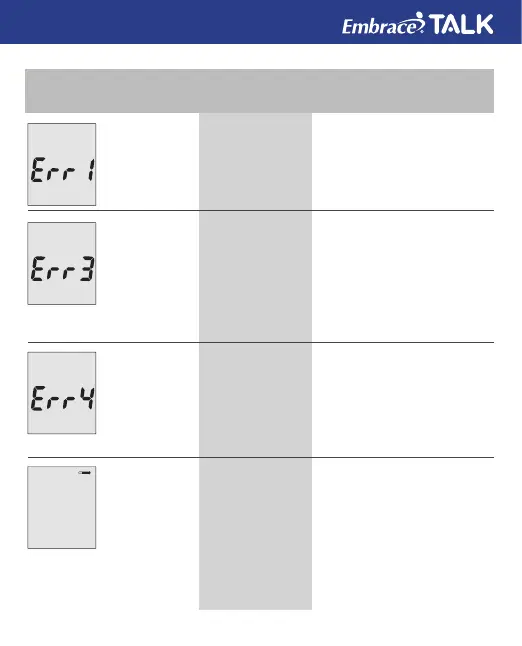
“Error 1
Monitor
Failure”
“Error 3 used
test strip”
“Error 4
not enough
sample”
“Temper-
ature is out
of range”
The monitor
electronics are
damaged
Used or
damaged test
strip
Not enough
sample in the
test strip for the
monitor to read.
Temperature
out of range
Remove and put back in
the batteries and turn the
monitor back on.
If problems persists, call us
at 1-877-979-5454
Repeat the test with a new
test strip. Remember to add
sample only when you see
the prompt on the display
screen or the monitor
verbally prompts you to add
sample.
Remove the test strip and
repeat the test with a new
test strip. See “Testing Your
Blood Glucose” on page 29.
Move the Monitor into
an area that is between
50°F~104°F and relative
humidity less than 85%,,
and allow 10 to 15
minutes for the monitor’s
temperature to get back
with in range.



 To Next Page