EasyManua.ls Logo

EMC VNXe3100 - User Manual

EMC VNXe3100
8 pages
Print Icon
To Next Page IconTo Next Page
Loading...
2/2/11
1
EMC
®
VNXe3100™
Replacing a VNXe3100 Memory Module
Before you start
Before you begin the replacement procedure, make sure you have correctly identified the faulted part,
and that a replacement memory module (DIMM) is available. Refer to your EMC® VNXe™ online help
(Servicing your system > Adding or replacing faulted hardware components > Replace a faulted
hardware component) for instructions on how to identify failures, order new parts, and handle
hardware components. Also, prepare your disk processor enclosure (DPE) for service as described
below.
Preparing your disk processor enclosure for service
IMPORTANT
To protect your VNXe system from accidental data loss while you remove and replace DPE
components, open Unisphere™ and select Settings, then Service System.
Log in with your service password.
•In the System Components column, select the storage processor (A or B) associated with the
faulted component.
•Under Service Actions, select Enter Service Mode, then Execute service action.
The storage processor fault LED will flash alternating amber and blue while the SP remains in
Service Mode and is receiving active power.
Contents
This document provides instructions on the following tasks:
Task 1: Remove the storage processor (SP) assembly on page 2
Task 2: Remove the SP assembly top cover on page 3
Task 3: Replace the memory module on page 4
Task 4: Replace the SP top cover on page 5
Task 5: Replace the storage processor on page 6
Task 6: Reboot the storage processor on page 7
Task 7: Verify the operation of the new module on page 7
Task 8: Return the faulted memory module on page 8

Other manuals for EMC VNXe3100

Question and Answer IconNeed help?

Do you have a question about the EMC VNXe3100 and is the answer not in the manual?

Summary

Before you start

Preparing your disk processor enclosure for service

Remove the storage processor (SP) assembly

Remove the SP assembly top cover

Replace the memory module

Replace the SP top cover

Replace the storage processor

Reboot the storage processor

Verify the operation of the new module

Return the faulted memory module

Overview

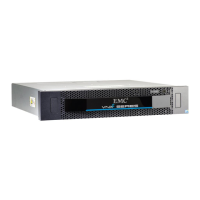
The EMC VNXe3100M is a disk processor enclosure (DPE) designed for data storage and processing, with a focus on reliability and ease of maintenance. This document specifically details the procedure for replacing a memory module within the VNXe3100 system, highlighting its modular design and user-friendly serviceability features.

Function Description:

The VNXe3100M serves as a core component in a storage system, housing storage processors (SPs) that manage data operations. Memory modules (DIMMs) are critical to the performance of these storage processors, providing the necessary volatile memory for data caching and system operations. The system is designed to allow for the replacement of these modules, ensuring continuous operation and data integrity even in the event of a hardware failure. The overall system is managed through Unisphere™, a web-based interface that provides tools for system monitoring, configuration, and service actions.

Important Technical Specifications (Inferred from the document):

  • Memory Type: DIMM (Dual In-line Memory Module). The document illustrates two DIMM slots, labeled DIMM 0 and DIMM 1, suggesting a dual-channel or expandable memory architecture.
  • Modular Design: The storage processor (SP) is a hot-swappable assembly that can be removed from the chassis for servicing. The memory modules are located on the SP's printed circuit board (motherboard).
  • Service Mode: The system incorporates a "Service Mode" feature, which, when activated, protects the VNXe system from accidental data loss during component replacement. This mode is initiated through Unisphere™ and is indicated by an alternating amber and blue flashing LED on the storage processor.
  • Cache Protection: The system includes a cache protection module, and an "Unsafe to remove SP" LED indicates when it is unsafe to remove an SP, particularly if a vital system or data-caching process is active. This is especially critical for single storage processor systems.
  • Connectivity: The SP assembly connects to the network and other cables at the back, which must be disconnected and reconnected during service.

Usage Features:

  • Unisphere™ Management: The primary interface for managing the VNXe3100M is Unisphere™. This tool allows users to:
    • Identify faulted hardware components.
    • Initiate "Service Mode" for safe component replacement.
    • Reboot storage processors after service.
    • Verify the operation and health of new modules.
    • Access support resources, including instructions for returning faulted parts.
  • LED Indicators: The system uses LEDs to provide visual cues about its status. For instance, the "Unsafe to remove SP" LED warns against removing an SP during critical operations, and the SP fault LED flashes during "Service Mode."
  • Tool-less Access (Inferred): The removal of the SP assembly and its top cover appears to be tool-less, relying on latches and buttons for easy access. The SP latches are orange and are squeezed to release, while the SP top cover has a blue button to initiate its removal.
  • Keyed Components: Memory modules and their sockets are "keyed" to prevent incorrect alignment during installation, simplifying the replacement process and reducing the risk of damage.
  • Antistatic Handling: The document emphasizes the importance of placing memory modules on an antistatic surface and handling them by their outside edges to prevent electrostatic discharge (ESD) damage.

Maintenance Features:

  • Step-by-Step Replacement Procedure: The document provides a clear, detailed, and illustrated step-by-step guide for replacing a memory module, covering:
    1. Removing the storage processor (SP) assembly.
    2. Removing the SP assembly top cover.
    3. Replacing the memory module.
    4. Replacing the SP top cover.
    5. Replacing the storage processor.
    6. Rebooting the storage processor.
    7. Verifying the operation of the new module.
    8. Returning the faulted memory module.
  • Service Mode for Data Protection: The "Service Mode" feature is a crucial maintenance aspect, ensuring that data is protected during hardware servicing. It prevents accidental data loss by preparing the system for component removal.
  • Fault Identification and Part Ordering: Users are directed to the EMC® VNXe™ online help for instructions on identifying failures, ordering new parts, and handling hardware components, streamlining the maintenance workflow.
  • Verification of New Module: After replacement, Unisphere™ provides a mechanism to verify the successful operation of the new module, displaying an "OK" status icon in the Component list and highlighting the SP in green in the graphical view.
  • Return Process for Faulted Parts: The system integrates with EMC Online Support to provide detailed instructions, printable return labels, and box pickup information for returning faulted modules, simplifying the logistics of hardware replacement.
  • Clear Warnings and Notes: The document includes important cautions regarding SP removal during critical operations and notes on retaining packaging for returns, ensuring users are aware of potential risks and best practices.
  • Modular Component Design: The ability to remove and replace individual components like memory modules and entire SP assemblies contributes to the system's maintainability, reducing downtime and simplifying repairs.

EMC VNXe3100 Specifications

General IconGeneral
BrandEMC
ModelVNXe3100
CategoryDisk array system
LanguageEnglish