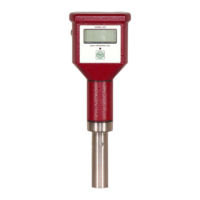
DIGITAL CONDUCTIVITY METER
The information contained in the accompanying document is proprietary and confidential, and may not be
copied in any manner whatsoever without prior written consent of Emcee Electronics, Inc. The document
and the material therein may not be used for any purpose other than that intended by Emcee Electronics,
Inc.
COPYRIGHT 1984 EMCEE ELECTRONICS, INC.
REVISION DATE: JANUARY 10, 2019
Page 11 of 20
9.0 BATTERY REPLACEMENT
9.1 The Model 1152 Conductivity has an
internal battery checking circuit. If
batteries are weak the meter will read for a
short time and shut itself off. If batteries
are too low the unit will not turn on.
9.2 Do not replace batteries when an
explosive atmosphere is present.
9.3 When battery replacement is indicated
remove the 4 screws holding the back plate
exposing the battery housing at the top of
the meter.
9.4 Remove the 2 screws on the battery
housing and set the housing cover to one
side (Figure 7).
9.5 Observe the polarity markings and insert
three new batteries as shown in Fig. 7.
Battery replacement must be 3) Energizer No.
A544 Alkaline, 6v each any other battery
replacement will invalidate the Intrinsically
Safe Rating.
9.6 Replace back panel and check zero and
calibration.


 To Next Page