23
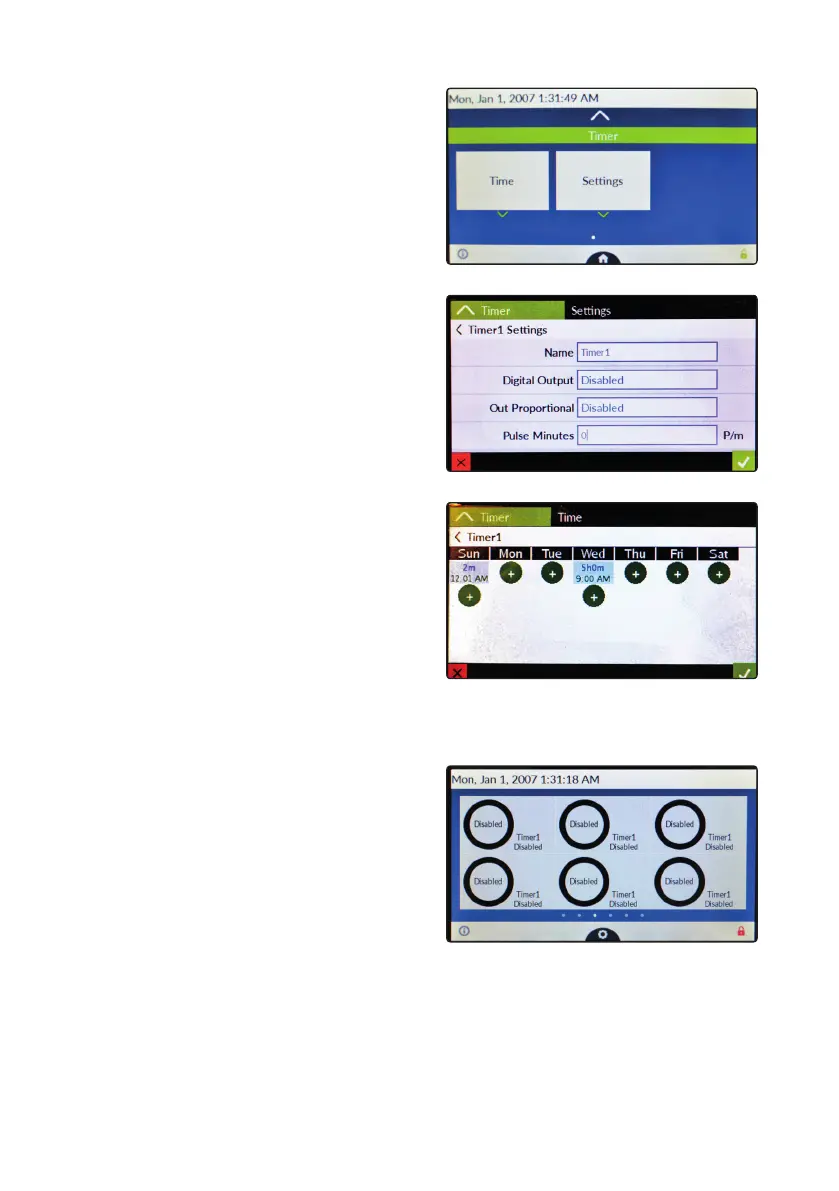
“Timer” settings.
This menu allows to congure all the available outputs
(proportional and digital) with a recurring / scheduled activation.
For example, it is possible to assign outputs for water games,
lighting.
Options are:
Name: timer name
Digital Output: choose between any available
(relay or free contact) output or disabled
Out Proportional: choose between any available
pulse output or disabled
Pulse Minute (P/m): pulses per minute
To setup time and day of activity tap on “Time”
an add an event by tapping on “+” button.
From main screen swipe to the left to
check timered outputs status..



 To Next Page