39
MLQ mode.
Dosing rate is determined by pulses from a water meter on the base of set MLQ (milliliters
per quintal), chemical product concentration (%) and quantity for each single stroke set
during program session.
Which parameters must be set ?
MLQ (product quantity in milliliters per quintal)
CONC (% of product’s concentration): set 100% if product is pure
CC/STROKE (refer to CC/ST setup)
WMETER (water meter)
TIMEOUT
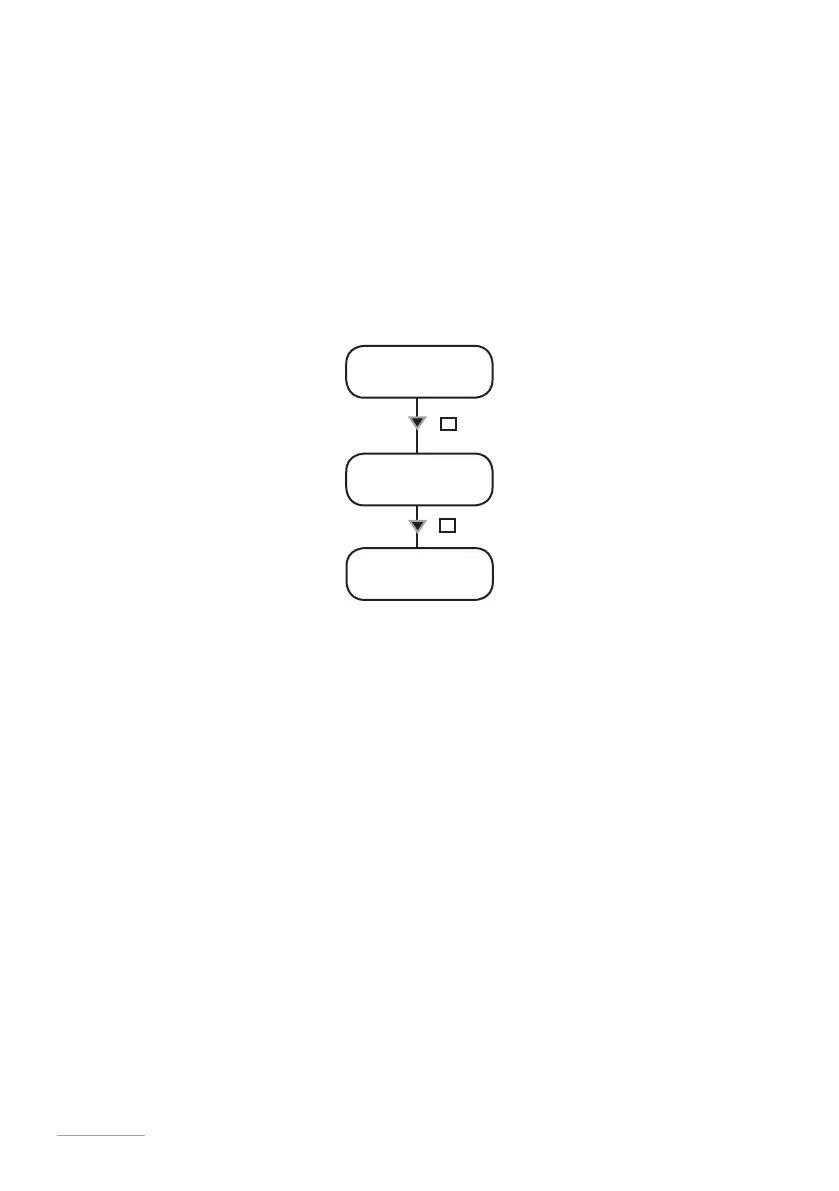
23. “MLQ” working mode
mode [06]
MLQ
MLQ
03.00
key
E
conc %
010.0
key
E
Use “UP” key to change selected unit (“_” blinking cursor) of MLQ.
To move on next digit press “RIGHT” key.
To modify quantity of product concentration press “E” key.
Use “UP” key to change selected unit (“_” blinking cursor) of CONC%.
To move on next digit press “RIGHT” key.
Press “E” key to save data and “ESC” to exit to main menu. Otherwise press “ESC” to discard data and exit to main menu.
Note: before to use this mode we suggest to set the “TIMEOUT” parameter.
“TIMEOUT” take part when the result is a multiplication.


 To Next Page