EasyManua.ls Logo

Emerson 1F97-1277 - User Manual

Emerson 1F97-1277
12 pages
Print Icon
To Next Page IconTo Next Page
Loading...
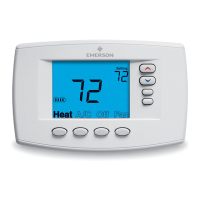
Big Blue Touchscreen Thermostat with
Automatic Heat/Cool Changeover Option
Installation and Operating Instructions for Model:
APPLICATIONS
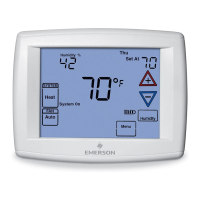
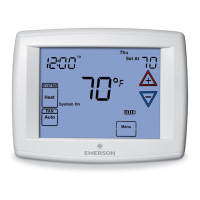
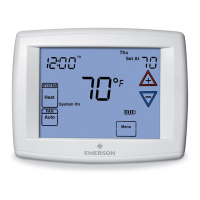
1F97-1277 Touchscreen Thermostat
SPECIFICATIONS
Electrical Rating:
Battery Power.......................... mV to 30 VAC, NEC Class II, 50/60 Hz or DC
Input-Hardwire ......................... 20 to 30 VAC
Terminal Load ............................. 1.5A per terminal, 2.5A maximum all terminals combined
Setpoint Range ............................ 45 to 99°F (7 to 37°C)
Differential (Single Stage) .................... Heat 0.6°F; Cool 1.2°F
Differential (Multi-Stage) ..................... Heat 0.6°F; Cool 1.2°F
Differential (Heat Pump) ..................... Heat 1.2°F; Cool 1.5°F
Operating Ambient.......................... 32°F to +105°F (0 to +41°C)
Operating Humidity ......................... 90% non-condensing max.
Shipping Temperature Range ................. -4 to +150°F (-20 to +65°C)
Dimensions Thermostat...................... 4-9/16"H x 5-13/16"W x 1-3/16"D
Save these instructions for future use!
FAILURE TO READ AND FOLLOW ALL INSTRUCTIONS
CAREFULLY BEFORE INSTALLING OR OPERATING THIS
CONTROL COULD CAUSE PERSONAL INJURY AND/OR
PROPERTY DAMAGE.
Model Programming Choices
1F97-1277
Non-Programmable 5+1+1 Day 7 Day
THERMOSTAT APPLICATION GUIDE
Description
Heat Pump (No Aux. or Emergency Heat) Yes
Heat Pump (with Aux. or Emergency Heat) Yes
Systems with up to 3 Stages Heat, 2 Stages Cool No
Heat Only Systems Yes
Millivolt Heat Only Systems – Floor or Wall Furnaces Yes
Cool Only Systems Yes
Gas or Oil Heat Yes
Electric Furnace Yes
Hydronic (Hot Water) Zone Heat – 2 Wires Yes
Hydronic (Hot Water) Zone Heat – 3 Wires Yes
Wired Remote Temperature Sensor (Indoor/Outdoor) Yes
Dual Fuel Feature (Heat Pump Mode) Yes
CAUTION
!
To prevent electrical shock and/or equipment damage,
disconnect electric power to system at main fuse or
circuit breaker box until installation is complete.
Index Page
Installation 2
Wiring Connections 2
Thermostat Quick Reference 4
Installer Conguration Menu 5
Operating Your Thermostat 8
Programming 9
Troubleshooting 12
ATTENTION: MERCURY NOTICE
This product does not contain mercury. However, this
product may replace a product that contains mercury.
Mercury and products containing mercury must not be
discarded in household trash. Do not touch any spilled
mercury. Wearing non-absorbent gloves, clean up any
spilled mercury and place in a sealed container. For proper
disposal of a product containing mercury or a sealed
container of spilled mercury, place it in a suitable shipping
container. Refer to www.thermostat-recycle.org for
location to send the product containing mercury.
PART NO. 37-7388A
1241
www.white-rodgers.com
www.emersonclimate.com

Questions and Answers

Summary

Installation and Operating Instructions

Thermostat Application Guide

Provides a guide to thermostat applications for various heating and cooling systems.

Specifications

Details electrical ratings, terminal load, setpoint range, and operating conditions.

Installation

Remove Old Thermostat

Steps for safely removing a standard heat/cool thermostat from its base.

Installing New Thermostat

Procedure for mounting the new thermostat base and attaching the thermostat.

Battery Location and Replacement

Details the location of batteries and how to replace them for thermostat power.

Wiring Connections

Terminal Designation Descriptions

Explains the function of each terminal on the thermostat base.

Thermostat Quick Reference

Home Screen Description

Explains the elements and indicators shown on the thermostat's home screen.

Programming and Configuration Items

Describes the function of various buttons and indicators used for programming.

Installer;Configuration Menu

Configuration Menu Options

Details the various settings available in the installer configuration menu.

Operating Your Thermostat

Fan Setting Operation

Explains how to select between Auto and On fan modes for operation.

System Setting Operation

Details how to select system modes like Heat, Cool, Auto, Off, and Emer.

Manual Operation (Non-Programmable)

Instructions for manual temperature adjustment on non-programmable models.

Manual Operation (Programmable)

How to manually override programmed settings using HOLD or Temporary Override.

Automatic Daylight Saving

Explains the automatic adjustment for Daylight Saving Time and its configuration.

Programming Tip: Copy Button

Describes how to use the Copy button to duplicate program settings across days.

Programming

Enter Heating Program

Step-by-step guide to setting heating times and temperatures for program periods.

Enter Cooling Program

Instructions for setting cooling times and temperatures for program periods.

Automatic Schedule Feature

Explains the Auto Schedule feature for quick programming of popular settings.

Entering Fan Program

How to set the fan operation mode (Auto or Program) for specific periods.

Energy Saving Factory Pre-Program

Details the thermostat's default energy-saving heating and cooling schedule.

Planning Your Program

Important guidelines and tips for planning custom heating and cooling schedules.

Programming Worksheet

A worksheet to help users pencil in custom times and temperatures for programming.

Wired Remote Temperature Sensing

Instructions for installing and configuring wired remote temperature sensors.

Weight of Remote Reading

Explains how remote sensor readings are weighted and displayed.

Troubleshooting

Reset Operation

Procedure to reset the thermostat to factory settings to resolve operational issues.

Common Symptoms and Solutions

Addresses common issues like no heat/cool, constant operation, and setting discrepancies.

Forgot Keypad Lockout Code

Method to unlock the thermostat if the keypad lockout code is forgotten.

Configuration Menu Model Identification

Troubleshooting when the first configuration menu item does not show SS1 or HP1.

Overview

The White-Rodgers Big Blue Touchscreen Thermostat with Automatic Heat/Cool Changeover Option is a sophisticated control system designed to manage heating and cooling in residential and light commercial environments. This thermostat offers a user-friendly interface with a large touchscreen display, making it easy to program and operate. It is compatible with various HVAC systems, including single-stage gas, oil, or electric systems, and heat pump systems (Type 1 with one stage of compressor).

Function Description

The primary function of this thermostat is to regulate indoor temperature by controlling heating and cooling equipment. It features an automatic heat/cool changeover option, allowing the system to switch between heating and cooling modes as needed to maintain a desired temperature range without manual intervention. This is particularly useful in climates where both heating and cooling may be required on the same day.

The thermostat supports different programming choices, including non-programmable, 5+1+1 day, and 7-day schedules, offering flexibility to suit various lifestyle needs. Users can set up to four program periods per day (Morning, Day, Evening, Night) or simplify to two periods (Day, Night).

Usage Features

  • Touchscreen Interface: The large touchscreen display provides clear visibility of the time, day of the week, room temperature, and set temperature. It also includes intuitive icons for system status (Heat, Cool, System On) and fan operation (Auto, On).
  • System Switch: Users can select between Heat, Off, Cool, or Auto modes. In "Auto" mode, the thermostat automatically switches between heating and cooling to maintain comfort. An "Emer" (Emergency Mode) setting is available for heat pump configurations.
  • Fan Switch: The fan can be set to "Auto," where it runs only when the heating or cooling system is active, or "On," for continuous air circulation or enhanced air cleaning. During programming, a "FAN Prog" option allows the fan to run during specific program periods.
  • Temperature Adjustment: Dedicated UP/DOWN touch keys allow users to easily modify the setpoint temperature and navigate through menus.
  • Programming Flexibility:
    • 7-Day Programming: Allows for a unique program for each day of the week.
    • 5+1+1 Day Programming: Offers one program for weekdays, and separate programs for Saturday and Sunday.
    • Non-Programmable Mode: For users who prefer manual control, the thermostat can be set to non-programmable mode, where it maintains a constant temperature until manually adjusted.
  • Temporary Override: Users can temporarily adjust the temperature without altering the programmed schedule. This override can last for a default of four hours but can be adjusted from 15 minutes to 7 days.
  • Hold Mode: The "HOLD" feature allows users to maintain a specific temperature indefinitely, bypassing the programmed schedule until manually canceled.
  • Automatic Schedule: This feature simplifies programming by allowing users to set a "Comfort Temperature" that is automatically applied to all program periods with a 6°F setback for the night step.
  • Energy Management Recovery (EMR): When enabled, this feature causes the thermostat to start heating or cooling early to reach the programmed setpoint temperature by the specified time, optimizing energy use.
  • Cycle Rate Selection: Users can choose between "Fast Cycle" (FA Cr) or "Slow Cycle" (SL Cr) for heating, cooling, and emergency modes, influencing how frequently the system cycles on and off.
  • Compressor Lockout (CL): This feature protects the compressor from short cycling by enforcing a 5-minute delay between cooling cycles.
  • Continuous Backlight: The display backlight can be set to remain on continuously when the C terminal is connected, improving visibility in low-light conditions. The intensity of the backlight can also be adjusted between "HI" and "LO."
  • Temperature Display Adjustment: Users can fine-tune the displayed room temperature by +/- 4°F to match previous thermostats or personal preference.
  • Temperature Units: The thermostat can display temperature in either Fahrenheit (°F) or Celsius (°C).
  • Audio Prompting (Beeper): An audible beeper provides feedback for key presses and system alerts, which can be enabled or disabled.
  • Daylight Saving Time Calculation: The thermostat automatically adjusts for Daylight Saving Time, incrementing one hour in March and decrementing one hour in November. This feature can be enabled or disabled.
  • Cool Savings™ Feature: This energy-saving feature makes small adjustments to the setpoint temperature during periods of high demand to reduce AC system running time and save energy. It gradually increases the setpoint temperature in steps when the cooling system has been running for an extended period, making the home feel comfortable at a slightly higher temperature.
  • Temperature Limits: Users can set maximum heat setpoint (HL) and minimum cool setpoint (LL) temperatures to prevent extreme adjustments.
  • Keypad Lockout: This security feature allows users to lock the keypad partially or completely, or to limit temperature adjustments within a defined range. A programmable combination number is used to unlock the thermostat.
  • Fast Second Stage: For heat pump systems, this feature allows the second stage of heating or cooling to energize immediately if the setpoint is manually adjusted significantly (e.g., 3°F or more).
  • Remote Temperature Sensor: The thermostat supports wired indoor or outdoor remote temperature sensors. When an indoor remote sensor is used, its readings can be weighted with the local sensor for specific program periods. The local sensor can also be disabled if only the remote sensor is desired for control.
  • Dual Fuel Feature: Applicable in heat pump modes with an outdoor remote sensor, this feature switches to gas heat and shuts down the compressor when the outdoor temperature falls below a user-defined setpoint. A compressor delay (Cd) can also be set for this transition.

Maintenance Features

  • Battery Level Indicator: The display shows the current power level of the two "AA" batteries, indicating when replacement is needed.
  • Change Filter Reminder: The thermostat displays "Change Filter" after a programmed period of blower operation (adjustable from 25 to 1975 hours in 25-hour increments), reminding users to change or clean their air filter. This reminder can be cleared by pressing the "Clean Display" button.
  • Call For Service Indicator: The display shows "Call For Service" if a fault is detected in the heating/cooling system, indicating that professional service may be required.
  • Reset Operation: In case of erratic operation or a blank display due to a voltage spike or static discharge, the thermostat can be reset by removing the wires from terminals R and C and removing the batteries for two minutes. This restores factory default settings and programming.
  • Troubleshooting Guide: The manual provides a comprehensive troubleshooting section to help users diagnose and resolve common issues, such as no heat/cool/fan, constant running, or discrepancies in temperature readings.
  • Mercury Notice: The product does not contain mercury, but the manual provides instructions for proper disposal of older mercury-containing thermostats, directing users to www.thermostat-recycle.org.

Emerson 1F97-1277 Specifications

General IconGeneral
Product TypeThermostat
Programmability7-Day Programmable
Power SourceBattery or Hardwired
BacklightYes
Temperature SwingAdjustable
Weight0.5 lbs
Stages2 Heat/1 Cool
DisplayDigital
FeaturesEnergy Saving
CompatibilityHVAC Systems
Temperature Range40°F to 99°F

Related product manuals