EasyManua.ls Logo

Emerson CF144BS00 - User Manual

Emerson CF144BS00
24 pages
Print Icon
To Next Page IconTo Next Page
Loading...
Part No. F40BP74070004 Form No. BP7407-4
Revision: 170115 U.L. Model No.: CF144 & CF152
READ AND SAVE THESE INSTRUCTIONS
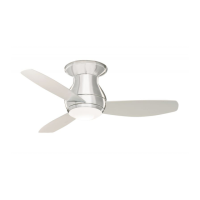
CURVA SKY
44” & 52” Damp & Wet Location
Snugger Ceiling Fan Owner's Manual
Questions, problems, missing parts: Before returning to the store call
Emerson Electric Customer Service
8 a.m. - 6 p.m., Eastern, Monday-Friday
1-800-654-3545
www.emersonfans.com
CF144BS00
Brushed Steel
44” Model Numbers
for Damp Locations
CF144GRT00
Graphite
CF144ORB00
Oil Rubbed Bronze
CF144WW00
Appliance White
44” Model Numbers
for Wet Locations
CF152BS00
Brushed Steel
52” Model Numbers
for Damp Locations
CF152GRT00
Graphite
CF152ORB00
Oil Rubbed Bronze
CF152WW00
Appliance White
52” Model Numbers
for Wet Locations
Net Weight: 18.5 Lbs.
Net Weight: 19.4 Lbs.
CONTEMPORARY
• Español - página 25
• Français - page 49

Questions and Answers

  • A
    audreybarrettAug 14, 2025
    What to do if Emerson Fan/Light Fails to Operate?
    • L
      Logan MillsAug 14, 2025
      If your Emerson Fan/Light fails to operate, check that the speed switch on the fan is set to HIGH speed and that the light switch is on. Ensure that the battery is good (red indicator light should light when any button is pressed). Also, check that the receiver is wired properly and that code switches in the remote control and receiver are set in the same position.
  • R
    richard83Aug 18, 2025
    How to fix an Emerson CF144BS00 Fan that will not start?
    • M
      Matthew KleinAug 18, 2025
      If your Emerson Fan isn't starting, there are several things you can check: First, inspect the main and branch circuit fuses or circuit breakers. A blown fuse or tripped breaker can prevent the fan from receiving power. Next, examine the power line connections to the fan to ensure they are secure. Lastly, verify that the Fan/Light remote control is turned ON.
  • R
    robersonnicoleAug 21, 2025
    What to do if the lamps on my Emerson CF144BS00 Fan won't turn on?
    • A
      Angela DavisAug 21, 2025
      If both lamps on your Emerson Fan are not illuminating, there are a few potential causes. Begin by shutting off the electricity at the fuse box or breaker panel and checking the receiver electrical connectors for proper installation. Then, replace the AAA batteries in the remote control. If the lamps are burnt out, turn off the electricity and replace them with new 50W max lamps. Finally, if the lamps turn on and then turn off, the built-in circuit breaker may be tripping, so check that the lamps are each 50W maximum.
  • J
    Joseph FuentesAug 25, 2025
    Why does my Emerson CF144BS00 Fan wobble so much?
    • D
      Dr. Jeffrey HortonAug 26, 2025
      Excessive wobbling in your Emerson Fan can often be attributed to a few common issues. First, check to be sure the screws that attach the fan blades to the motor are tight. Also, ensure that the fan blades are seated firmly. If the wobbling persists, try interchanging an adjacent blade pair to redistribute the weight, or use the supplied balancing kit to balance the blades.
  • K
    Kathy RobbinsAug 27, 2025
    How to reduce noise from my Emerson Fan?
    • J
      joe15Aug 28, 2025
      If your Emerson Fan is making excessive noise, there are a couple of things to inspect. Ensure that the blades are properly attached to the fan. Also, check to make sure the screws securing the fan blades to the motor are tight.
  • M
    Melvin WhiteAug 31, 2025
    What to do if my Emerson CF144BS00 will not start?
    • M
      Mrs. Donna Griffin DDSAug 31, 2025
      If your Emerson Fan isn't starting, there are several things to check. First, examine the main and branch circuit fuses or circuit breakers. Second, verify the line power connections to the fan are secure. Finally, ensure the Fan/Light remote control is turned ON.
  • A
    Angela NorrisSep 3, 2025
    Why is my Emerson CF144BS00 so noisy?
    • T
      Thomas BarnesSep 3, 2025
      There are a couple of reasons why your Emerson Fan might be noisy. Ensure that the blades are properly attached to the fan. Also, check to make sure the screws securing the fan blades to the motor are tight.
  • D
    Douglas FieldsSep 7, 2025
    What to do if lamps of Emerson Fan will not illuminate?
    • S
      sandra22Sep 7, 2025
      If both lamps on your Emerson Fan won't illuminate, there are a few potential causes. First, check the receiver electrical connectors for proper installation, after shutting off the electricity. Then, replace the AAA remote batteries. Also, make sure the lamps are not burnt out; if they are, replace them with new 50W max. lamps. Finally, if the lamps turn on and then turn off, the built in circuit breaker is tripping; check that the lamps are each 50W maximum.
  • E
    enobleSep 10, 2025
    How to fix an Emerson CF144BS00 Fan that wobbles excessively?
    • B
      Bradley PittsSep 10, 2025
      If your Emerson Fan wobbles excessively, start by checking that the screws securing the fan blades to the motor are tight and that the fan blades are seated firmly. If the issue persists, interchanging an adjacent blade pair can redistribute the weight. If it doesn't help, use the supplied balancing kit to balance blades.

Summary

Safety Instructions for Emerson Ceiling Fan

General Safety Precautions

Basic rules to reduce risk of fire, shock, or injury during fan use.

Installation Safety Guidelines

Specific safety advice for the fan installation process.

Unpacking and Parts Identification

Electrical System Requirements

Grounding and Electrical Safety

Ensures proper grounding and safe electrical connections for the fan.

Ceiling Fan Assembly Process

Fan Blade Mounting

Instructions on how to securely attach fan blades to the motor assembly.

Ceiling Fan Installation and Hanging

Electrical Safety During Hanging

Emphasizes turning off power before commencing installation.

Mounting Plate Installation

Attaching the ceiling mounting plate securely to the outlet box.

Ceiling Fan Wiring Procedures

Receiver Installation and Connection

Placing the receiver unit and connecting its wires to the fan.

Wire Connection Security Check

Ensuring all electrical connections are tight and secure.

Motor Assembly to Mounting Plate

Securing the fan motor housing to the ceiling mounting plate.

Remote Control Operation and Setup

Pairing Remote to Receiver

Process for setting the code in the receiver to match the transmitter.

Adjusting Fan Speed and Airflow

Using remote buttons to control fan speed and reverse airflow direction.

Controlling Light Intensity

Using remote buttons to turn light on/off and adjust brightness.

Fan Troubleshooting Guide

Fan Fails to Start

Diagnosing and resolving issues when the fan does not operate.

Remote Control Operation Problems

Solutions for issues related to the remote control's functionality.

Replacement Parts Information

Emerson Air Comfort Ceiling Fan Limited Warranty

Emerson CF144BS00 Specifications

General IconGeneral
BrandEmerson
ModelCF144BS00
TypeCeiling Fan
Blade Span44 inches
Number of Blades5
Motor TypeAC Motor
Motor Speed3 speeds
ReversibleYes
Mounting TypeDownrod
FinishBrushed Steel
Blade MaterialWood
Light IncludedNo
WarrantyLimited Lifetime
Control TypePull Chain

Related product manuals