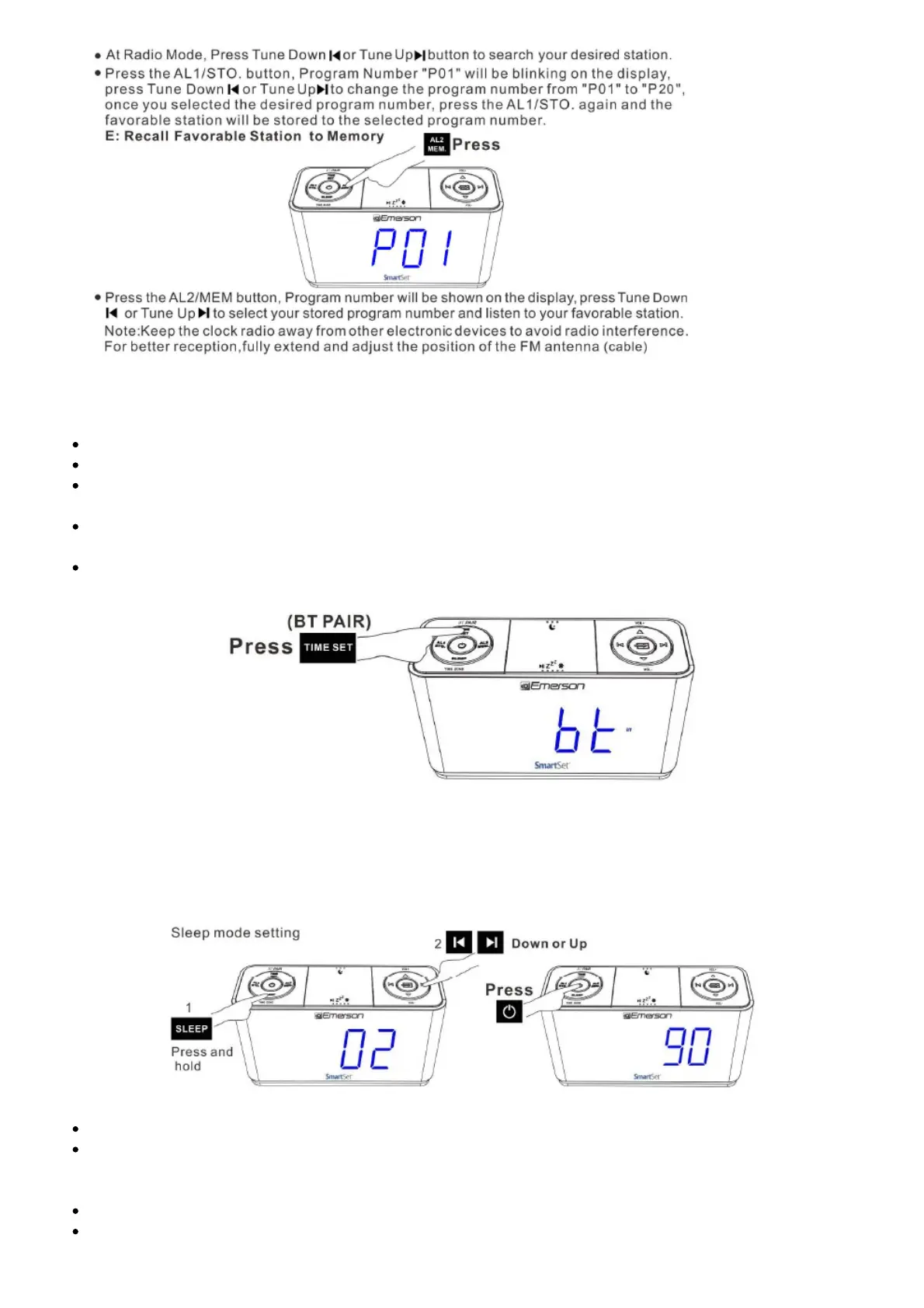
12. Recall Favorable Station
Press the POWER button to turn the unit ON
Press the SOURCE button to select Bluetooth (bt) mode ( “BT” flashes for pairing)
Enable your Bluetooth device and select CKS1507 from its Available/Paired device list. After
paring successfully, the unit will prompt and “BT” will become solid
Automatic connection with your Bluetooth devices is possible if they have been paired
successfully with this unit before.
After paired. you can play your music through this Bass Boosted Bluetooth Speaker.
13. Sleeping to Music Timer
Press the Power button (‘.) to turn ON the unit ,and press SOURCE button to select either FM Radio,
Bluetooth or AUX mode to play radio or music
Press and hold the SLEEP button. The di splay wi ll show the sleep time r.
Press Up or Down button to choose your desired sleep timer (02-90 minutes). , Release all
buttons, the sleep timer will start counting down and turn off the unit when the desired sleep
timer elapsed.
To display the sleep timer during count down process, press the SLEEP button.
To cancel the sleep timer during count down process, press the POWER button to shut off the unit.



 To Next Page