Protect Your Furniture
This model is equipped with non-skid rubber ‘feet’ to prevent the product from moving when you
operate the controls. These ‘feet’ are made from non-migrating rubber material specially formulated to
avoid leaving any marks or stains on your furniture. However certain types of oil based furniture
polishes , wood preservatives, or cleaning sprays may cause the rubber ‘feet’ to soften. and leave
marks or a rubber residue on the furniture. To prevent any damage to your furniture we strongly
recommend that you purchase small self-adhesive felt pads, available at hardware stores and home
improvement centers everywhere, and apply these pads to the bottom of the rubber ‘feet’ before you
place the product on fine wooden furniture.
Power Source
This radio is designed to operate on normal 120V 60Hz AC power only. Do not attempt to operate the
radio on any other power source . You could cause damage to the radio that is not covered by your
warranty. This radio should be connected to an AC outlet that is always ‘live’. Do not connect it to an
outlet that is controlled by a wall switch. When the power to the radio is interrupted, the built in
lithium battery takes over to maintain the time and alarm settings. To maximize the life of the lithium
battery keep the radio connected to a ‘live’ AC outlet at all times.
4. Important Notes
Avoid installing this unit in places exposed to direct sunlight or close to heat radiating appliances
such as: electric heaters, on top of other stereo equipment that radiates heat, places lacking
ventilation, dusty areas, places subject to constant vibration and/or humid or moist areas.
Operate controls and switches as described in the manual.
Before turning on the power, make certain that the AC adapter is properly installed.
When moving the set, be sure to first disconnect the AC adapter.
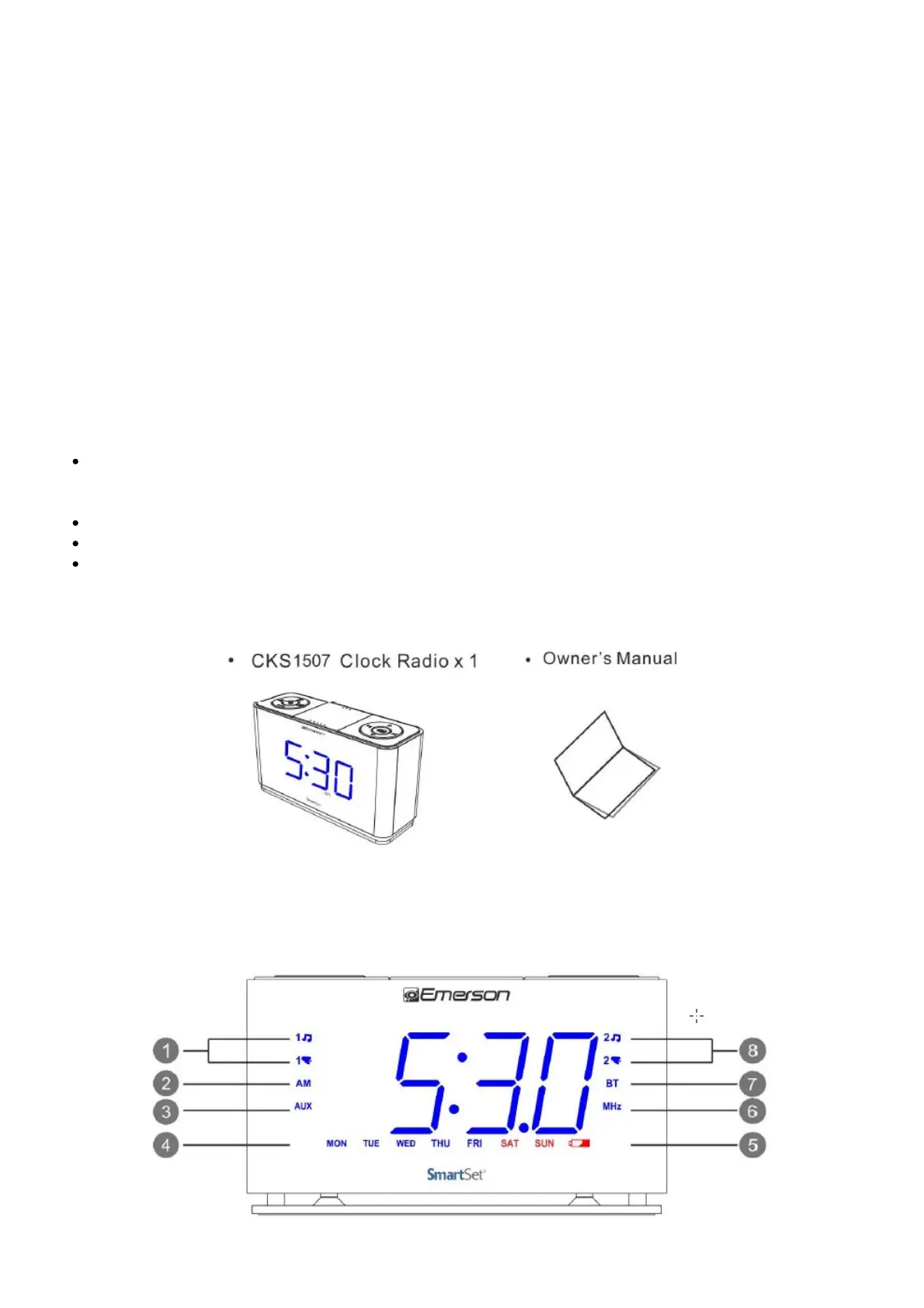
5. Package Contents
6. Location of Controls and Indicators
FRONT PANEL



 To Next Page