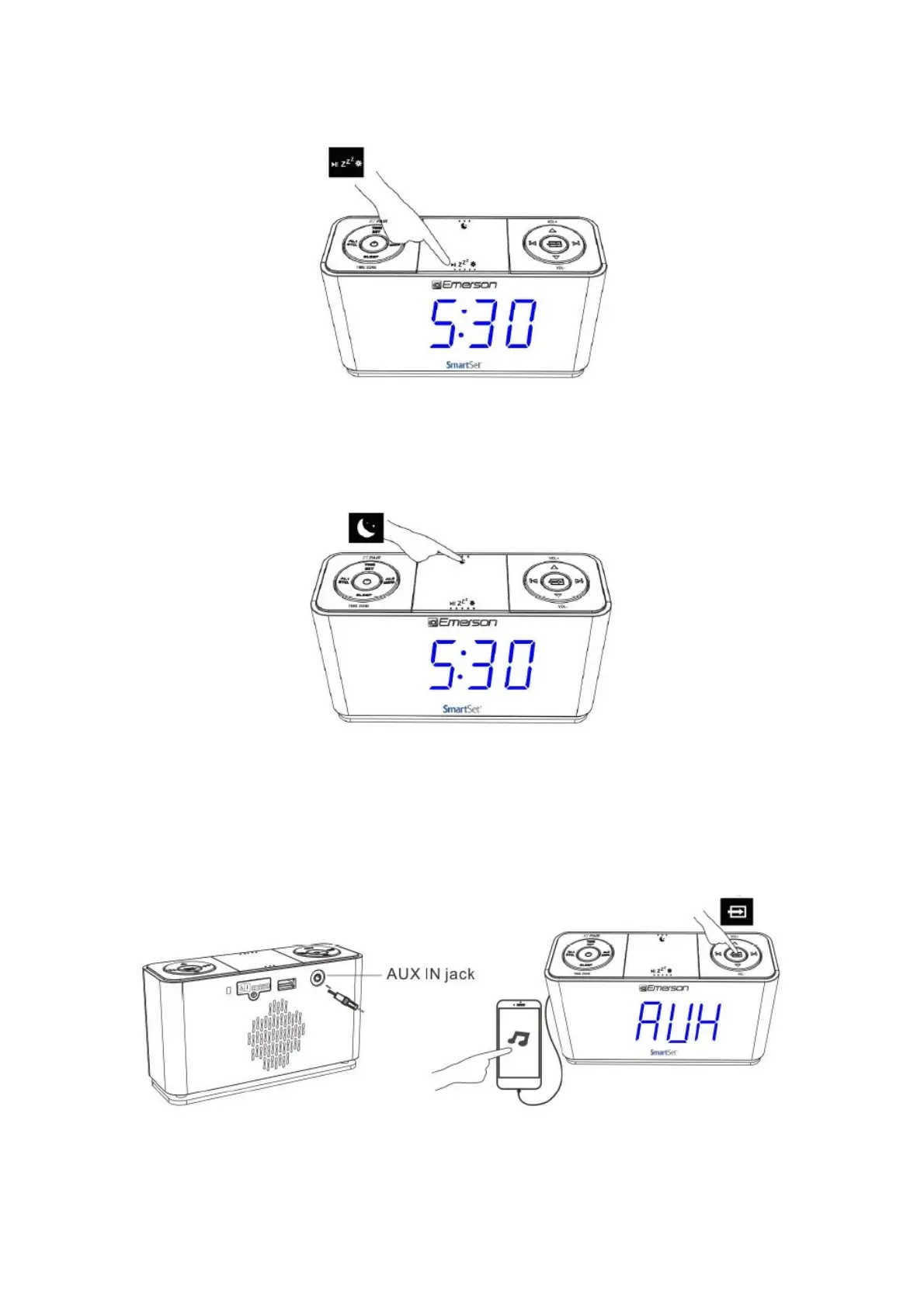
14. 3- Level Dimmer Control
The brightness of the clock display can be set at High/Medium/Low level in standby, Radio and AUX
modes with a press of zZ2* button
15. Night Lighting
Press the NIGHT LIGHT button to turn the blue nightlight ON or OFF when needed
16. Enjoying Audio Source via AUX IN Jack
Press the POWER button to turn the unit ON
Press SOURCE button until “AUX” appears on LED display, connect your audio or mobile device and
play music through the unit with the 3.5mm earphone jack.
17. USB for Charging
Output 5V up to 1.5A for charging mobile phone or portable digital audio player.



 To Next Page