CI-ControlWave EFM Installation & Operation / 2-53
When the "Mode", "Name", and "Location" have been specified, click on the [Create] push
button to activate the Communication Setup Wizard.
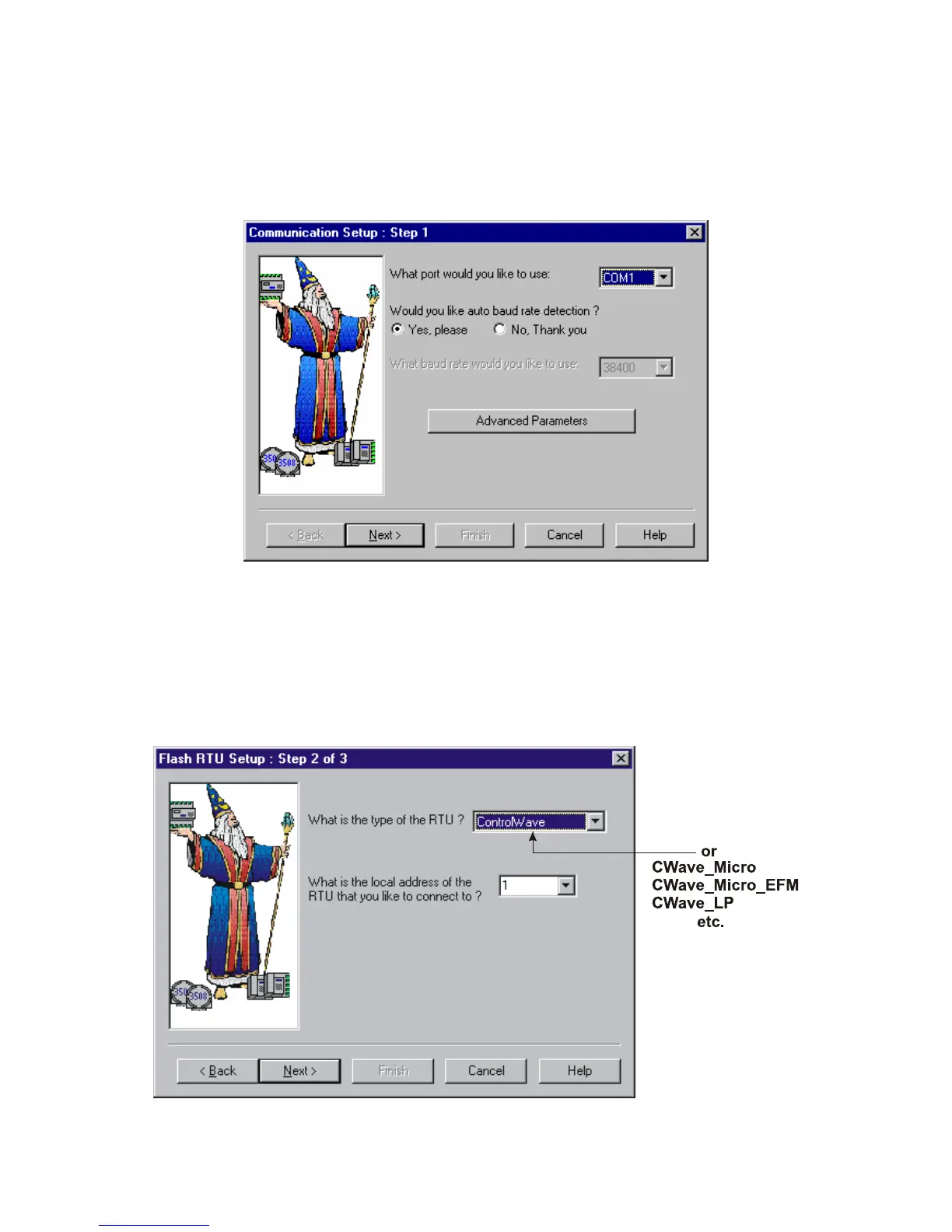
Step 1 - Communication Setup
Choose the communication port you want in the What port would you like to use: field.
Click on the [Next] pushbutton to activate the next wizard.
Figure 2-39 - Communication Setup: Step 1 Menu
Step 2 - Flash RTU Setup
In the Flash RTU Setup Wizard, you need not set the RTU type or local address, since these
are unused in this mode. Click on the [Next] push button to activate the Flash Data Setup
Wizard.
Figure 2-40 - Flash RTU Setup Menu














 To Next Page