2-54 / Installation & Operation CI-ControlWave EFM
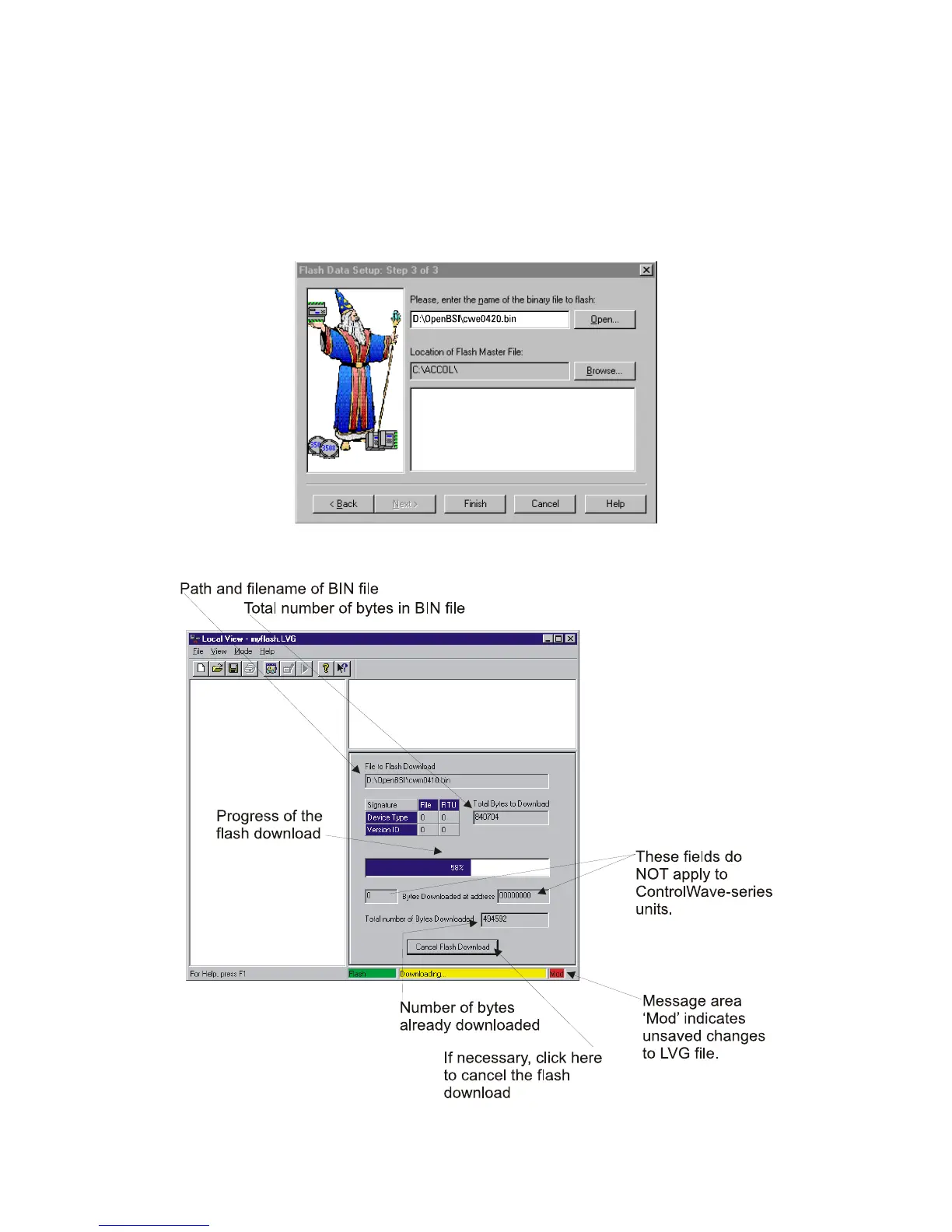
Step 3 - Flash Data Setup
Complete the following fields in the Flash Data Setup Wizard:
"Please enter the name of the binary file to Flash"
To upgrade system firmware, you must specify the path and name of a binary (*.BIN) file
on your hard disk containing the firmware.
Click on [Finish] to install the specified BIN file in FLASH memory at the RTU.
Figure 2-41 - Flash Data Setup Menu
Figure 2-42 - Local View Downloading System Firmware Menu














 To Next Page